From your first API request to million-image workflows, Photoroom makes it easier to bring AI-powered image editing into your existing systems. Get started with a self-serve API key, then access Enterprise tools and quality commitments as your production needs grow.
Processing product images at scale takes more than an image editor. Whether you’re preparing thousands of product listings, updating images across international markets, or adding image editing to your own application, you need a way to process images automatically and keep the results consistent.
Photoroom’s API lets you integrate AI-powered image editing directly into your existing workflows. You can use it to remove backgrounds, edit and enhance product photos, generate new visuals, and automate image production without sending files through a manual editing process.
There are two ways to get started: use a self-serve API plan and get an API key straight away, or work with Photoroom on an Enterprise plan for larger production needs, advanced quality controls, and contractual commitments. Both plug into your systems the same way, so you can start small and scale without rebuilding your integration.
How does Photoroom’s API work?
Photoroom’s API lets your software send product images to Photoroom for processing and receive the edited results automatically. Instead of uploading images and editing them one at a time, developers can connect Photoroom’s image-editing capabilities to a product information management (PIM) system, digital asset management (DAM) platform, e‑commerce catalog, or custom application.
The process follows a straightforward pattern:
Get an API key. Create an account and generate an API key to authenticate requests to Photoroom.
Send an image for processing. Your application sends an image and the instructions for the edit you want, such as background removal, resizing, or AI-powered enhancement.
Receive the result. The API returns the edited image in its response.
Use the edited image. Your application can save the result, send it for review, or pass it into the next step of your catalog or publishing workflow.
You can start with a single API call and build from there. For example, a retailer might begin by automatically removing backgrounds from product photos, then add resizing, image enhancement, or generated backgrounds as its requirements grow.
For the full technical setup, see the Photoroom API documentation and the API reference.
How do you integrate Photoroom’s API into your workflow?
The API can support different types of product-image workflows. Most integrations fall into two broad categories: using Photoroom behind the scenes to manage images in an existing system, or building image-editing capabilities directly into an application that customers use.
1. Connect image processing to your internal catalog workflow
If your team manages product images through a PIM, DAM, e‑commerce platform, or internal content system, you can connect Photoroom to that workflow.
For example, when a new product image enters your catalog, your system can send it to Photoroom for background removal or other edits. The processed image can then be returned to your system and stored alongside the original, ready for review or publication.
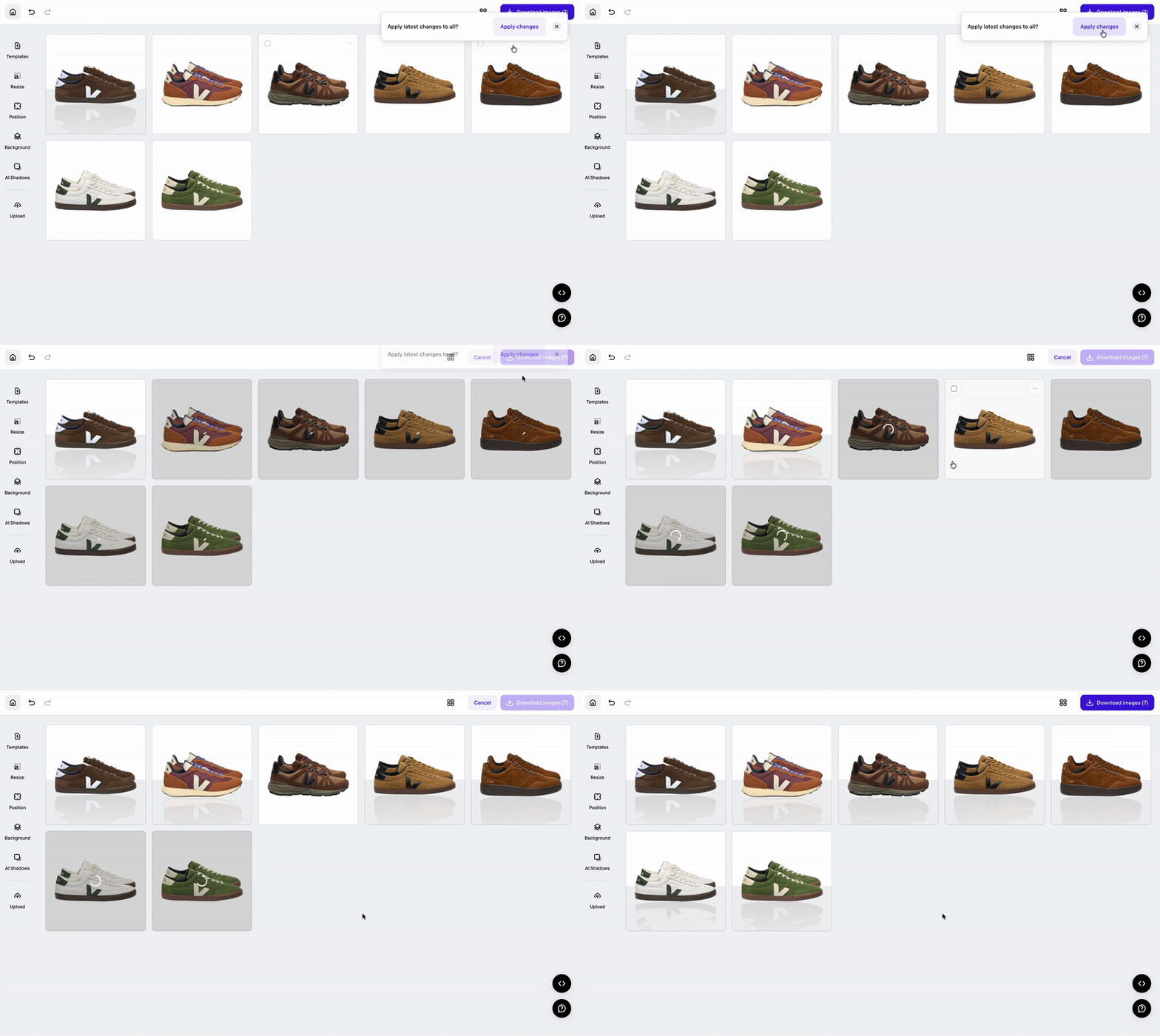
This lets teams apply the same edits across large catalogs without editing every file by hand, and keep product presentation consistent across categories, markets, and sales channels. The docs include step-by-step guides for processing images from Google Sheets, Google Drive, and Excel, or through no-code tools like Zapier.
Decathlon, for example, integrated Photoroom’s API into its DAM platform to process 35,000 images in three months, cutting its cost per image by 99% and making market rollouts 4x faster.
2. Integrate the API into user-facing features
You can also use the API to make image editing part of your own product or service. Rather than sending users to a separate editing tool, your application can offer image-processing features directly within its existing interface.
For example, a marketplace, e‑commerce platform, or seller tool could let users remove image backgrounds or prepare product photos for listings without leaving the application. Mercari built its background blur feature for sellers on Photoroom’s API. Photoroom now processes millions of images a month for Mercari’s sellers, while Mercari’s own team stays focused on product innovation.
Still deciding whether to build your own image-processing infrastructure or integrate an existing solution? Explore our build-vs-buy guide for product image workflows to compare the costs, trade-offs, and time to value.
What happens when your application sends an API request?
Each API call processes one image and returns the edited result in the same HTTP response. Your application authenticates with your API key, sends the image and the edits you want, and receives the processed image back.
A few things to plan for when you process at volume:
One image per call, many calls in parallel. To process a large catalog, run several calls at the same time (bulk processing).
60 images a minute by default. Above the rate limit, the API returns a
429error, so pace your calls to stay under it. Enterprise plans can get a higher limit.File limits. Check the supported file size, resolution, and format before you send images.
For example, a user-facing application might call the API each time someone edits an image. A retailer processing a large catalog might run batches in parallel: Decathlon processes batches of 250 images, with up to four running at once.
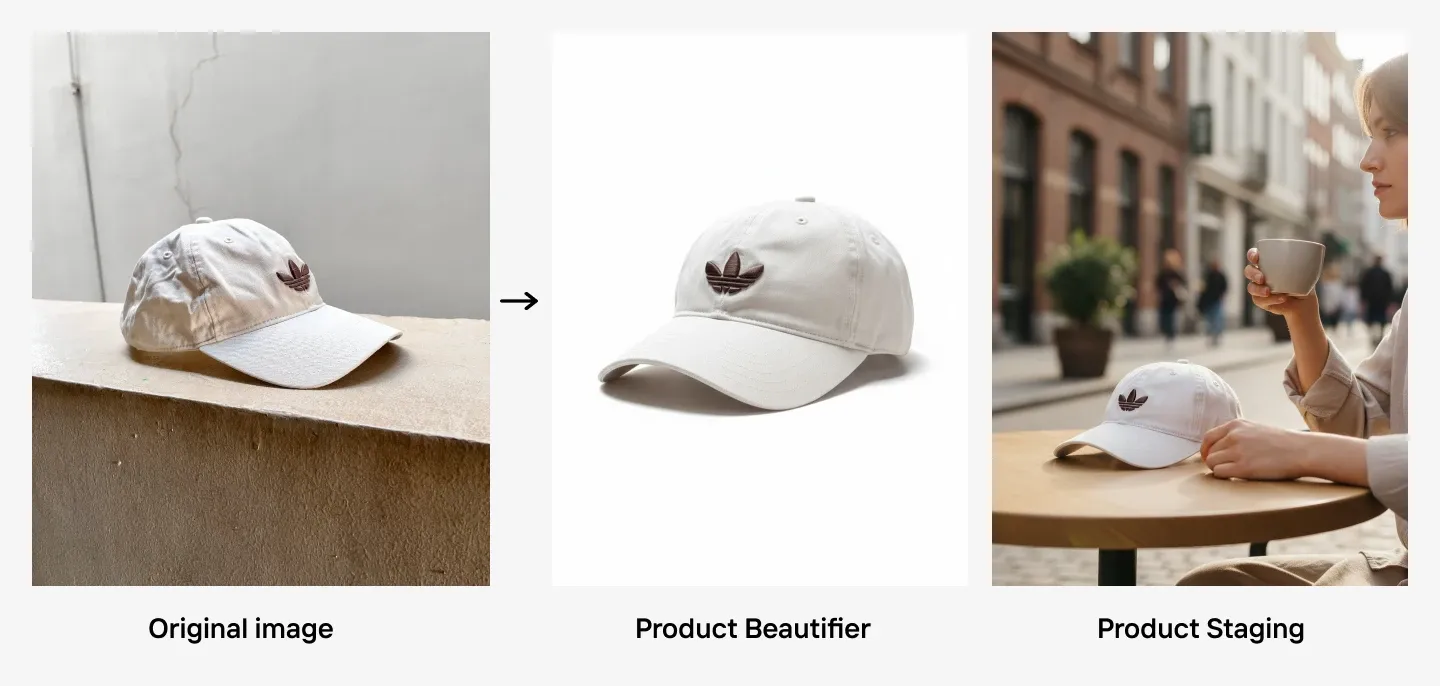 Quality of iPhone-shot baseball cap image improved using Photoroom’s Product Beautifier and Product Staging tools while maintaining its authenticity.
What enterprise capabilities are available through the Photoroom API?
Self-serve API plans provide core image-editing capabilities for developers and teams building their own integrations. Photoroom’s Enterprise plans add access to the full API suite, automated quality controls, and additional support and service commitments for businesses processing a larger number of images.
Enterprise plans include:
Visual QA
Processing images automatically can save time, but high-volume production also creates a quality-control challenge. A product image might have an inaccurate color, distorted detail, or an output that doesn’t meet your catalog’s visual standards.
Visual QA checks each processed image’s fidelity against the original, and flags defects and inconsistencies before the image reaches your catalog or listings (Visual QA API docs).
Instead of inspecting every image by hand, your team can focus on the ones Visual QA flags.
Image to video
Product content increasingly extends beyond static images. Photoroom’s Image to Video API lets Enterprise customers turn product images into video content and integrate video generation into their existing workflows.
Video also sells. On Amazon, product pages that added their first shoppable video saw an average 24% increase in sales compared with pages without video, based on Amazon’s own data from January to June 2026.
The API adds natural movement around your product, turning a single image into a video with no studio, camera, or editor. So you can add video to your listings at the same scale as your images (Video API docs).
Enterprise Guarantee
Most AI image tools charge for every image they make, usable or not. The Enterprise Guarantee works the other way: Photoroom puts its money behind its outputs, so you pay only for the outputs that pass.
Before any contract is signed, Photoroom tests the platform on your sample images, and you agree on pass/fail criteria based on your product-fidelity requirements. During production, our proprietary fidelity model checks every output against your brief, and anything that misses is regenerated before it reaches your team.
The Enterprise Guarantee is an add-on to annual Enterprise contracts, for eligible food and fashion businesses.
Security, compliance, and service-level commitments
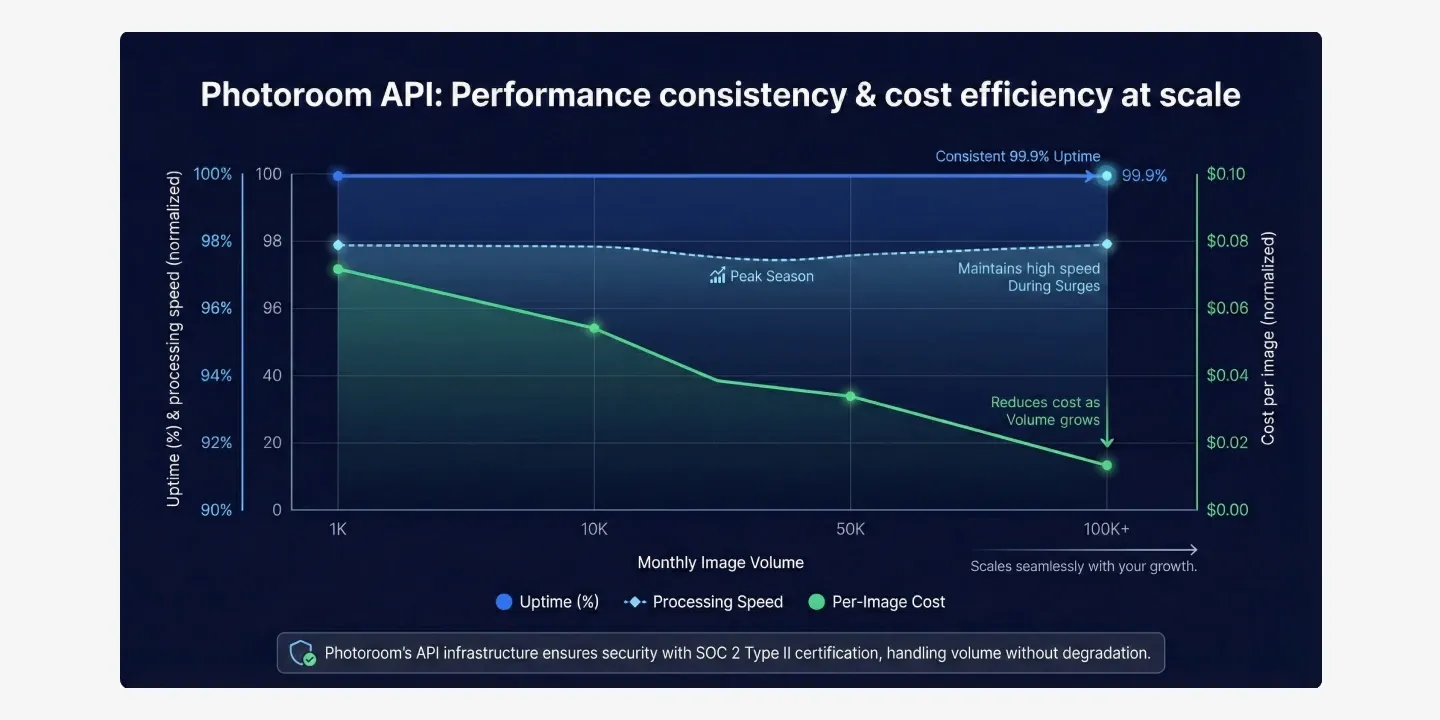
Enterprise image production also requires dependable infrastructure and clear data-protection commitments. Photoroom’s API is SOC 2 Type 2 certified and GDPR-compliant, with strong encryption (see security and compliance).
Enterprise accounts also include:
A 99.9% uptime target
A dedicated CSM and Solutions Engineering team
SSO
A direct support channel
A documented escalation path to engineering
Hands-on onboarding
Regular check-ins and reviews
SLAs customized based on your volume and criticality
API vs. Batch vs. Enterprise: Which Photoroom solution is right for you?
The right API plan depends on how many images you process, how much editing you need, and whether you're integrating image processing into an existing product or running enterprise-scale workflows.
Here’s a quick comparison to help you choose:
Solution | Best for | Skip if |
|---|---|---|
Batch | Non-technical teams that need to edit product images in bulk without building an integration | You need image processing to happen automatically inside your own platform or catalog system |
Basic API | Developers integrating essential image editing, including background removal, cropping, and resizing, into existing workflows or applications | You need advanced AI-powered editing, such as generated backgrounds, realistic shadows, or virtual try-on |
Plus API | Teams that want to go beyond basic image preparation with AI-powered editing, enhancement, and image generation capabilities | You only need essential image processing and want to keep per-image costs lower |
Enterprise API | Large businesses processing high volumes of images that need access to the full API suite, automated visual quality checks, and additional features | You have smaller processing needs or don't require enterprise-level quality controls and contractual commitments |
Partner API | Consumer-facing apps processing at least 100,000 images per month that meet Photoroom's partner eligibility requirements | You don't meet the volume or eligibility requirements, or can't accommodate the partner branding and case study commitments |
Batch
The Photoroom batch photo editor lets teams edit multiple product photos at once without writing code or building an API integration. Apply consistent backgrounds, lighting, and framing across up to 250 images per batch, then download the edited files for your catalog.
API (Basic plan)
At the Basic level, the Remove Background API gives you essential image-editing capabilities for preparing product photos at scale. These include:
Background removal: Automatically remove the background from product images.
Image cropping and resizing: Adjust image dimensions and framing to meet marketplace and platform requirements.
Color backgrounds: Replace transparent backgrounds with solid colors.
Green screen despill: Remove unwanted color spill around subjects after green screen removal.
Uncertainty scoring: Identify images where the API may have difficulty producing accurate results, helping teams flag outputs for additional review.
API (Plus plan)
The Plus plan, through the Image Editing API, includes everything in Basic, along with more advanced AI-powered editing tools for enhancing and transforming product imagery, such as:
AI backgrounds: Generate or replace backgrounds to create new product scenes.
AI shadows: Add realistic shadows that help products look naturally grounded in their environments.
AI expand: Extend image boundaries to create additional space around a subject or adapt images to different aspect ratios.
Ghost mannequin: Create clean, mannequin-free product images that showcase clothing as if worn.
Virtual try-on: Generate images showing clothing on virtual models.
Product staging: Place products into styled scenes and settings.
Enterprise
For businesses with an Enterprise plan and an annual commitment, Photoroom offers a broader set of capabilities and services designed for high-volume image production. In addition to all the features of the Basic and Plus plans, users get:
Access to all APIs: Integrate Photoroom's full range of image-editing and generation capabilities into existing workflows.
Visual QA: Automatically check each image’s fidelity against the original.
Image to Video: Turn static product images into video content.
Enterprise Guarantee: Pay only for outputs that pass your agreed product-fidelity criteria. Anything that misses is regenerated (eligible food and fashion businesses).
Scalable pricing: Access custom pricing with volume-based discounts as image-processing needs grow.
Onboarding and enterprise support: Get dedicated assistance with integration, implementation, and ongoing use.
Beta Program access: Explore new features and capabilities before their general release.
How much does Photoroom’s API cost at volume?
Photoroom offers several API plans, with pricing based on the number of images you process and the editing capabilities you need. Basic and Plus plans have per-image pricing, while Enterprise plans offer custom pricing for businesses with larger-scale requirements. Prices below are from Photoroom’s API pricing page as of November 2026.
Plan | Price per image | 10,000 images/month | 100,000 images/month | 1 million images/month |
|---|---|---|---|---|
Basic | $0.02 | $200 | $2,000 | $20,000 |
Plus | $0.10 | $1,000 | $10,000 | $100,000 |
Enterprise | Custom | Custom | Custom | Custom |
Partner | $0.01 | Not available | $1,000 | $10,000 |
Enterprise pricing is custom, on an annual contract with your committed balance paid at the start, in USD, EUR, or GBP. There’s no minimum image volume for Enterprise.
Can you qualify for Photoroom’s API Partner plan?
If you have a consumer-facing app, process at least 100,000 images per month, and aren’t offering a similar or competing service with Photoroom, you can qualify for the API Partner plan.
The plan offers API pricing of $0.01 per image, half the standard Basic API rate. In exchange, partners agree to:
Display the Photoroom logo on your app or website.
Link to Photoroom with the text "Backgrounds removed with Photoroom" on your homepage.
Allow Photoroom to publish a case study and quote highlighting your use case and observed KPIs after six months of subscription.
How do you get started with Photoroom’s API?
You can start testing Photoroom’s API with a self-serve account and an API key (watch the API explainer video). If you're planning a larger production integration, you can also discuss Enterprise requirements and pricing with the Photoroom team.
For developers and technical teams
Create a Photoroom account and activate API access.
Generate your API key from the API dashboard.
Choose the Remove Background or Image Editing endpoint.
Follow the documentation to authenticate and send your first image.
Test the output for free in sandbox mode, integrate the endpoint into your workflow, and monitor your API usage.
For enterprise teams
If you're managing a large catalog, building customer-facing image features, or need advanced quality and security commitments, contact Photoroom’s sales team.
You can discuss your expected image volume, integration requirements, quality criteria, and Enterprise capabilities to determine the right pricing and service agreement.
Ready to scale your AI product photography?
Whether you process a thousand images or a million, Photoroom’s API integrates directly into your catalog or application. Start today with a self-serve API key, then move to an Enterprise plan when you need automated quality checks, the full API suite, and contractual commitments that support your production requirements.
Get started with the Photoroom API to generate your API key and make your first request. Need the full API suite, automated quality checks, or Enterprise support? Talk to our team to explore custom pricing.