



Skip to content
AI product photograhy

Create better e‑commerce product photos with AI

Produce clean, consistent, and professional visuals for every channel: from marketplaces to your online store in minutes, not days.

Built to perform at scale

4x

faster image processing

Launch into more markets, faster

2x

sales growth

From visuals built to sell, true to the product

$80K

saved annually

One automated workflow, consistent output

99%

image accuracy at upload

Less time editing, more time selling

Transform your e‑commerce product photos into visuals that sell

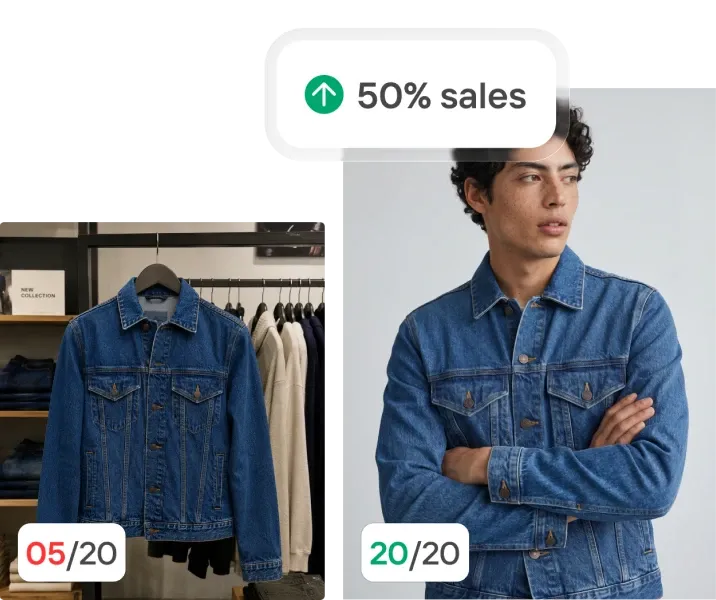
Build a store that looks consistent, instantly

Your product gallery should look cohesive, not like a mix of different sources. Photoroom is specifically built for e‑commerce and makes every image feel like part of the same collection: balanced, consistent, and on-brand. It automatically removes unwanted people or objects, corrects lighting, and aligns tone so your catalog looks polished and trustworthy without hiring a retoucher.

Save time and money on every shoot

E‑commerce content moves fast. Your product photos should too. Traditional studio shoots and freelancer retouching slow your listings down and eat into your margins. Photoroom replaces that with an end-to-end AI product photography workflow that’s faster, cheaper, and just as high-quality. Generate marketplace-ready photos in minutes from your desktop or phone, without scheduling or reshoots.

Put your products in context to drive sales

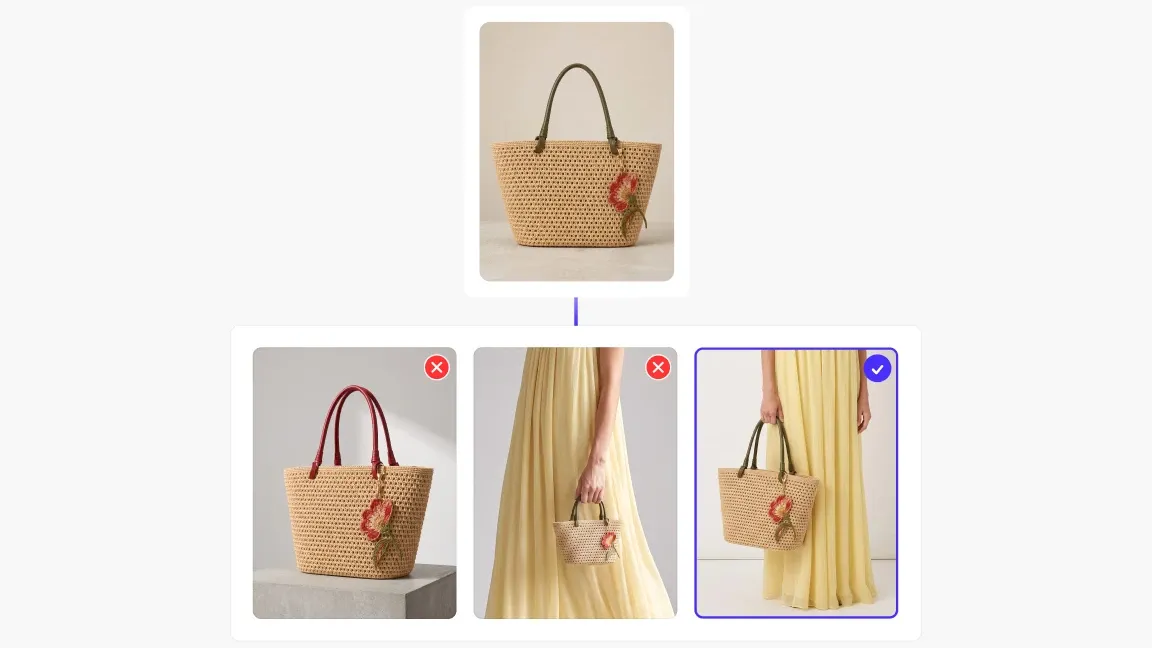
Help customers picture your product in their lives. With AI Product Staging and Virtual Models, you can generate lifestyle images and try-on photos that feel authentic and brand-safe. Build trust, boost engagement, and refresh your visuals anytime without the cost or logistics of a traditional photoshoot.

Automate your entire e‑commerce photo workflow

Once your visuals are consistent and high-performing, the next step is scale. Photoroom lets you automate your entire product image pipeline so your team never loses time on repetitive tasks. Scale your product imagery like your business with workflows that run automatically and stay perfectly on brand.

Want to increase your conversion rate by 50%?

Enter your product page and we'll tell you what to fix.

How e‑commerce teams use Photoroom

1

Connect your product library

Bring in every SKU at once, whether it comes from in-house shoots, suppliers or seller uploads, from your DAM, PIM or straight through the API. Photoroom standardizes the lot as it lands, so the catalog is consistent from day one.

2

Apply your brand standards, automatically

Set backgrounds, lighting and framing once, then apply them across the full catalog. Batch editing and Visual QA keep every listing on-brand across categories, storefronts and markets, without a retouching team.

3

Deliver to every channel and marketplace

Export marketplace-compliant formats for Amazon, your own storefront and every partner channel in a single run, and push updates to every listing when a product or a campaign changes.

More AI product photography features

Visual QA
Check every visual before it reaches your catalog
Fidelity Raters
Product fidelity scoring for generated visuals.
Visual Agents
Tailored AI workflows for visuals that sell
AI Backgrounds
Generate realistic AI backgrounds in less than a second.
AI Fashion Models
Create realistic product images with virtual models
Edit product photos in batch
Apply edits across all images at once and keep your catalog aligned.
AI Product Staging
Create realistic product scenes to put your product in action with AI.
Background Remover
Remove the background of your image automatically.
Testimonials

What our customers say

1.5% uplift in items listed after embedding AI photo editing in the seller flow

"We're proud to be the first fashion resale marketplace to partner with Photoroom, enabling sellers to quickly create high-quality product shots that help their listings stand out."

Sonia BiddleChief Product Officer, Depop

Frequently asked questions

How can Photoroom help my online store sell more?

Photoroom helps online stores sell more by by making it easy to create professional, on-brand visuals that attract clicks and build trust. Clean, consistent product photos increase conversion rates and make your listings stand out across marketplaces and social channels.

Do I need a professional studio or camera to use Photoroom?

No, if you use Photoroom you don’t need a professional studio or camera. The platform works with any photo, even ones taken on a smartphone, and uses AI to enhance lighting, remove backgrounds, and deliver studio-quality results in seconds.

Can I keep my product images consistent across all my listings?

Yes, Photoroom lets you keep your product images consistent across every listing and platform. With reusable templates and batch editing, you can apply the same look, background, and lighting to hundreds of products in just a few clicks.

How does Photoroom save time and reduce production costs?

Photoroom saves time and reduces costs by automating every step of product image editing. Instead of scheduling studio shoots or manual retouching, you can create and publish high-quality visuals in minutes, cutting turnaround times by up to 4x and costs by over 90%.

Is Photoroom suitable for both small and large e‑commerce teams?

Yes, Photoroom is designed for businesses of all sizes. Small sellers can create and edit visuals quickly with ready-to-use tools, while larger teams can scale operations with Templates, Teams, and API integrations as their catalog grows.

Can I automate product photography for my e‑commerce catalog with the Photoroom API?

Yes. The Photoroom API lets you run background removal, retouching and scene generation directly from your PIM, DAM, OMS or e‑commerce platform, so every new SKU or seller upload is processed as it's added rather than in manual batches. Enterprise plans include a single usage wallet across the app, web and API, with dedicated integration support.

Start selling at first sight

Get listing-ready product visuals in seconds.