Skip to content
Remove text from product photos

AI Text Removal API

The Photoroom AI Text Removal API removes unwanted text from product photos automatically, from watermarks, discount text and company names added in editing to signs in the background. Send each photo individually or in batch and get back clean images, ready for your listings.
Gel cream jar photo with 30% OFF and a studio name added, beside the cleaned photo in a listing card
Trusted by leading companies

AI Text Removal API results by industry

Watermarks, discount text and company names removed from product photos for fashion, resale, home, food delivery and beauty catalogs.
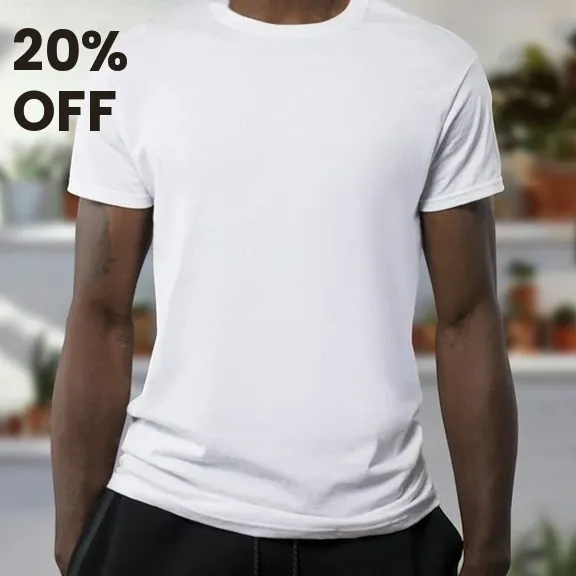
Photo of a white T-shirt worn by a model, with 20% OFF added, before AI Text Removal
Photo of a white T-shirt worn by a model, with the added text removed by AI Text Removal
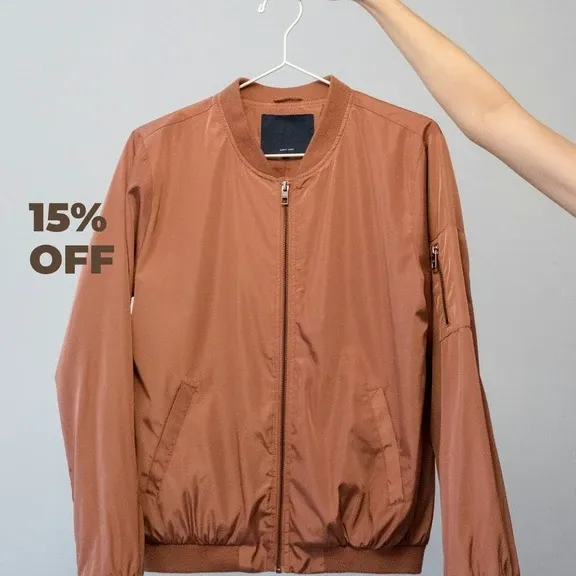
Photo of a rust bomber jacket on a hanger with 15% OFF added, before AI Text Removal
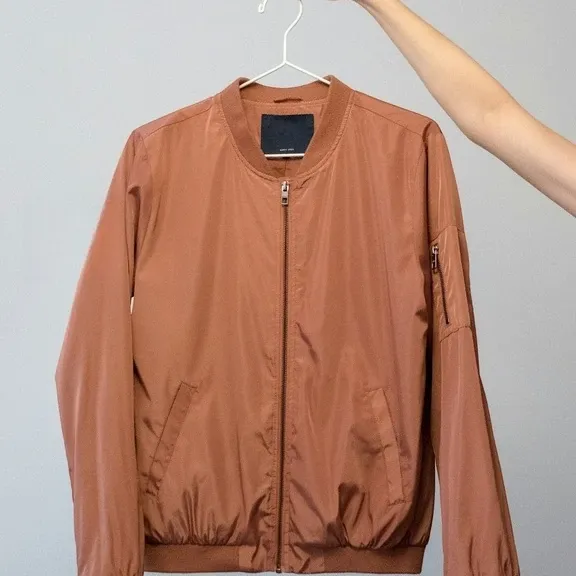
Photo of a rust bomber jacket on a hanger with the added text removed by AI Text Removal
Photo of an armchair with 25% OFF and a shop name added, before AI Text Removal
Photo of an armchair with the added text removed by AI Text Removal
Photo of a fried egg on toast with 20% OFF and a restaurant name added, before AI Text Removal
Photo of a fried egg on toast with the added text removed by AI Text Removal
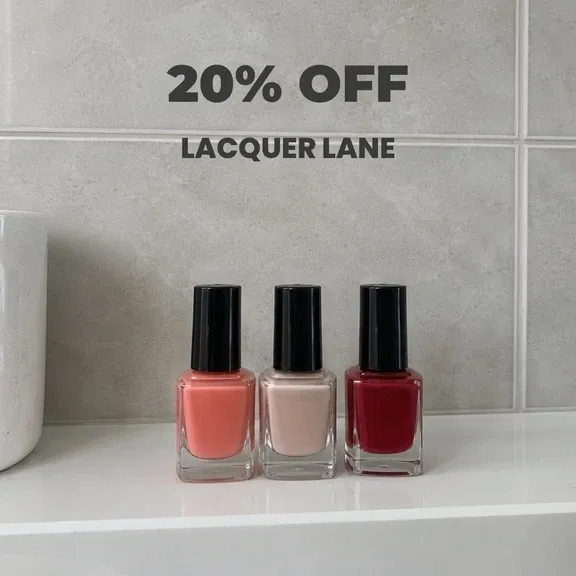
Photo of three nail polishes with 20% OFF and a brand name added, before AI Text Removal
Photo of three nail polishes with the added text removed by AI Text Removal

AI Text Removal and 20+ edits in one API

Clean the text off seller uploads, supplier images and old campaign photos, then remove backgrounds, add shadows and more with the same API key.

Photoroom MCP

Connect the Photoroom MCP to the LLM where you work an automate your product listing visuals.

Background Removal

The AI background removal API detects complex edges, handles transparency, and delivers clean cutouts at scale - ideal for product catalogs and marketplace listings.

Virtual Model

Place apparel and accessories on AI-generated models that match your brand aesthetic. On-model imagery via the Virtual Model API: no casting, no studio, no production timelines.

Flat Lay

Generate consistent, editorial-quality flat lay product photography at enterprise scale. Maintain visual identity across thousands of SKUs through the Flat Lay API.

Ghost Mannequin

Produce ghost mannequin apparel shots with perfect shape retention through an AI-powered Ghost Mannequin API endpoint. Scale invisible mannequin photography without a studio.

Product Staging

Place your product into realistic lifestyle scenes - held, worn, or displayed - with the natural lighting and composition of a high-end photoshoot.

Edit With AI

Describe any change in plain language and our AI makes it - swap colors, remove or add objects, restage the scene, or shift the camera angle.

Product Beautifier

Enhance low-quality product and food images automatically with the Beautifier API. No retouchers, no studios. Our AI restores detail, corrects color, and improves overall quality at scale.

Add Shadows

Add realistic shadows to the main subject of your image, with complete control over the softness, intensity and position of the shadow.

Generate Backgrounds

Dynamically create new backgrounds with our first-class generative AI, perfectly matching the subject of the original picture.

Relighting

Fix badly lit photos automatically. Our AI rebalances over- and under-exposed images, with modes that keep product colors accurate or optimize for portraits.

Text Removal

Remove watermarks, labels, and real-world signage from your images automatically - choose what goes and what stays.

Expand

Resize any image to any format without cropping. Our AI generates the extra background to match the original, filling every empty pixel seamlessly.

Uncrop

Recover subjects clipped by the frame. Our AI reconstructs the missing parts from the visible portion, automatically.

Ironing

Make every garment look freshly pressed. Our AI smooths creases and wrinkles out of clothing photos automatically - no steamer, no reshoot.

Create Any Image

Generate images from a text description alone - no source photo needed. Describe the scene, pick a format, and get original content back.

Uncertainty Score

Know when a cutout needs a second look. Every response returns a confidence score from 0 to 1, so you can auto-flag ambiguous images for review at scale.

Perspective Correction

Straighten angled shots of flat, rectangular products - cards, books, games - into clean, straight-on views. No generative AI, so hallucinations are impossible by design.

Positioning

Control exactly where the subject sits in the result - scaling, alignment, padding, and margins - so every image in a catalog comes out consistently framed.

Smart Cropping

Reframe images around the subject automatically - prompt it to focus on a specific element, or crop faces out for marketplace compliance.

Upscale

Turn small, low-res images into sharp ones at 4× the size - with a fast mode for volume and a slow mode for maximum quality.

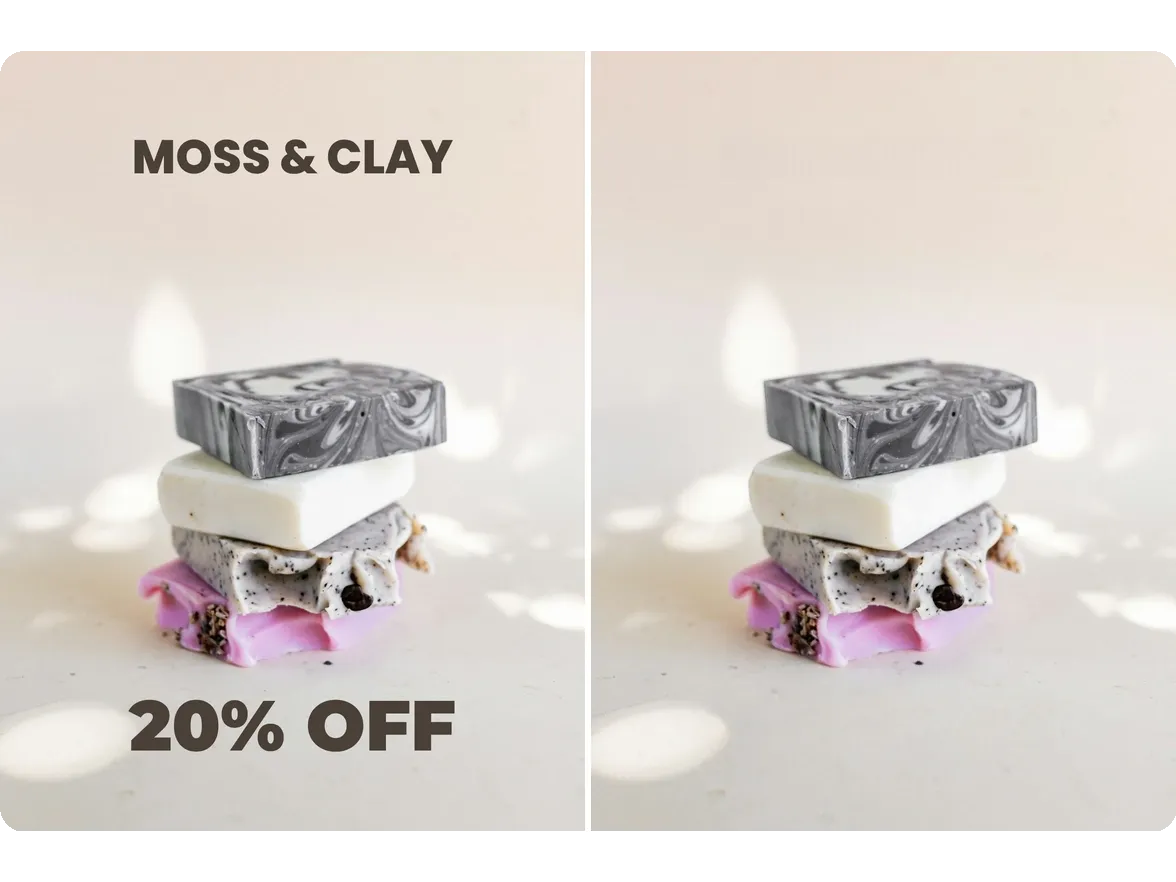
Stacked handmade soaps photo with a shop name and 20% OFF, next to the same photo with the text removed

Supplier and seller photos arrive covered in text
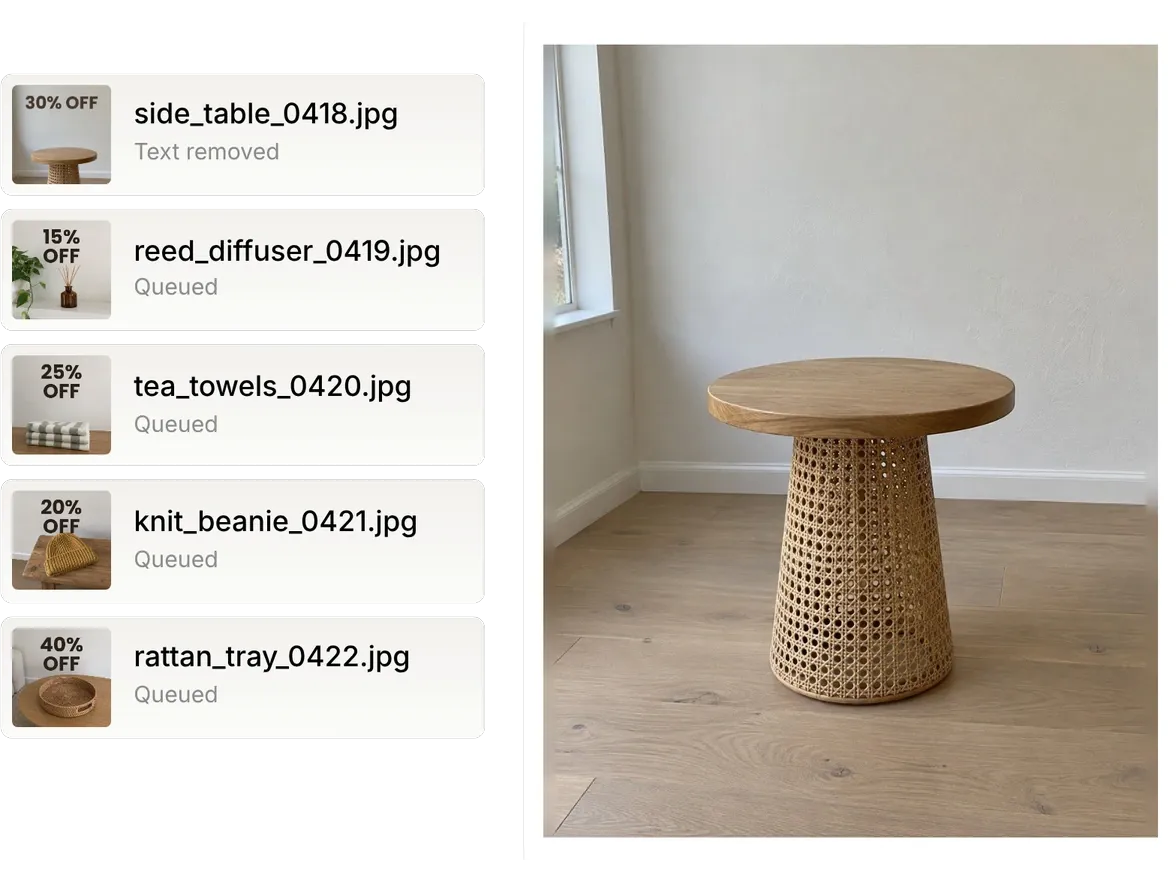
Watermarks, discount text and company names added in editing make a catalog look mismatched. The Photoroom API removes them automatically, and one setting decides whether text in the scene, like a sign, goes too.

List of seller photos with discount text; the first, an oak and cane side table, shown large with the text removed

Clean every seller upload before it goes live
Send each new photo to the API as it's uploaded, or your backlog in parallel, and get it back without the watermarks or discount text. The same API key removes backgrounds and adds shadows, so one integration covers your listing standard.

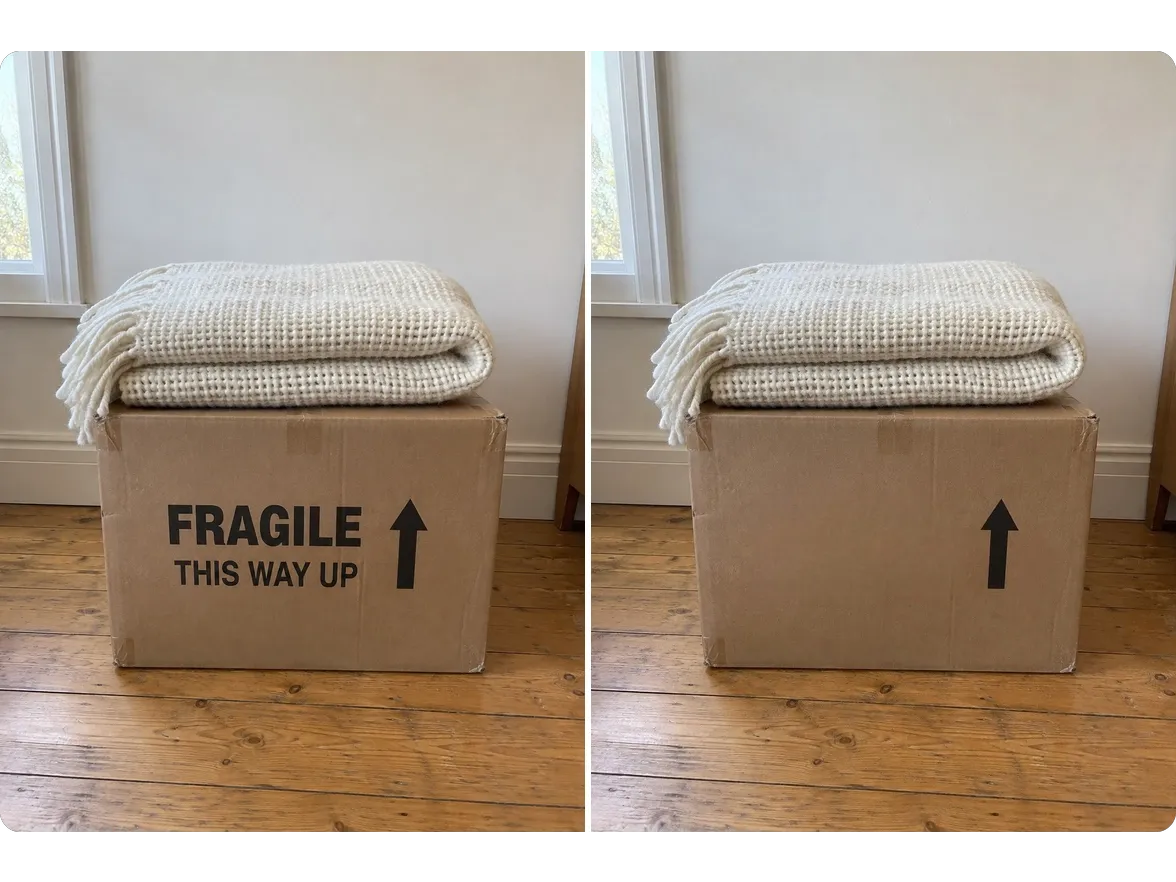
Folded cream throw on a box printed FRAGILE and THIS WAY UP, next to the same photo with the box text removed

Keep the shot, lose the lettering in the scene

Box print, signs and other lettering around the product no longer rule out a good photo. The API removes text in the scene as well as text added in editing, so you keep the photo instead of reshooting it.

What teams got from the Photoroom API

4x

faster market rollouts

89%

lower image processing costs

56%

higher conversion on listings

236%

increase in average order value

Exclusive to Enterprise plans

Text removal for catalogs that can't ship a stray price tag

Enterprise plans give high-volume teams a fidelity check on every cleaned photo, dedicated capacity for big catalog runs and a guarantee that you pay only for what passes, all shaped around your own brief.
Enterprise
Custom models, dedicated capacity, custom endpoints, and SLA-backed uptime. SOC 2 Type 2.
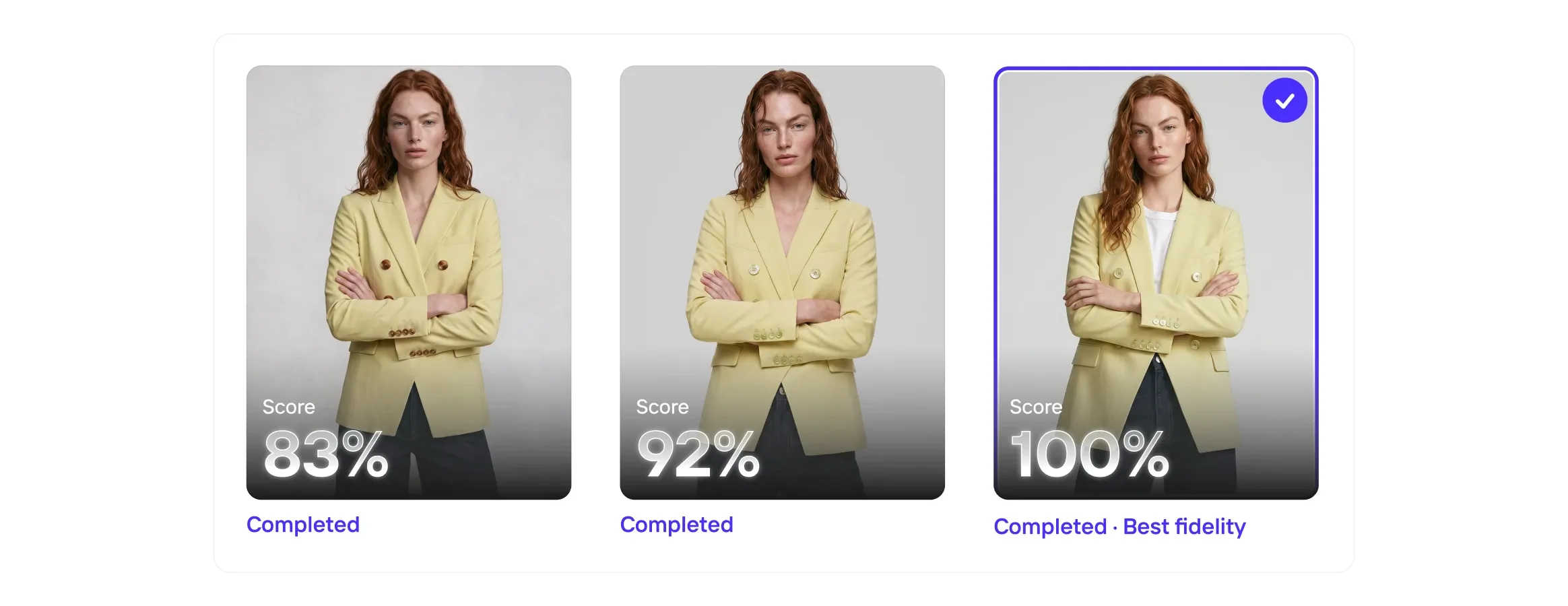
Three images of a woman in a yellow blazer, each with a completion score: 83%, 92%, and 100% labeled as "Best fidelity."
Visual QA
Even the best AI models get it wrong, so Visual QA scores every output for fidelity, catches the misses, and corrects the details before they reach your customers.
Collage of a woman in a white halter dress, a bowl of vibrant poke, and a woman holding a mustard handbag with hoop earrings.
Enterprise Guarantee
Pay only for the outputs that pass. Set your product-fidelity criteria upfront. Every output is checked against your brief by our proprietary fidelity model. Anything that misses is credited back or regenerated for you.
Four fashion items with play icons: a brown handbag, sage green mule, person in a gray shirt and cardigan, and white sneakers with orange accents.
Image to Video API
The Image to Video API turns static product photography into short-form video automatically. Submit a product image and receive a polished video with natural camera motion, animation, or configured effects.
Photoroom API

Publish product photos without the clutter

Get your free API key and start building, so stray watermarks and discount text never hold up a listing.

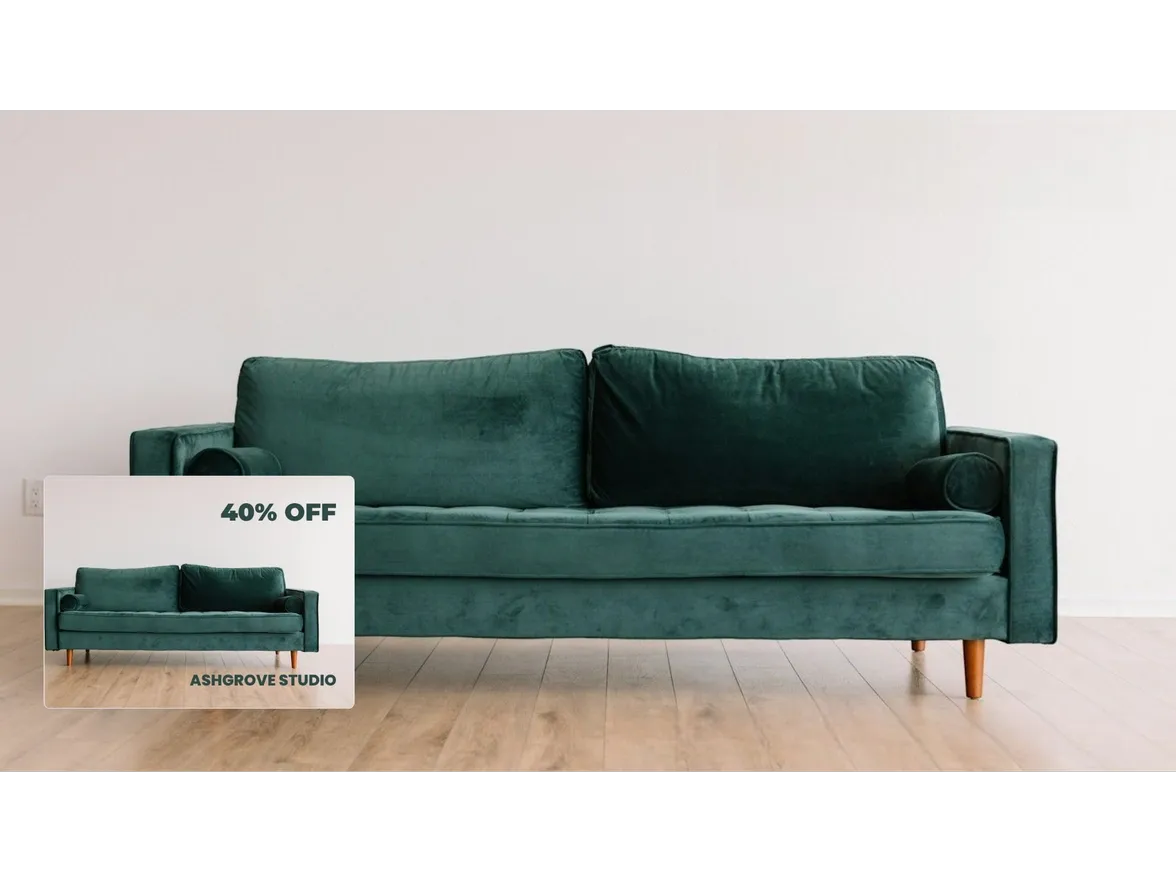
Green sofa photo with discount text and a studio name removed, the original with text shown inset

Frequently asked questions

What is the AI Text Removal API?

Photoroom's AI Text Removal API automatically removes unwanted text from your images. You choose which text goes with textRemoval.mode: ai.artificial for text added in post-processing, such as company names, watermarks and discounts; ai.natural for text that naturally occurs in the photo, such as writing on buildings or road signs; or ai.all for both.

Which text should I remove, added or natural?

Use ai.artificial for text added to photos in editing, like watermarks, discount text and company names. Use ai.natural for text in the scene, like signs or writing on clothing, and ai.all to remove both.

How much does the AI Text Removal API cost?

AI Text Removal is included in the Plus API plan, at $100 a month ($0.10 an image), and in Enterprise plans with custom pricing: talk to sales. Details are on the pricing page.

How do I call the AI Text Removal API?

Get your API key, then send your image with textRemoval.mode set to the text you want removed. This example removes all text from a photo:

curl --request POST \
  --url https://image-api.photoroom.com/v2/edit \
  --header 'x-api-key: YOUR_API_KEY' \
  --form imageFile=@/path/to/your/image.jpg \
  --form removeBackground=false \
  --form referenceBox=originalImage \
  --form textRemoval.mode=ai.all \
  --output result-with-text-removed.png

Set removeBackground to false to keep the original background. Every parameter is in the AI Text Removal docs.

Which file formats and sizes can I send?

Send PNG, JPEG, WEBP or AVIF files up to 30 MB. Larger images are resized to 5,000 px on the widest side. Output is PNG, JPEG, WEBP or AVIF. Full details are on the docs page File size, resolution and format.

How do I remove text across a whole catalog?

Run calls in parallel, one image per call, up to 60 images a minute by default. For higher limits on high-volume catalogs, talk to sales.

Are images sent to the API used to train AI models?

No. Images sent through the Photoroom API aren't used to train AI models, on self-serve and Enterprise API plans alike.

Can I use Photoroom from Claude?

Yes. Photoroom has an MCP server for AI assistants such as Claude: see Photoroom MCP for the tools it covers.

What should I do if I need help with the API?

Having trouble with the API? Join our API community to get help from our engineers, or check the troubleshooting page for common issues.

For anything billing-related or with sensitive information, please DM Photoroom directly in the community. We're always happy to help.

Enterprise teams can also contact sales.

Start selling at first sight

Get listing-ready product visuals in seconds.