
Skip to content
AI product video

Turn your tech products into videos that sell

Photoroom helps small electronics brands and sellers turn product photos into videos and ads that highlight what makes their devices worth buying. Showcase gadgets, explain key features, and promote your products without filming or video editing skills.

Available on web, iOS and Android on Max and Ultra plans.

Real results

Product videos that cost less and sell more

~$40

per month with Video Ad Maker instead of costly traditional photo and video shoots.

<15 min

to create 2-3 product videos

60%

of video post reach from non-followers

$700

in sales generated from one organic video

Make your tech products easier to understand and buy

Turn technical features into reasons to buy

Battery life, connectivity, compatibility, and performance matter to electronics shoppers, but specifications alone don't always explain why a product is worth choosing. With Photoroom's Video Ad Maker, create videos that connect your product's features to everyday benefits. Promote a compact power bank as a travel essential, highlight the portability of your speaker, or explain why your wireless charger belongs on someone's desk.

Help shoppers see the details before they buy

The placement of a charging port, the size of a smartwatch screen, or the controls on a pair of headphones can influence a purchasing decision. Photoroom helps you showcase these details in short product videos, making it easier for customers to explore what you're selling. Use videos alongside accurate specifications and compatibility information to help buyers choose the right device.

Test different tech ads to find what sells

What convinces someone to buy your product: the features, the price, or how it makes their life easier? With Photoroom's Video Ad Maker, create different video ads from the same electronics photos, each focused on a different selling point. Test which ones bring clicks and sales, then invest more in the ads that work, without commissioning a new shoot for every idea.

Help buyers shop secondhand electronics with confidence

When buying a used phone, camera, or gaming console, shoppers want to know exactly what they're getting. Photoroom helps electronics resellers create product videos that present their devices more clearly and make listings more engaging. Pair these videos with genuine photos documenting scratches, wear, and other imperfections, so customers can evaluate the actual condition before purchasing.

Video templates

Video ideas for every product and every season

Try it yourself

How to make an electronics video with Photoroom

1

Photograph the product from every side

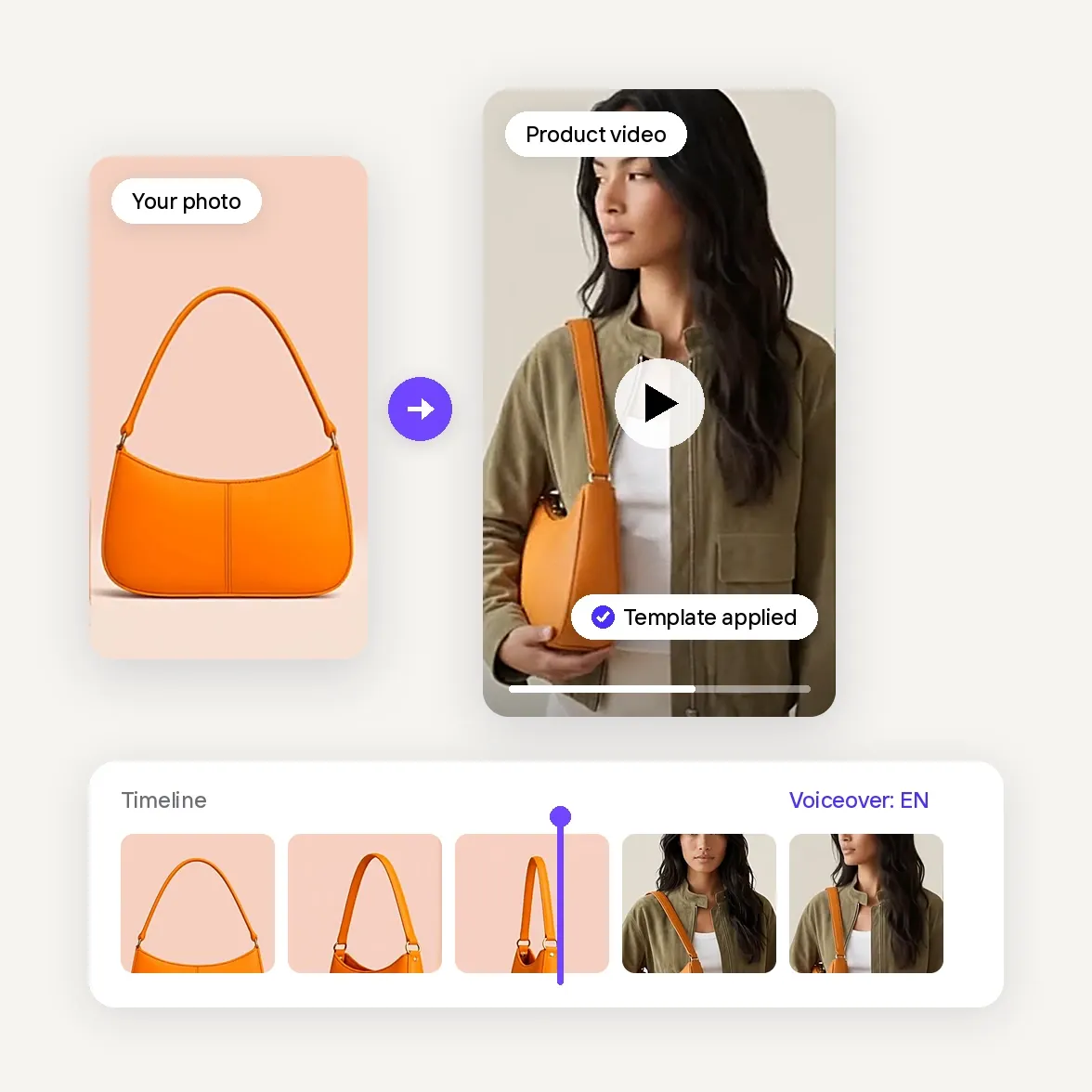
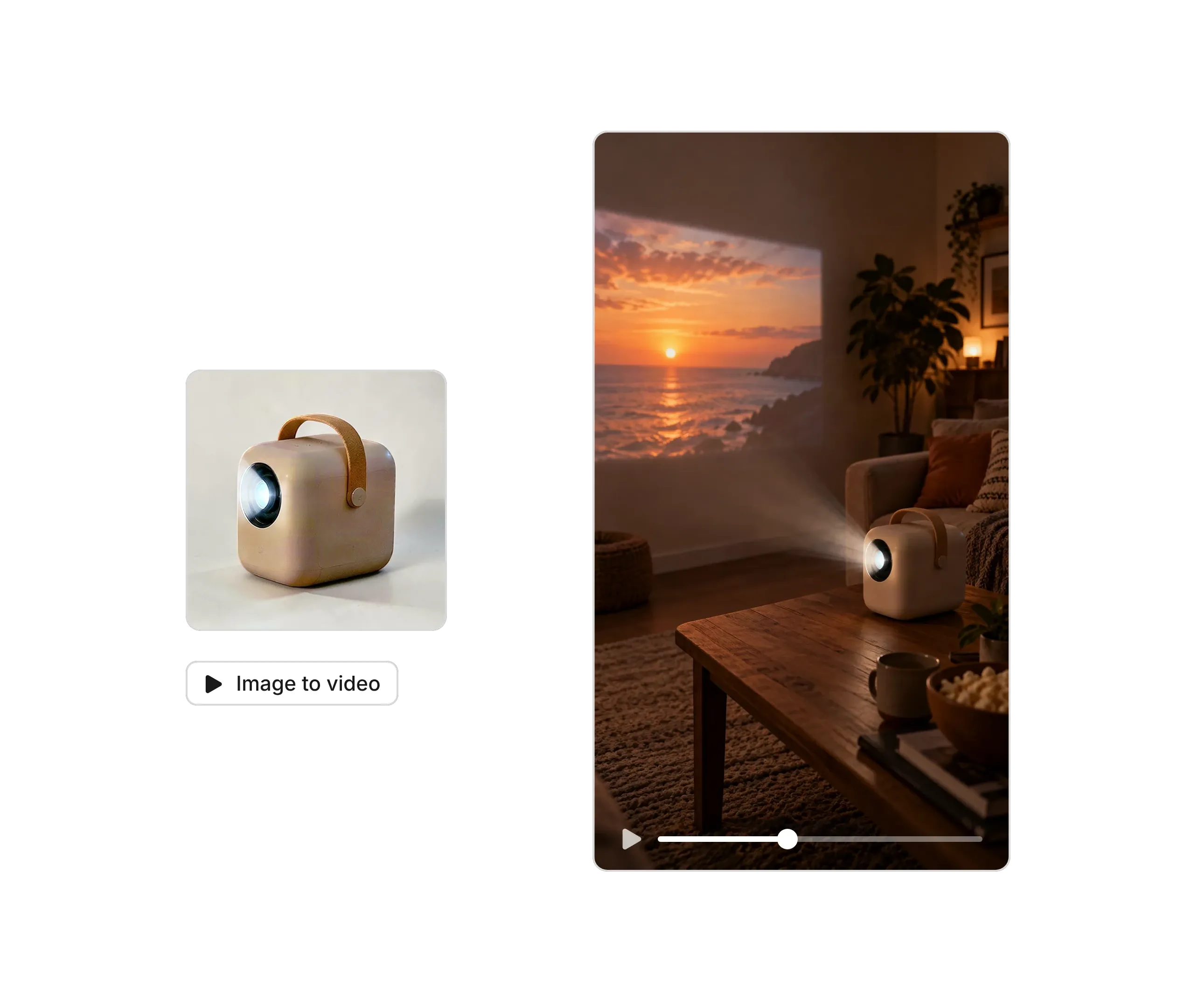
Upload up to six photos of the same product: the front, the back with its ports, the side with its buttons, and a close-up of the detail that sells it.

2

Choose a demo video or a video ad

Animate your photos in Product Animator for a turning demo or a scene video, or let Video Ad Maker plan a full electronics ad. Add a prompt if you want extra direction, like a slow turn to show the ports.

3

Check every detail and publish

Check that the buttons, ports, logos, screen and color match the real product, and keep the specs in your listing text. Then choose the format for your channel and download it for your store, your marketplace listing, your ads or your feed.

Customer stories

Trusted by the brands selling with video

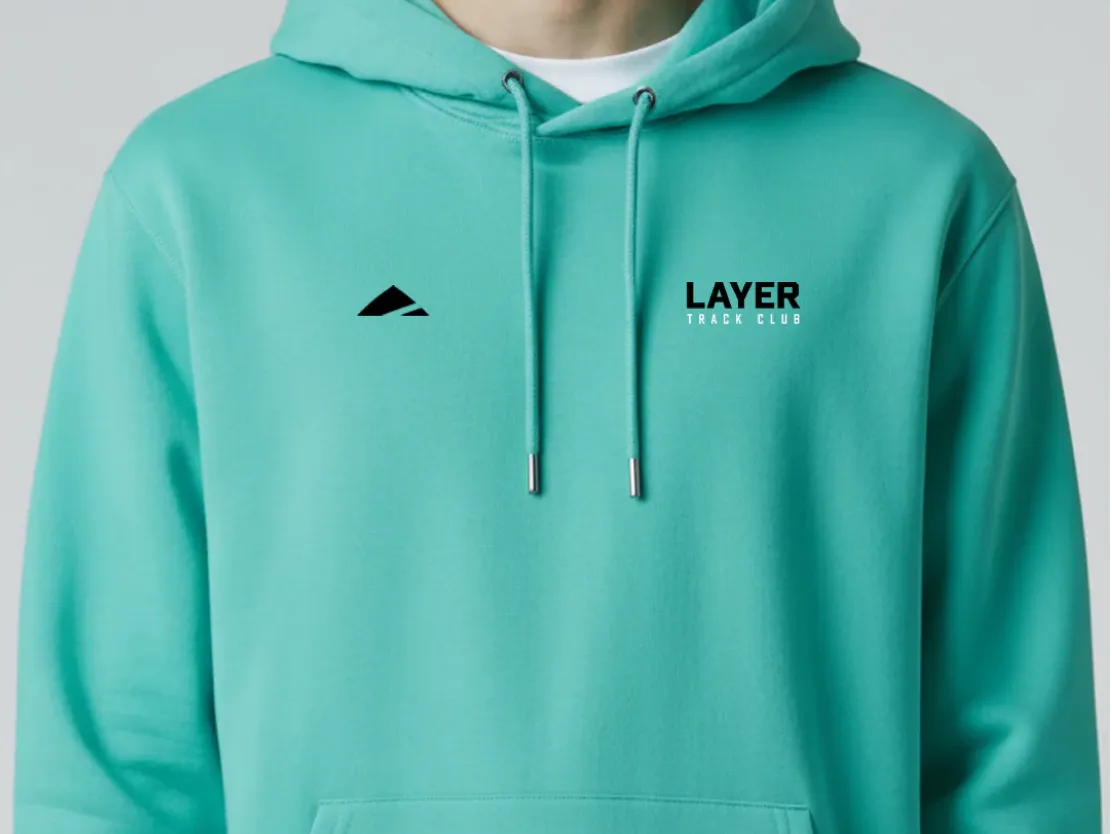
Layer turns static product shots into short videos for social media

"We’re seeing so much more engagement, so many more followers and likes on our socials."

Dan BaconFounder, Layer
One workflow for every product visual

Your complete AI solution

Start with a single product photo, then turn it into listing images, lifestyle shots, on-model visuals, and videos, sized for every channel you sell on.

Background Remover

Detect complex edges and deliver clean cutouts in seconds, then remove any background and replace it with a studio-quality backdrop that showcases your products.

AI Backgrounds

Generate custom product photo backgrounds with AI that match the lighting and perspective of your original photo, or change background colors in one click.

Product Staging

Place your product in realistic lifestyle scenes, held, worn, or displayed, so customers can picture it in use with Product Staging.

Virtual Model

Show apparel and accessories on diverse AI-generated models that fit your brand with Virtual Model. No casting, no studio day.

AI Ironing

Make every garment look freshly pressed. The AI smooths creases out of clothing photos automatically, so you can remove wrinkles from clothes with no steamer and no reshoot.

Recolor

Create every color variant from a single photo, with accurate product colors and no reshoot per variant.

Product Beautifier

Restore detail, correct color, and improve lighting on low-quality product photos automatically with Product Beautifier.

AI Shadows

Add realistic shadows under your product, with control over softness, intensity, and position.

Product Fixer

Fix AI-generated images to match your product with Product Fixer, so every detail, label, and color stays true to what you actually sell.

Video Ad Maker

Turn your product photos into video ads with actors, music and voiceover in any language, ready to run on Meta, TikTok and YouTube.

Edit with AI

Describe any change in plain language, like swapping a color, removing an object, or changing the scene, and the AI makes it.

AI Photo Editor

Batch and API

Save time by batch editing hundreds of images , or connect Photoroom’s API directly to your website or marketplace for a scalable workflow.

Brand Library

Store your logos, fonts, colors, backgrounds, and models in Brand library so every new image stays on-brand.

Web and Mobile

Edit and manage your brand's visuals from any desktop or mobile device.

For sellers who sell with video

Built to test, launch and sell with video

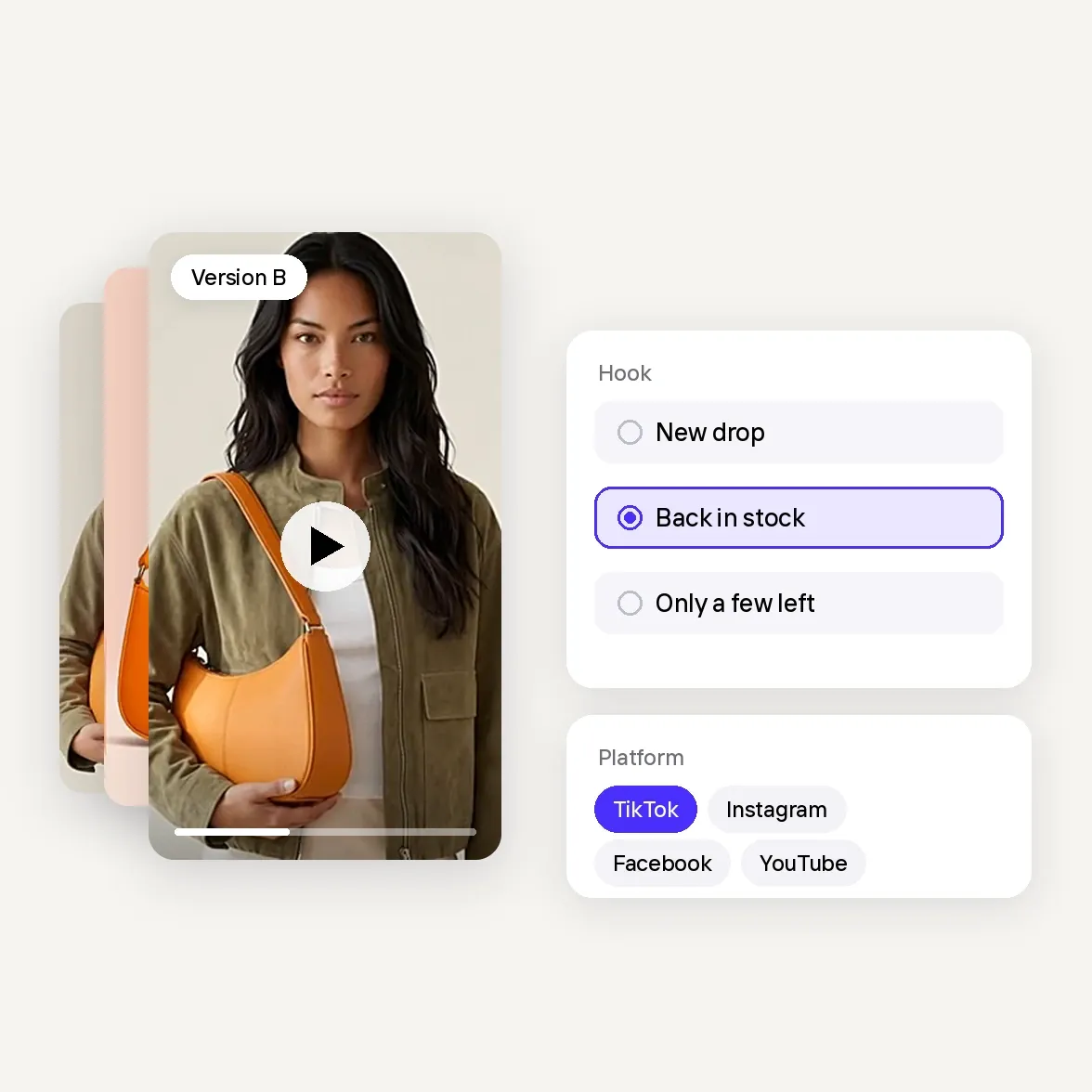
    • Many versions, one set of photos: Change the hook, the text or the format and get a new version, without a new shoot.

    • An angle for every offer: New drops, restocks and promotions each get their own video, with Video Ad Maker planning the scenes and text.

    • Ready for every platform: Versions for TikTok, Instagram, Facebook and YouTube from the same product photos.

    • Spend on what works: Run versions side by side and put your budget behind the ones that sell.

    • Start from the photos you have: No filming, no editing software, no waiting on a videographer.

    • 300+ ready-made templates: Pick a Product Animator template and get a video for your product page or listing in minutes.

    • Wherever you work: Create on the web, iOS or Android, from your desk or your phone.

    • Every market at once: Voiceovers in English, French, Spanish, German, Italian, Portuguese, Japanese and Korean.

    • True to your product: Add up to four photos from different angles so colors, shape and details stay accurate.

    • Show what a photo can't: Movement, texture, fit and every side of your product, right where shoppers decide.

    • Always something new to post: Fresh Reels, TikToks and Stories for every launch, restock and promotion keep your shop in front of buyers.

Vertical video ad of a model carrying an orange shoulder bag, stacked with other versions, next to hook options New drop, Back in stock and Only a few left and platform chips for TikTok, Instagram, Facebook and YouTube
AI electronics video

Frequently asked questions

How do I make an electronics product video without filming the device?

Yes. Photoroom offers two approaches: use AI video templates to animate existing product photos, or Video Ad Maker to create promotional videos with scenes, scripts, and voice-overs. A headphone seller might use a simple product animation for a listing and a benefit-focused video ad to promote the same headphones on social media.

What types of video ads work best for electronics?

Electronics ads should focus on the reason someone would choose a particular device. For headphones, that might be comfort or verified battery life; for a portable charger, compatibility and convenience; for gaming accessories, the intended setup. Product showcases, benefit-led ads, and unboxing-style concepts are all worth testing. Photoroom helps electronics sellers create different video ad concepts so they can compare which messages generate interest and purchases.

Can I create an unboxing-style video with AI?

Yes. Photoroom's Video Ad Maker can be used to develop unboxing-inspired advertising concepts from product and packaging photos. This can be useful for promoting gadgets, tech accessories, and giftable electronics without filming a physical unboxing. Make sure the generated packaging, contents, and accessories match what customers actually receive, and don't present simulated footage as a genuine unboxing.

Can I use AI product videos to sell electronics on Amazon, eBay, or my online store?

AI product videos can be used to promote electronics on your online store and on marketplaces that accept the relevant video formats and content types. For example, a short video might highlight a device's design, accessories, or verified features alongside its product specifications. Check each marketplace's video requirements and AI-content policies before uploading. For used electronics, retain genuine photographs that accurately document the item's condition.

How much does it cost to create electronics product videos with AI?

Photoroom offers AI video generation through its Max and Ultra plans, which include monthly AI credit allowances. For a small electronics brand, this can reduce the need to commission separate video shoots for every gadget, accessory, or advertising concept. Your total cost depends on the plan you choose and how many videos or variations you generate.

What should I check before publishing an AI-generated electronics video?

Check that the device's design, ports, buttons, model name, colors, and included accessories match the actual product. Verify any claims about battery life, connectivity, compatibility, or performance against your specifications. AI-generated videos can communicate product benefits, but they shouldn't invent features, demonstrate unverified functionality, or misrepresent the condition of refurbished devices.