
Skip to content

Virtual try-on that works for you, and for your store

Upload one photo and see any garment on your body in seconds. Try for free below.
Try on clothes
For shoppers, sellers and developers

One try-on. Three ways to use it.

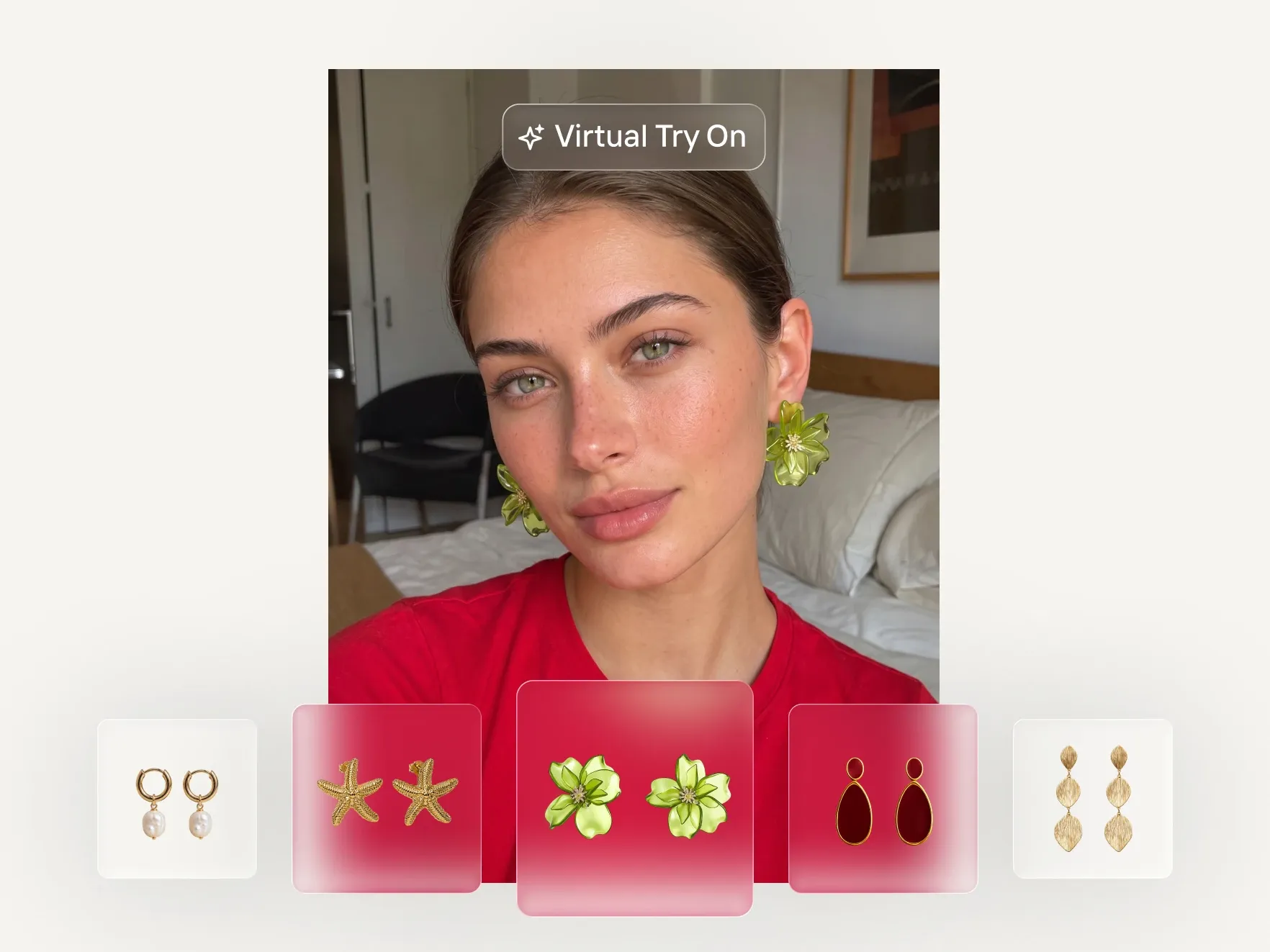
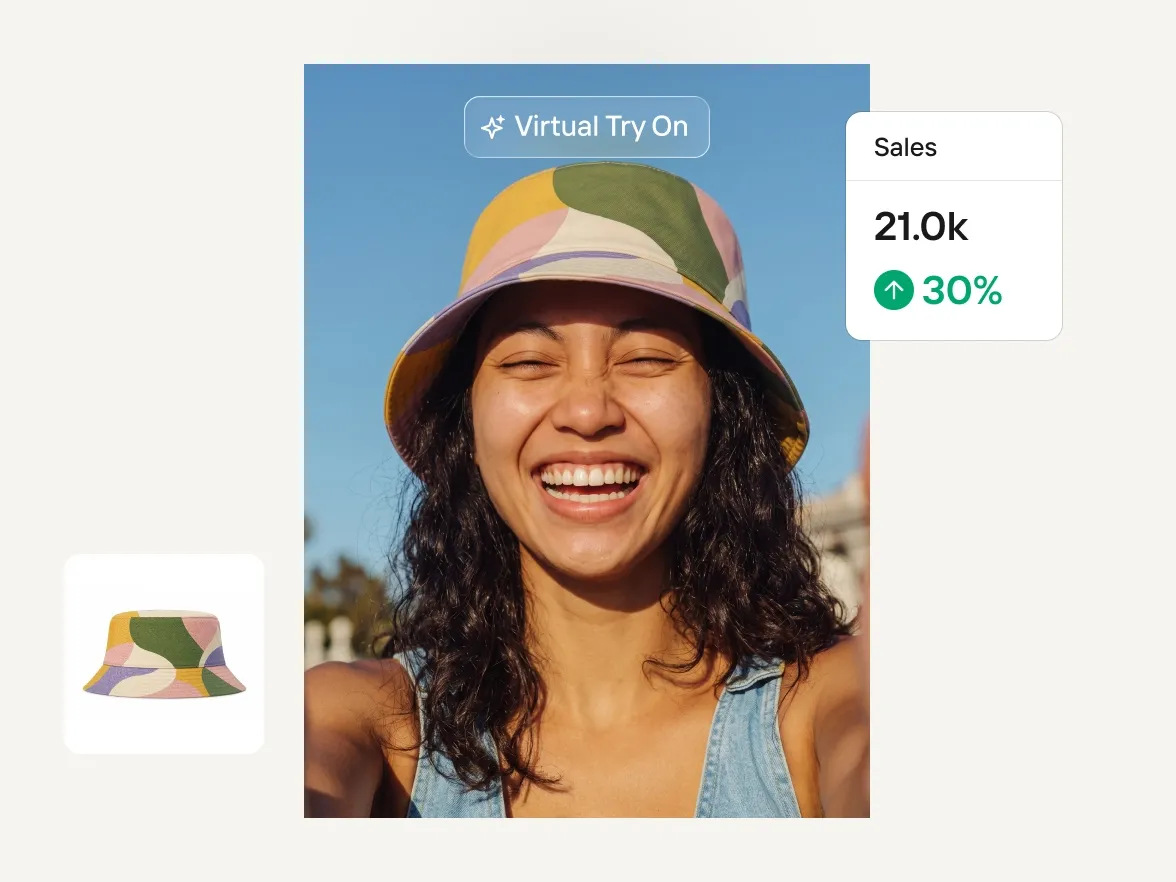
Try on yourself

Upload a photo of you, pick a garment and see it on your body in seconds. Your photo carries across every product you try after that

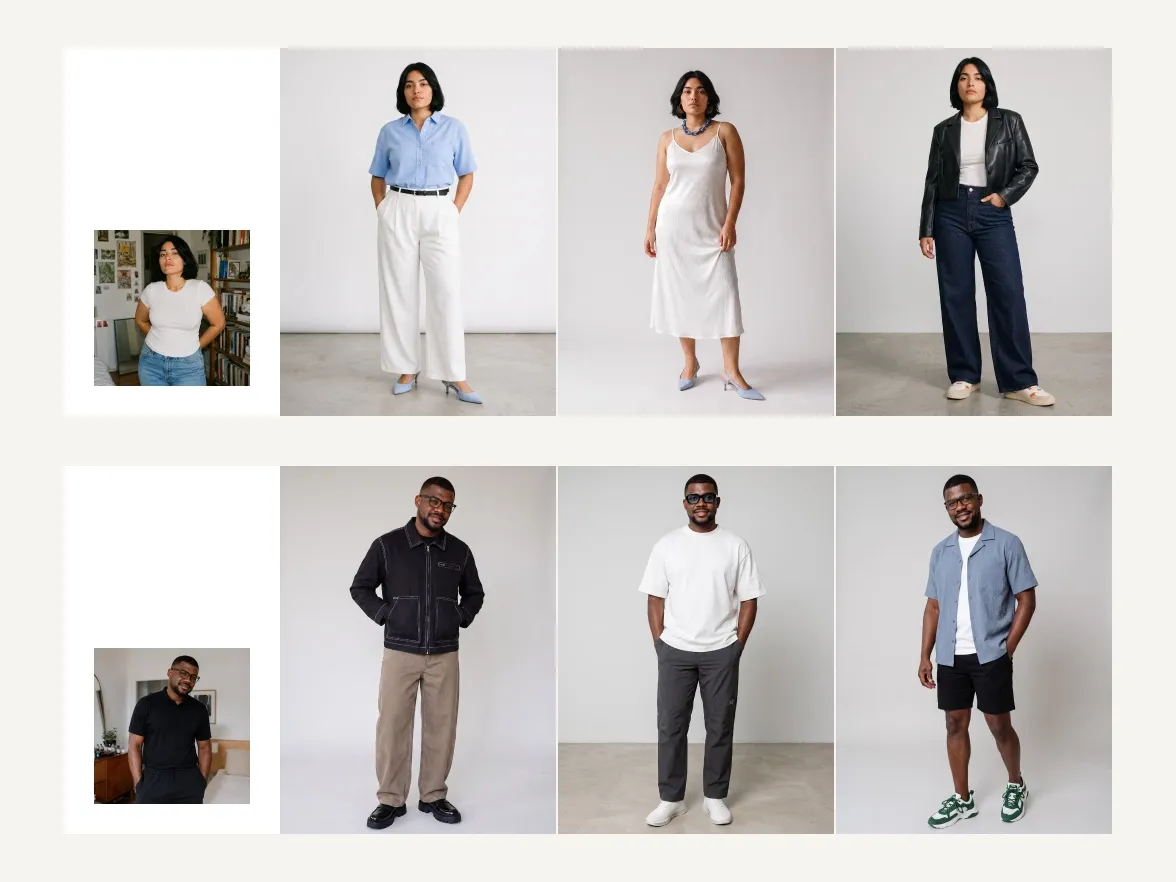
Try on a model

Selling the garment? Upload a flat lay, hanger or ghost mannequin shot and see it on lifelike models across body types, poses and scenes.

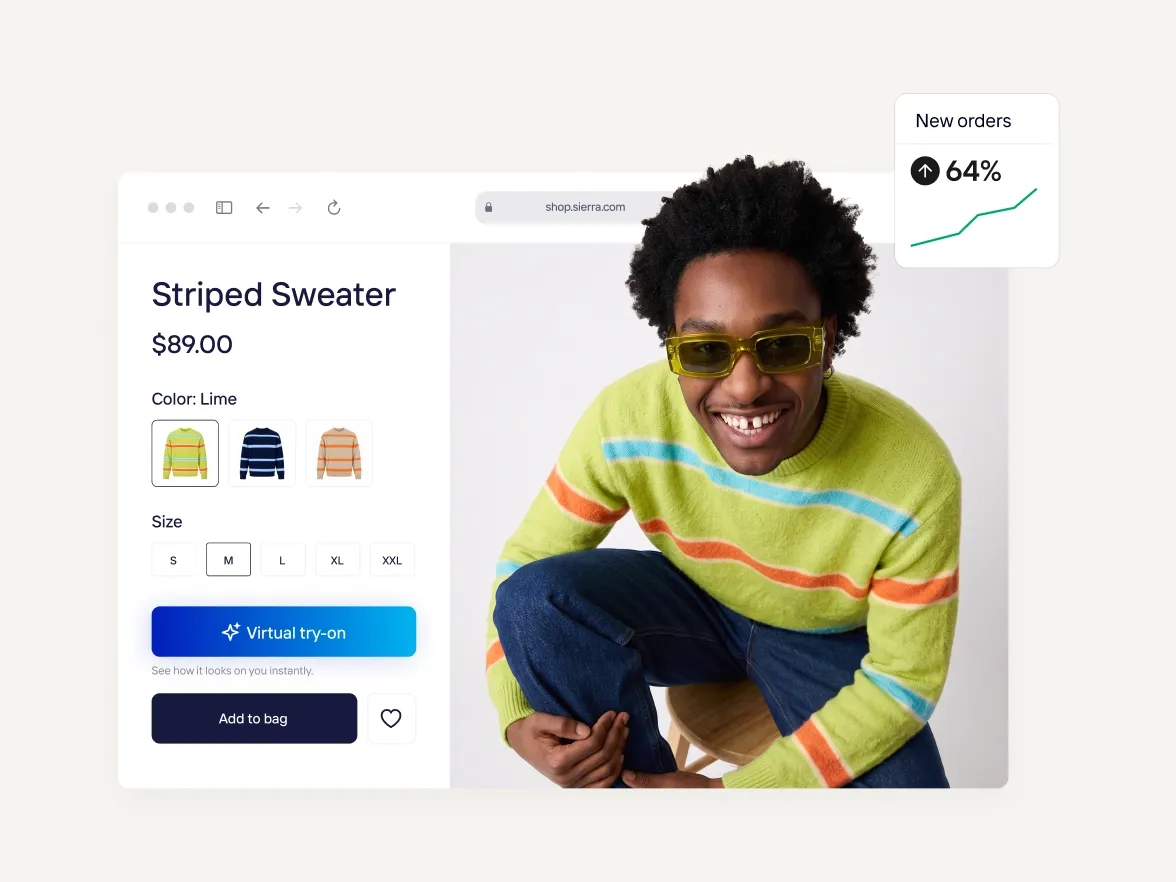
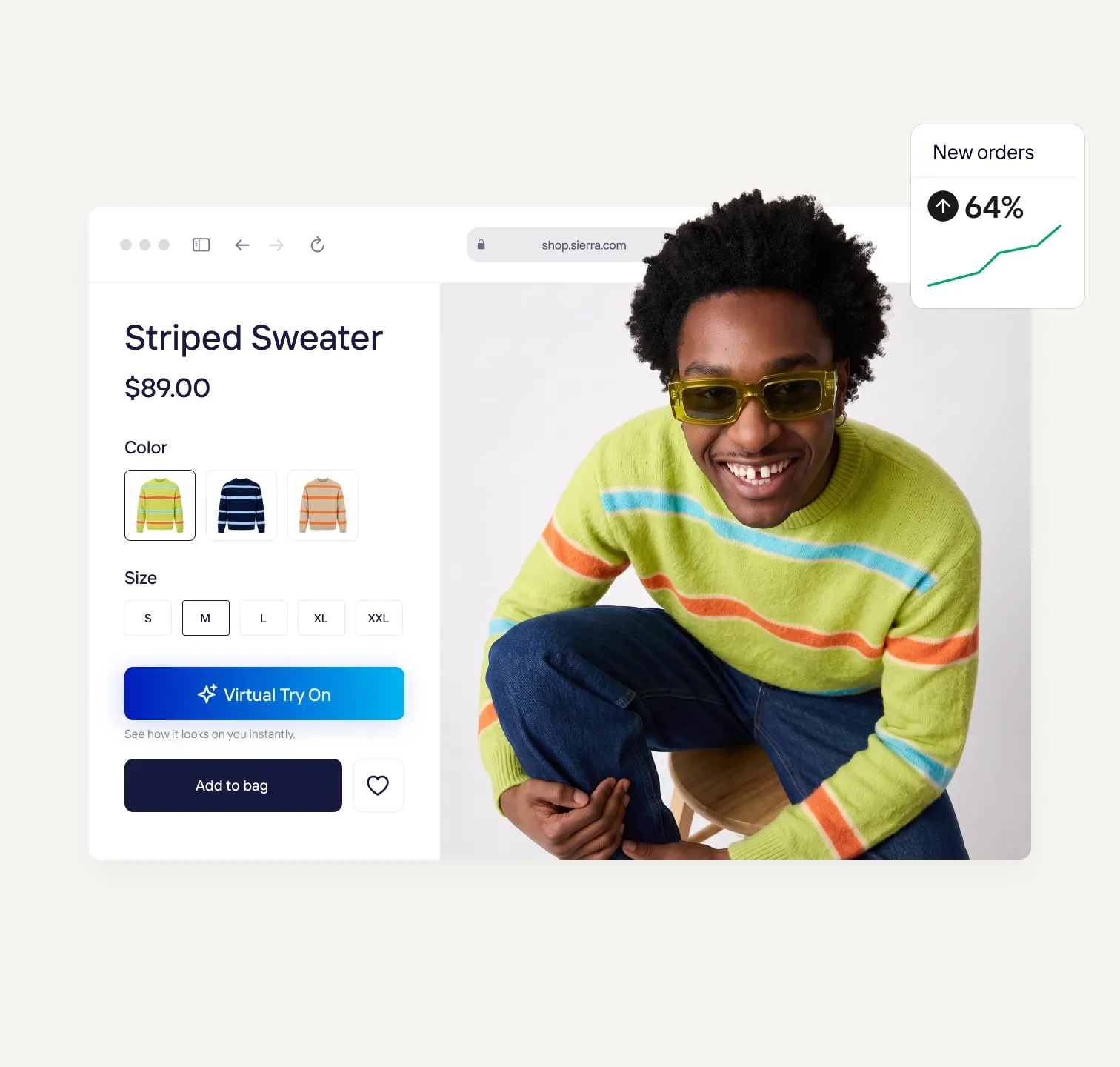
Integrate it into your store

One API call renders a garment on a shopper's photo. Connect it once, place a Try On button on your product pages, and every listing gets try-on automatically. Sandbox keys are free.

Try virtual try-on now for free

Pick a product or upload your own, add a photo of yourself, and see the garment on you in about 30 seconds. This is the same output the API returns.
Your browser window is too small

Resize your browser window to be at least 600 px wide and 400 px high to use the API Playground.

How virtual try-on works

1

One photo goes in

A clear, front-facing shot where the garment area is visible. Phone photos are fine. In your own store, this is the photo your shopper uploads.

2

The garment renders on the body

Any product, from the images already in your catalogue. The AI keeps real drape, stretch and fabric detail and returns the image in five to fifteen seconds. Through the API, that is a single request to the edit endpoint.

3

See it, buy it, or ship it

Shoppers download the result or keep trying with the same photo. Developers get the rendered image back and show it wherever the product page needs it. You just need to add the "Try on" button on your page.

How-to

How to add a virtual try-on feature on your website

Testimonials

Trusted by the brands selling at first sight

1.5% uplift in items listed after embedding AI photo editing in the seller flow

"We're proud to be the first fashion resale marketplace to partner with Photoroom, enabling sellers to quickly create high-quality product shots that help their listings stand out."

Sonia BiddleChief Product Officer, Depop
Product images and videos, made easy

Your complete AI solution

Create, edit, and optimize product images and videos for every channel at any scale, from a single listing to a full catalog.

Background Remover

Detect complex edges and deliver clean cutouts in seconds, then remove any background and replace it with a studio-quality backdrop that showcases your products.

AI Backgrounds

Generate custom product photo backgrounds with AI that match the lighting and perspective of your original photo, or change background colors in one click.

Product Staging

Place your product in realistic lifestyle scenes, held, worn, or displayed, so customers can picture it in use with Product Staging.

Virtual Model

Show apparel and accessories on diverse AI-generated models that fit your brand with Virtual Model. No casting, no studio day.

AI Ironing

Make every garment look freshly pressed. The AI smooths creases out of clothing photos automatically, so you can remove wrinkles from clothes with no steamer and no reshoot.

Recolor

Create every color variant from a single photo, with accurate product colors and no reshoot per variant.

Product Beautifier

Restore detail, correct color, and improve lighting on low-quality product photos automatically with Product Beautifier.

AI Shadows

Add realistic shadows under your product, with control over softness, intensity, and position.

Product Fixer

Fix AI-generated images to match your product with Product Fixer, so every detail, label, and color stays true to what you actually sell.

Video Generator

Turn your product photos into videos for your listings, social feeds and ads.

Video Ad Maker

Create video ads for Meta, TikTok and YouTube from your product photos.

Edit with AI

Describe any change in plain language, like swapping a color, removing an object, or changing the scene, and the AI makes it.

AI Photo Editor

Batch and API

Save time by batch editing hundreds of images , or connect Photoroom’s API directly to your website or marketplace for a scalable workflow.

Brand Library

Store your logos, fonts, colors, backgrounds, and models in Brand library so every new image stays on-brand.

Virtual Try On

Frequently asked questions

What is virtual try on?

Virtual try-on lets you see a garment on yourself before buying. You upload one photo, pick a product, and the AI renders it on your body in seconds. Stores add the same try-on to their product pages through the Photoroom API.

How does virtual try on work?

You upload one clear photo and select a product. The AI is trained on natural poses, lighting and fabric behaviour, so the garment falls the way it would in real life instead of being pasted over the photo. Every render is checked against the original garment for colour, print and detail. For developers, it is one request to the same endpoint as the rest of the Photoroom API.

What do shoppers need in order to try on clothes online?

One front-facing photo where the part of the body the garment covers is visible and not hidden under bulky layers. If you are integrating, the flat lays, ghost mannequin shots or on-model photos already in your catalogue are enough as product inputs. No reshoot.

Is there a free virtual try on tool?

Not on the free plan. Garment-on-model try-on through AI Fashion Models is included from Pro ($12.99 a month, or $7.50 a month billed yearly), which comes with a monthly AI credit allowance of around 1,600 1K generations; Max and Ultra include more. Each generation uses credits, so usage is capped by your plan. Developers can test the try-on API with a sandbox key before choosing a plan. Try-on for shoppers on your own store runs on Enterprise plans.

Is virtual try on available in the Photoroom apps?

You can try Virtual Model via our AI Fashion Model feature in the webapp with the Pro plan, but in order to integrate it into your site, you need to activate the Photoroom API here.

Do I need engineering resources to use it?

Some, but not many. It is one endpoint with a handful of parameters, most teams are live in days, and onboarding and integration support are included. If you do not have a developer in-house, talk to the team and we will walk you through it.

How accurate is virtual try on, and does it reduce returns?

It shows how a garment looks on a shopper very accurately, and it is honest to say that it addresses style uncertainty more directly than sizing. A meaningful share of fashion returns come from "this did not look right on me" rather than from fit alone, which is the part try-on removes, and pairing it with your existing size guidance is what moves the returns number furthest. Photoroom's AI Fashion Model technology is trained on natural poses, lighting, and fabric textures to render garments on a shopper's custom model realistically, giving them a true sense of the garment.

Can it scale to my full catalogue?

Yes, and there is no per-product setup involved. The API connects to your catalogue so try-on becomes available on every listing automatically, new products inherit it as they are added, and throughput is handled on our side rather than yours. The same integration runs unchanged from a single pilot collection through to a catalogue in the millions, which is what makes it viable to launch narrow and expand without rebuilding.

How much does virtual try on cost?

In the Photoroom app, AI Fashion Models starts on the Pro plan at $12.99 a month or $7.50 a month billed yearly, with generations drawn from your plan's AI credit allowance. For try-on on your own store, pricing depends on catalogue size and expected try-on volume; contact the team with those two numbers and you will get a figure against them.

How do I add virtual try on to my website?

You connect the API to your app or website, point it at your product catalogue, and place a Try On button wherever you want it on your product pages. Most teams integrate it in days rather than months, onboarding and integration support are included, and the same integration runs unchanged whether you start with one collection or launch across a full enterprise catalogue.

Start selling at first sight

Get listing-ready product visuals in seconds.