Skip to content
Photoroom MCP or API

MCP vs API for product image editing

Use the Photoroom MCP when people ask for edits in an AI app, and the Photoroom API when your product or pipeline runs them by itself. Developers on an API plan get a bit of both: the API connector lets a coding agent call the API for them.
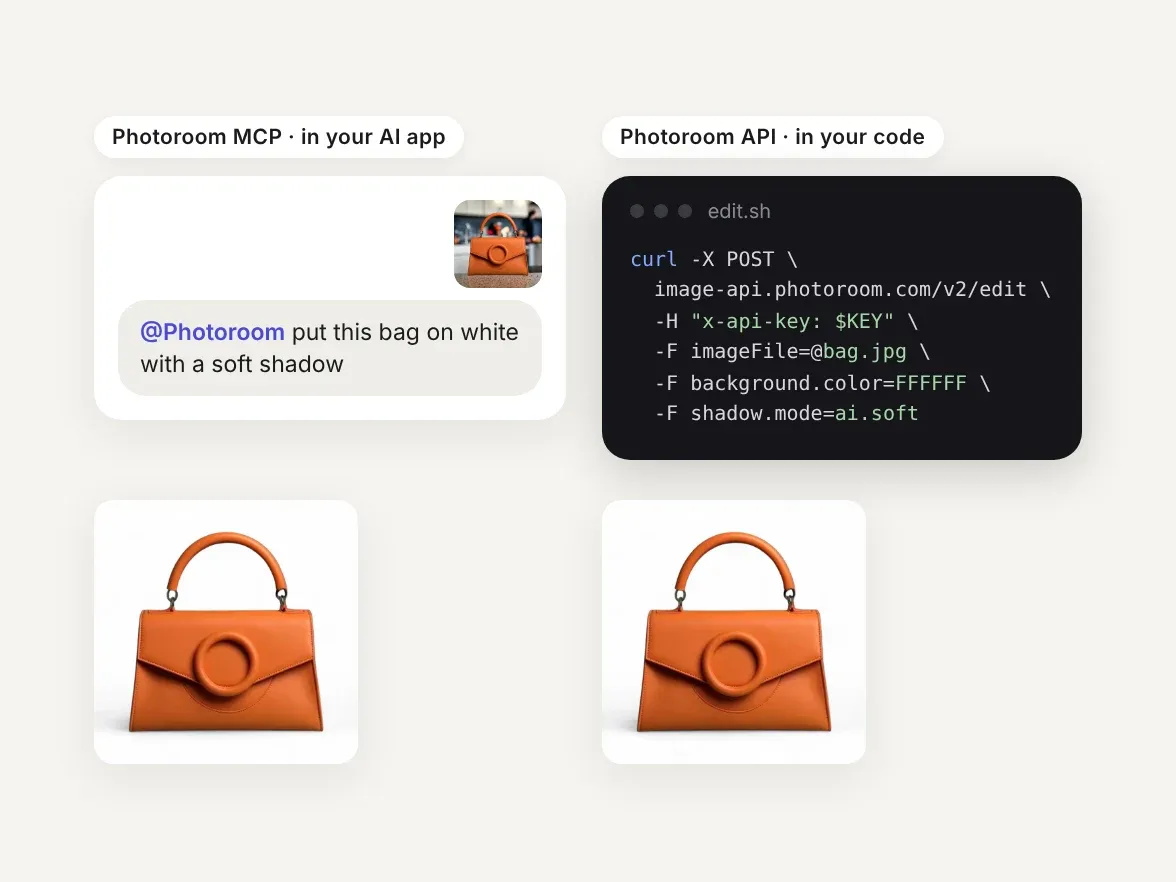
An orange bag edited two ways: a chat prompt to Photoroom and an API call, both giving the same white-background shot

Different ways to connect to Photoroom

The Photoroom MCP gives an AI app Photoroom's editing tools, and the API lets your code call them. What changes is who decides which tool runs: an AI assistant, or your code.
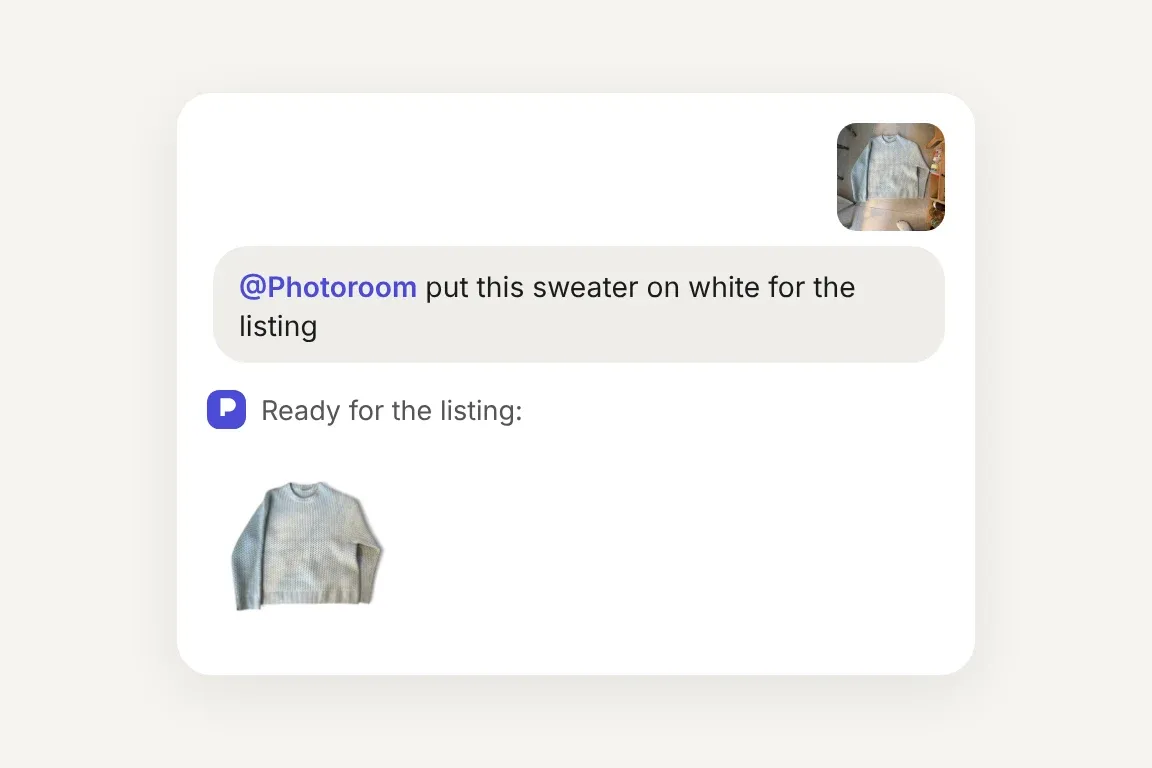
Chat asking Photoroom to put a seller photo of a knit sweater on white, and the listing-ready result
Photoroom MCP

Add the Photoroom server to your AI app and sign in, or run one command in Claude Code. Discover the setup steps for each app here.
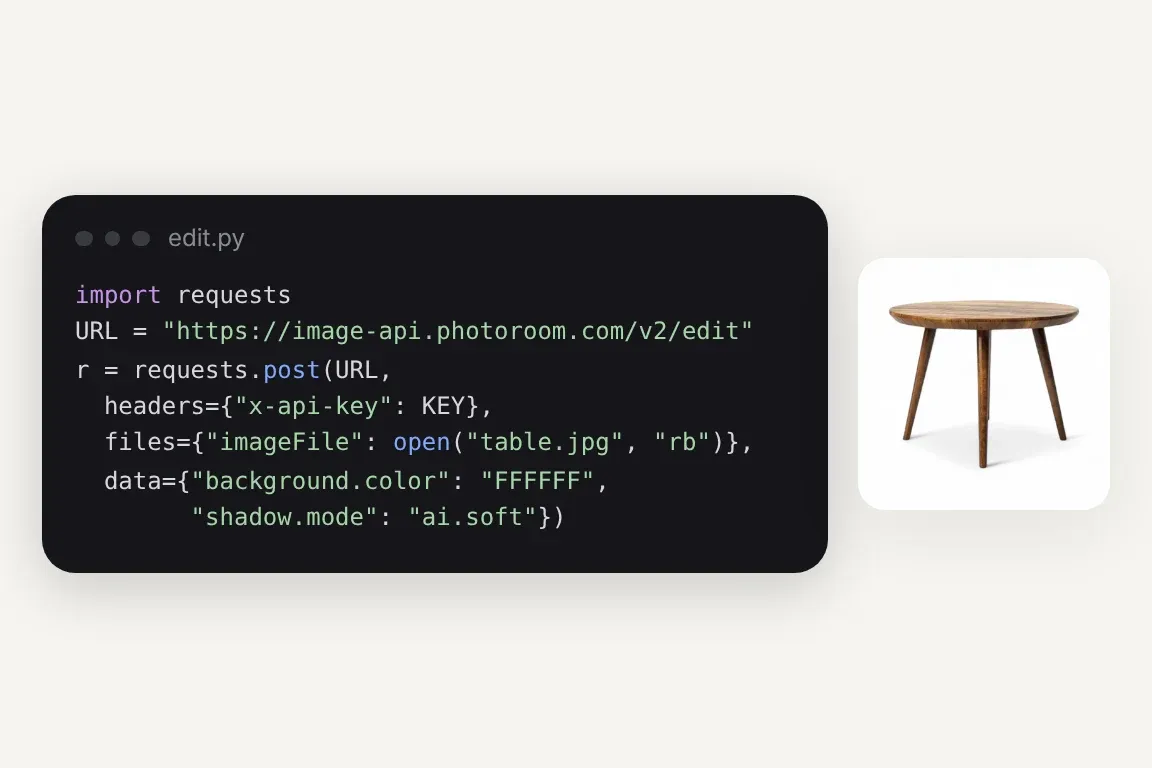
Python code calling the Photoroom API to put a side table on white with a soft shadow, next to the result
Photoroom API, written by you

Call the API from your own code, with your key in the request header. The API docs have samples for JavaScript, Python, Node.js and iOS.
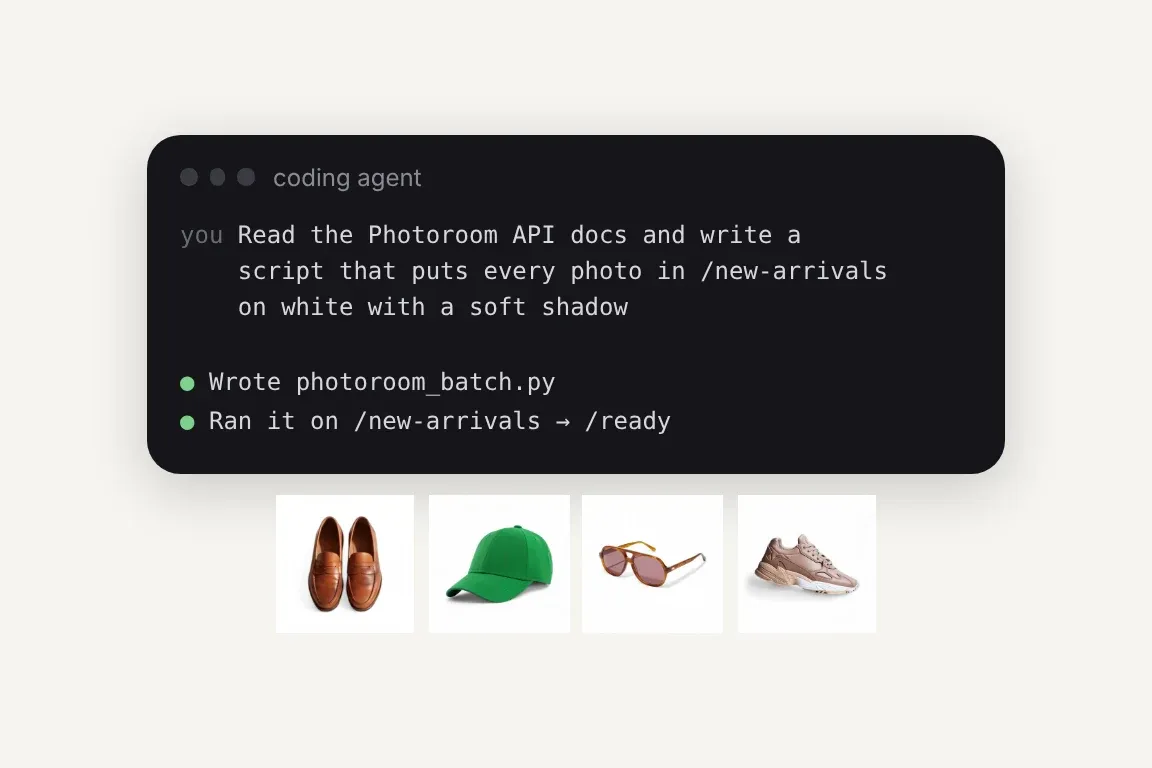
A coding agent asked to write a Photoroom batch script, then four products it put on white
Photoroom API, written by a coding agent

Tell Claude Code or Codex what result you need, and it writes, runs and fixes the integration code from our ready-made docs prompt.

Trusted by leading companies

Photoroom tools through the MCP or the API

Background removal, relighting, ironing, flat lay and ghost mannequin (and much more), whether an assistant or your code makes the call.

Photoroom MCP

Connect the Photoroom MCP to the LLM where you work and automate your product listing visuals.

Background Removal

The AI background removal API detects complex edges, handles transparency, and delivers clean cutouts at scale - ideal for product catalogs and marketplace listings.

Virtual Model

Place apparel and accessories on AI-generated models that match your brand aesthetic. On-model imagery via the Virtual Model API: no casting, no studio, no production timelines.

Flat Lay

Generate consistent, editorial-quality flat lay product photography at enterprise scale. Maintain visual identity across thousands of SKUs through the Flat Lay API.

Ghost Mannequin

Produce ghost mannequin apparel shots with perfect shape retention through an AI-powered Ghost Mannequin API endpoint. Scale invisible mannequin photography without a studio.

Product Staging

Place your product into realistic lifestyle scenes - held, worn, or displayed - with the natural lighting and composition of a high-end photoshoot.

Edit With AI

Describe any change in plain language and our AI makes it - swap colors, remove or add objects, restage the scene, or shift the camera angle.

Product Beautifier

Enhance low-quality product and food images automatically with the Beautifier API. No retouchers, no studios. Our AI restores detail, corrects color, and improves overall quality at scale.

Add Shadows

Add realistic shadows to the main subject of your image, with complete control over the softness, intensity and position of the shadow.

Generate Backgrounds

Dynamically create new backgrounds with our first-class generative AI, perfectly matching the subject of the original picture.

Relighting

Fix badly lit photos automatically. Our AI rebalances over- and under-exposed images, with modes that keep product colors accurate or optimize for portraits.

Text Removal

Remove watermarks, labels, and real-world signage from your images automatically - choose what goes and what stays.

Expand

Resize any image to any format without cropping. Our AI generates the extra background to match the original, filling every empty pixel seamlessly.

Uncrop

Recover subjects clipped by the frame. Our AI reconstructs the missing parts from the visible portion, automatically.

Ironing

Make every garment look freshly pressed. Our AI smooths creases and wrinkles out of clothing photos automatically - no steamer, no reshoot.

Create Any Image

Generate images from a text description alone - no source photo needed. Describe the scene, pick a format, and get original content back.

Uncertainty Score

Know when a cutout needs a second look. Every response returns a confidence score from 0 to 1, so you can auto-flag ambiguous images for review at scale.

Perspective Correction

Straighten angled shots of flat, rectangular products - cards, books, games - into clean, straight-on views. No generative AI, so hallucinations are impossible by design.

Positioning

Control exactly where the subject sits in the result - scaling, alignment, padding, and margins - so every image in a catalog comes out consistently framed.

Smart Cropping

Reframe images around the subject automatically - prompt it to focus on a specific element, or crop faces out for marketplace compliance.

Upscale

Turn small, low-res images into sharp ones at 4× the size - with a fast mode for volume and a slow mode for maximum quality.

Where each route earns its place

Use the MCP where people work, and the API where your systems run.

Chat asking Photoroom for launch images, with a ring on a velvet tray and a vase on a sunny windowsill

Ad hoc image requests stop landing on engineering
A merchandiser needs a launch set on models by Friday. Without the MCP, that's a ticket for a developer. With Photoroom connected to their AI assistant, they ask for the images themselves, and your engineers keep building the pipeline.

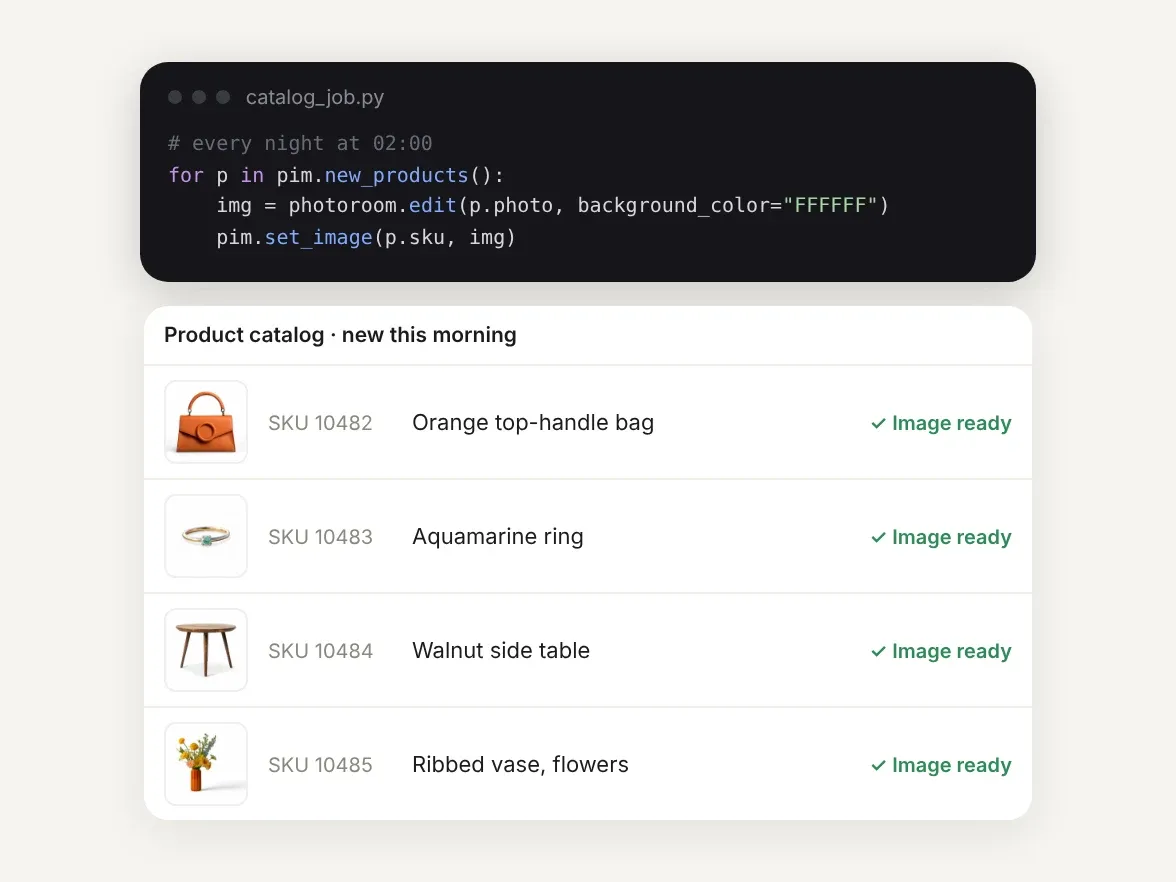
A nightly job calling the Photoroom API for new products, and four catalog entries marked image ready

A catalog run that never needs a prompt
Every night, new products land in your PIM and need the same cutout, shadow and size. The API runs those steps the same way on every image, inside your own flow, with no assistant deciding what to call.

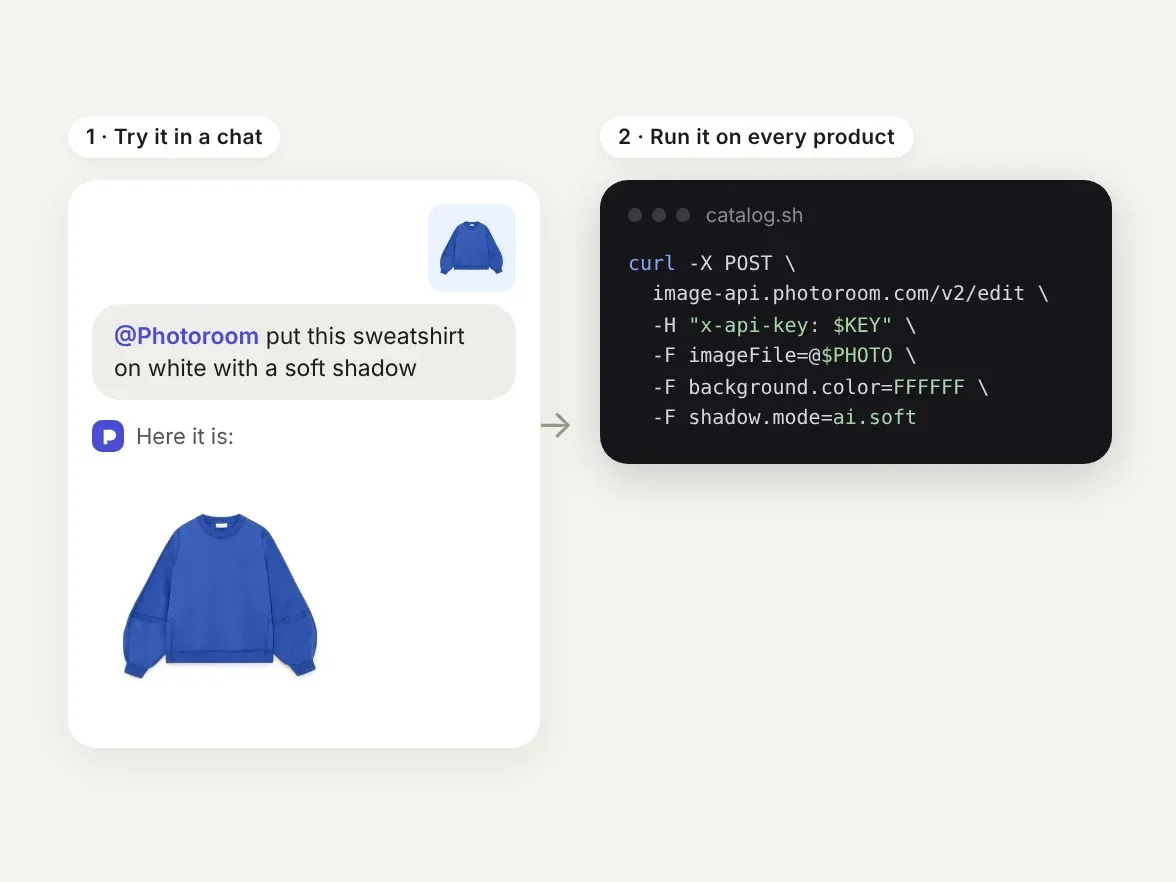
A sweatshirt put on white in a chat, then the same edit as an API call to run on every product

Try an edit in a chat, ship it in code

Try the edit your team wants in an AI app, then run it in your pipeline. Moving it into the API is an integration job, not a new vendor. On an API plan, connect the API connector to Claude Code, Codex or Cursor and the agent calls the API with your key, or writes the integration from our docs prompt.

Results from teams running Photoroom at catalog scale

4x

faster market rollouts

89%

lower image processing costs

56%

higher conversion on listings

236%

increase in average order value

Exclusive to Enterprise plans

When product images become a production pipeline

Once image edits sit inside your production systems, Enterprise plans can add the review, orchestration and support that a catalog pipeline needs, scoped with your engineering team.
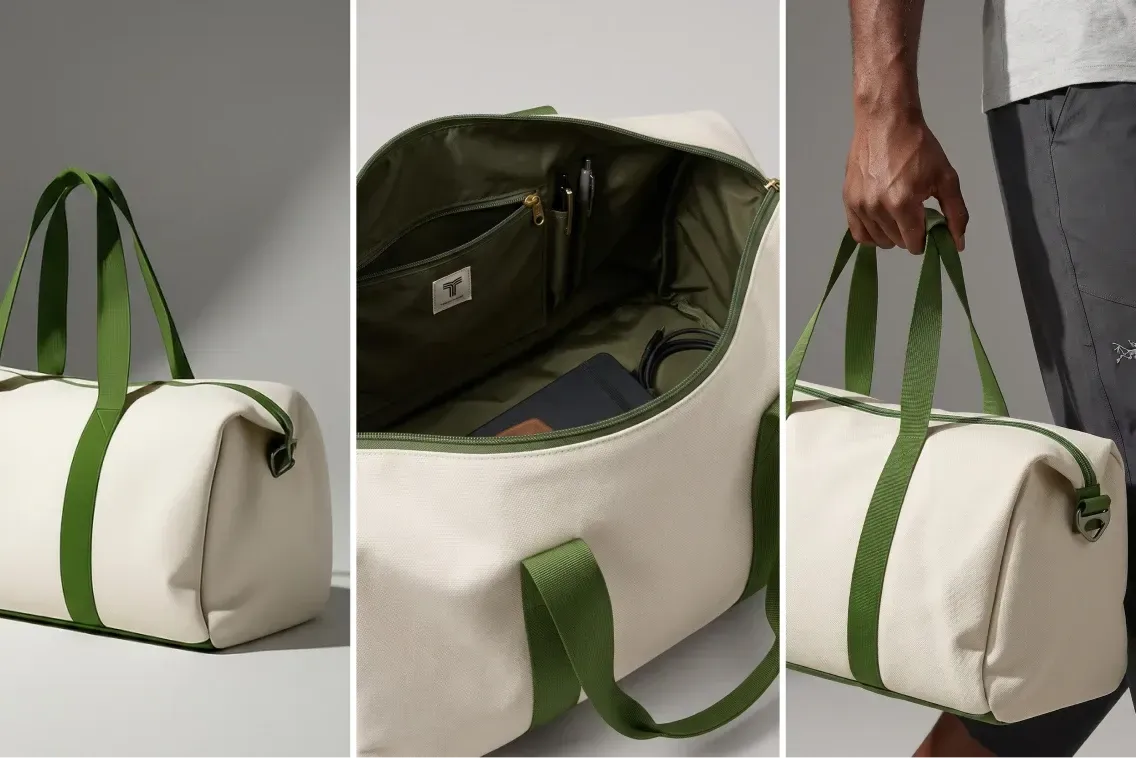
Collage of a beige duffel bag with green straps, showing its exterior, spacious interior with pockets, and a hand holding it.
Visual Agents
Visual Agents execute the perfect workflow for your use case. They analyze every input, generate and edit, score the output, retry until it passes. Every visual runs the same loop and only the ones that pass reach your catalog.
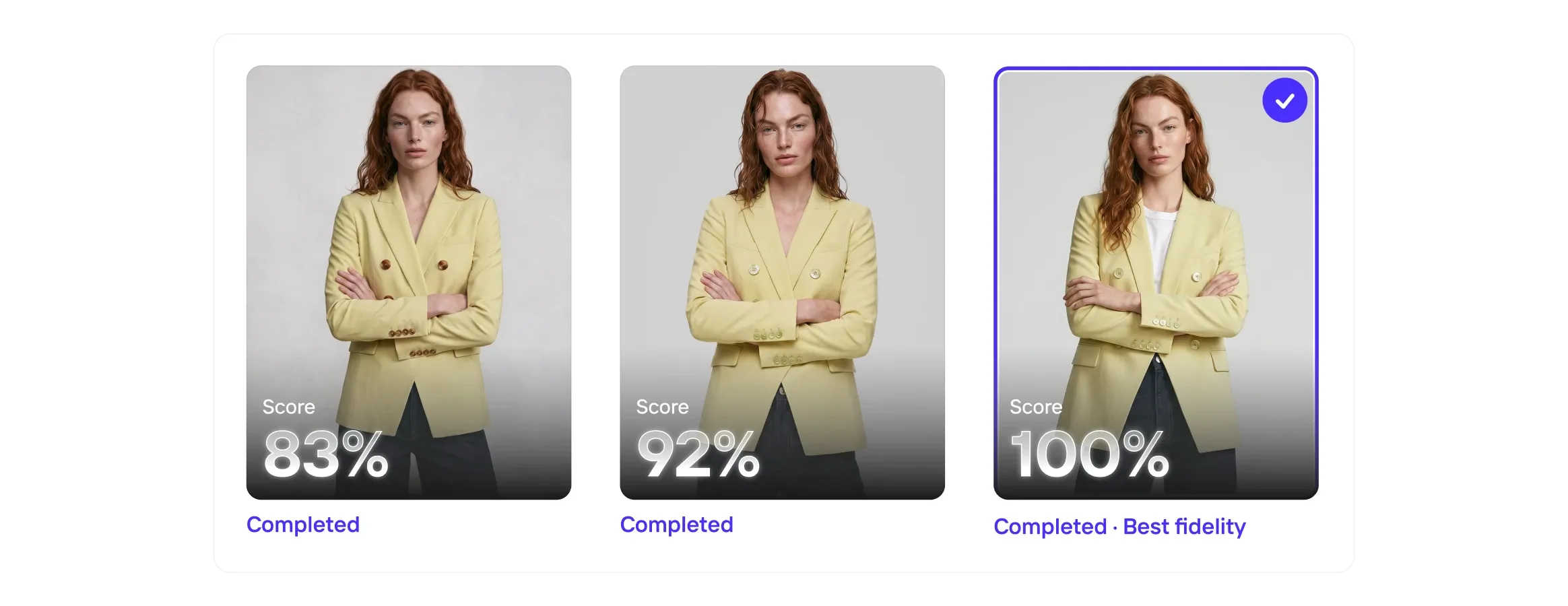
Three images of a woman in a yellow blazer, each with a completion score: 83%, 92%, and 100% labeled as "Best fidelity."
Visual QA
Even the best AI models get it wrong, so Visual QA scores every output for fidelity, catches the misses, and corrects the details before they reach your customers.
Collage of a woman in a white halter dress, a bowl of vibrant poke, and a woman holding a mustard handbag with hoop earrings.
Enterprise Guarantee
Pay only for outputs that pass. Every output is checked against your brief by our fidelity model, and anything that misses is regenerated before it reaches your team.
Four fashion items with play icons: a brown handbag, sage green mule, person in a gray shirt and cardigan, and white sneakers with orange accents.
Image to Video API
The Image to Video API turns static product photography into short-form video automatically. Submit a product image and receive a polished video with natural camera motion, animation, or configured effects.
Photoroom MCP and API

Start in your AI app, scale in your own code

Try an edit through the MCP today, then build it into your product, catalog or storefront with the Photoroom API, which has its own subscription. Need checks on every image before it ships? Talk to our team about Enterprise plans.

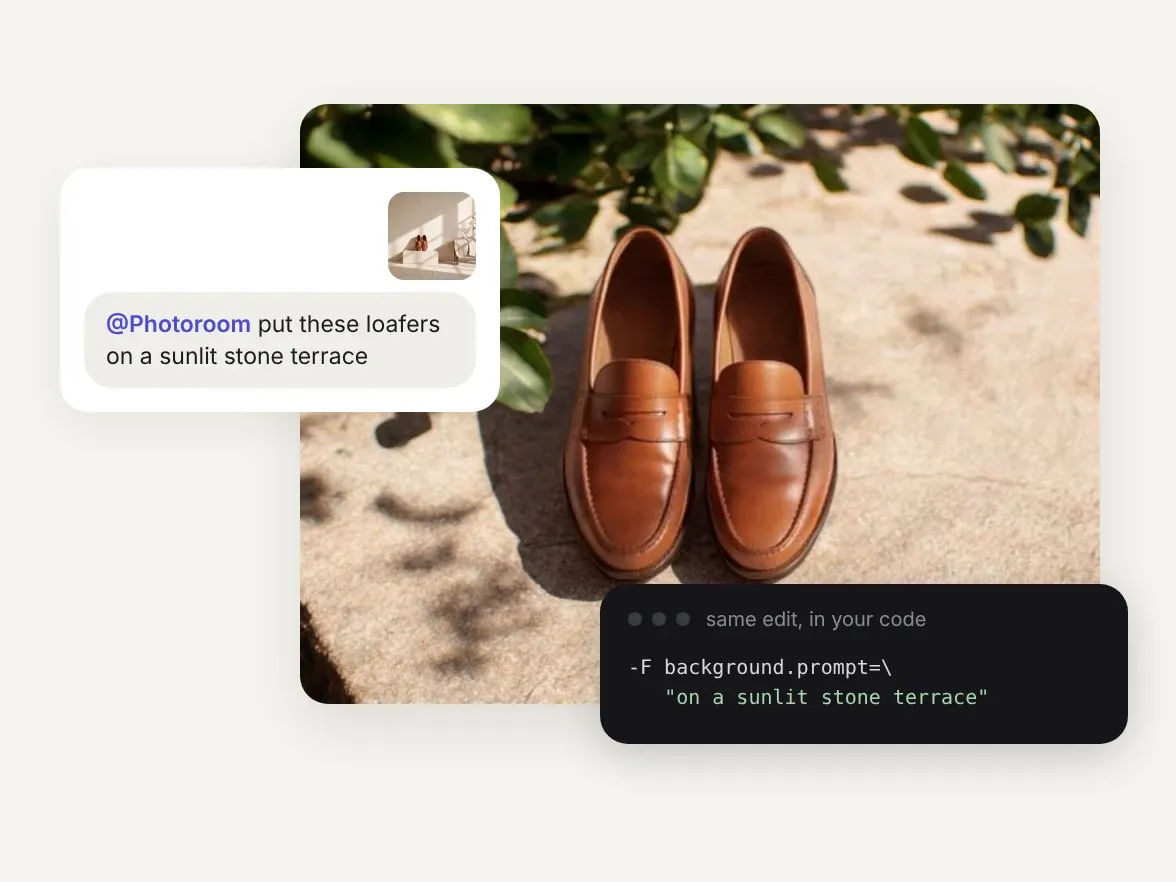
Loafers staged on a sunlit stone terrace from a chat prompt, with the same edit shown as API code

Frequently asked questions

What's the difference between an MCP server and an API?

With an API, such as a REST API, your code decides which endpoint to call and when. An MCP server exposes tools through the Model Context Protocol, so an AI app can find them and pick which one to call for a request. Photoroom offers both: the Photoroom MCP for AI apps, the Photoroom API for your own code, and the API connector in between, which lets a coding agent call the API with your API key.

Is it better to use an MCP server or call an image editing API directly?

With Photoroom, use the MCP when people edit through an AI assistant, try ideas or handle one-off batches. Call the API directly when your own product or pipeline runs the same edits on its own. MCP (Model Context Protocol) is an open standard that lets AI apps find and call tools; with an API call, your code decides what runs.

What are the limits of editing product images through an AI assistant?

Through the Photoroom MCP, the assistant decides which tool to call for each request, so it suits work where a person asks and checks. Results land in the chat rather than straight in your catalog. For edits that must repeat identically across a catalog, within your own systems, use the Photoroom API.

Which Photoroom MCP address should I use?

It depends on your plan. With Pro, Max or Ultra, use mcp.photoroom.com/mcp. With an API subscription, use mcp.photoroom.com/mcp-api. Edits through mcp.photoroom.com/mcp use Pro, Max or Ultra credits, and edits through mcp.photoroom.com/mcp-api use API credits from a separate API subscription. In ChatGPT there's no address to add: install the official Photoroom app. See every app Photoroom works with on the Photoroom MCP page. On an Enterprise plan? Talk to your account team.

Can I use both the MCP and API?

Yes. Prototype an edit through the MCP, then build the same edit into your product with the API, which has its own subscription. The quickest route is to ask Claude Code or Codex: describe the result, and the agent writes, runs and debugs the code. Start from our docs prompt for coding agents.

How do I call the Photoroom API?

Get your API key, send it in the x-api-key header, and post your image to the endpoint:

curl --request POST \
  --url https://sdk.photoroom.com/v1/segment \
  --header 'x-api-key: YOUR_API_KEY' \
  --form image_file=@/path/to/your/image.jpg \
  --output photoroom-result.png

Ready-made code is available for JavaScript, Python, Node.js and iOS in the documentation.

How does pricing work?

It depends on your plan. Edits through mcp.photoroom.com/mcp use Pro, Max or Ultra credits, and edits through mcp.photoroom.com/mcp-api use API credits from a separate API subscription. Plans and credits are on the pricing page, and API prices on the API pricing page. On an Enterprise plan? Talk to your account team.

Which should an enterprise team choose?

For a catalog pipeline, use the API: on Enterprise plans it can come with Visual QA checks on each output, tailored multi-tool workflows with Visual Agents, and the Enterprise Guarantee for eligible food and fashion teams on annual contracts. The Guarantee matters because it shows we put money behind our outputs, not only promises. The MCP earns its place if you or your team orchestrate your work through LLMs like Claude.

What should I do if I need help?

Visit the Photoroom Help Center for app, plan and account questions. Enterprise customers can contact their account team.

Using the API connector or building with the API? Join our API community to get help from our engineers, or check the troubleshooting page for common issues.

Start selling at first sight

Get listing-ready product visuals in seconds.