Photoroom MCP
Edit images in Claude with Photoroom
Add Photoroom as a custom connector, then ask Claude to remove backgrounds, stage products or put clothes on a model. Works in Claude, Cowork and Claude Code.

Add the Photoroom connector to Claude
Sign in with your Photoroom account and Photoroom creates the API key for you. Works on every Claude plan.

Claude.ai
Go to ‘Customize’, then ‘Connectors’. Click ‘+ Add’, choose ‘Add custom connector’, and paste https://mcp.photoroom.com/mcp.
Claude Cowork
In the Claude desktop app, go to ‘Customize’, then ‘Connectors’. Click ‘+ Add’, choose ‘Add custom connector’, and paste https://mcp.photoroom.com/mcp.

Claude Code
Run this in your terminal:claude mcp add --transport http Photoroom https://mcp.photoroom.com/mcp
Trusted by leading companies


Claude image editing with every Photoroom tool
Remove backgrounds, add shadows, generate scenes and dress virtual models, all from a chat. Describe the edit and Claude picks the right Photoroom tool, on one image or a whole folder.

Photoroom MCP

Background Removal

Virtual Model

Flat Lay

Ghost Mannequin

Product Staging

Edit With AI

Product Beautifier

Add Shadows

Generate Backgrounds

Relighting

Text Removal

Expand

Uncrop

Ironing

Create Any Image

Uncertainty Score

Perspective Correction

Positioning

Smart Cropping

Upscale
What Photoroom adds to Claude
Claude handles the conversation and Photoroom does the editing. Ask in plain English and get finished product images back in the same chat, one at a time or a whole folder at once.
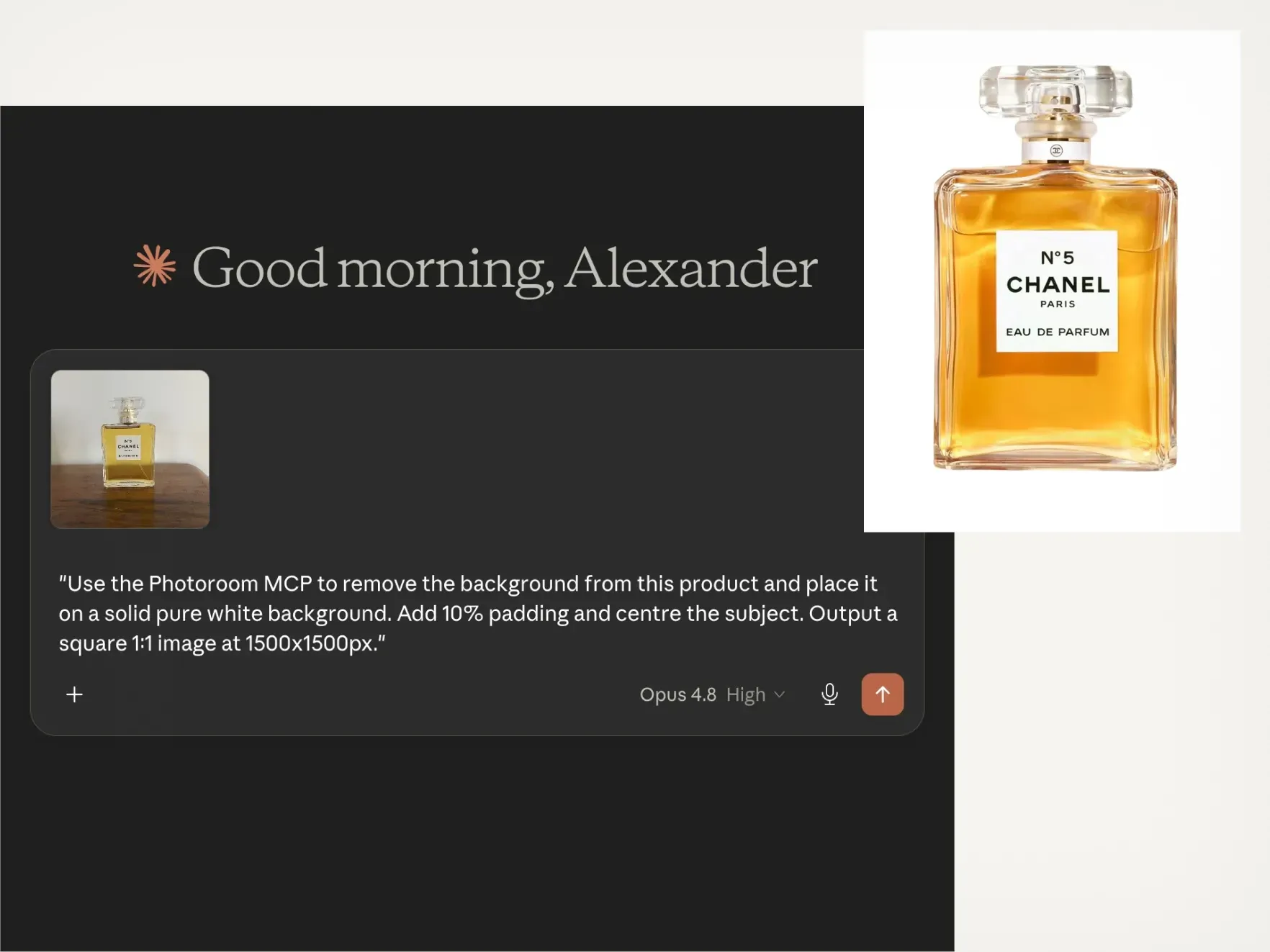
Yes, Claude can edit images with Photoroom
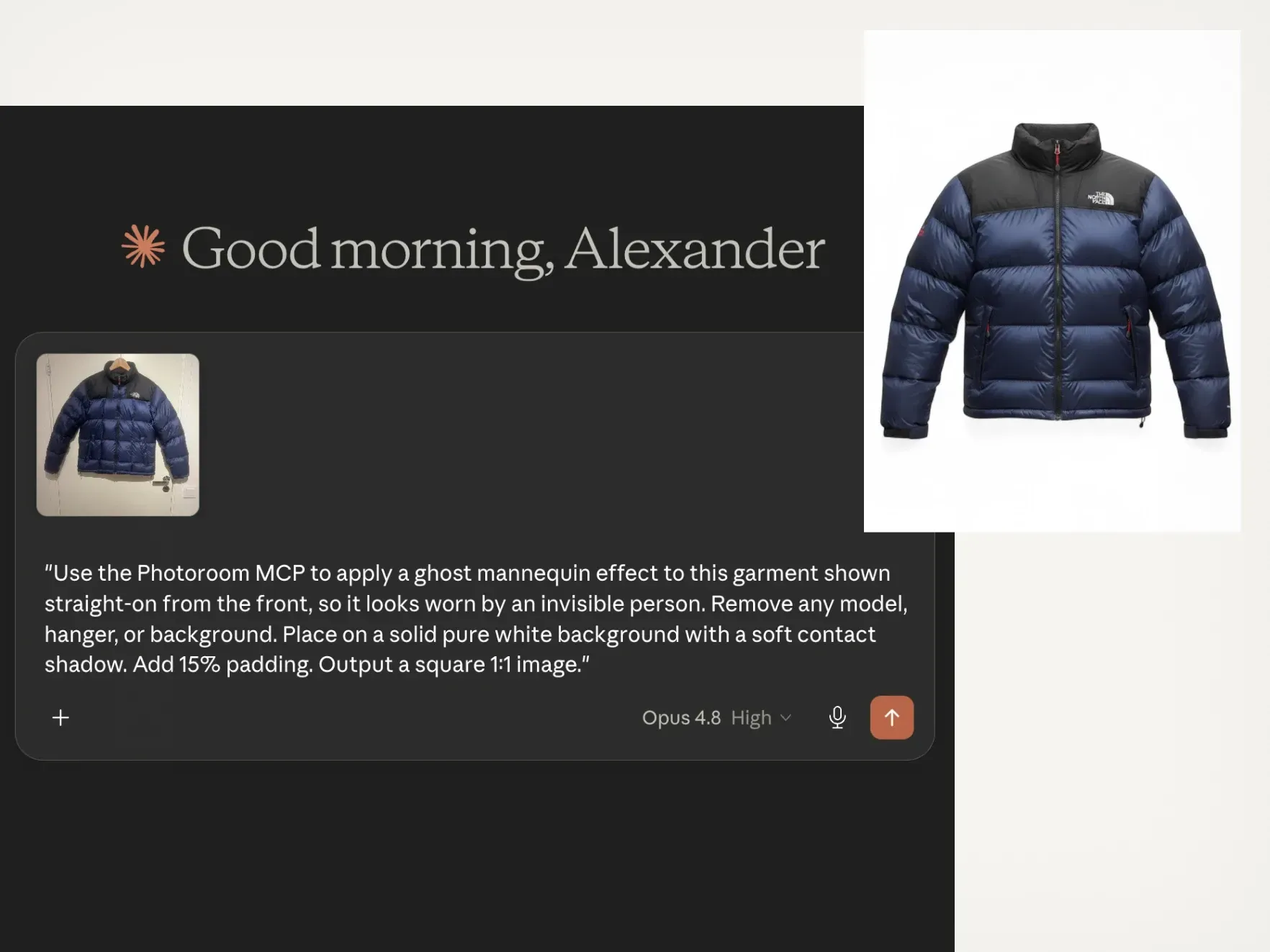
Batch edit product images from Claude Code
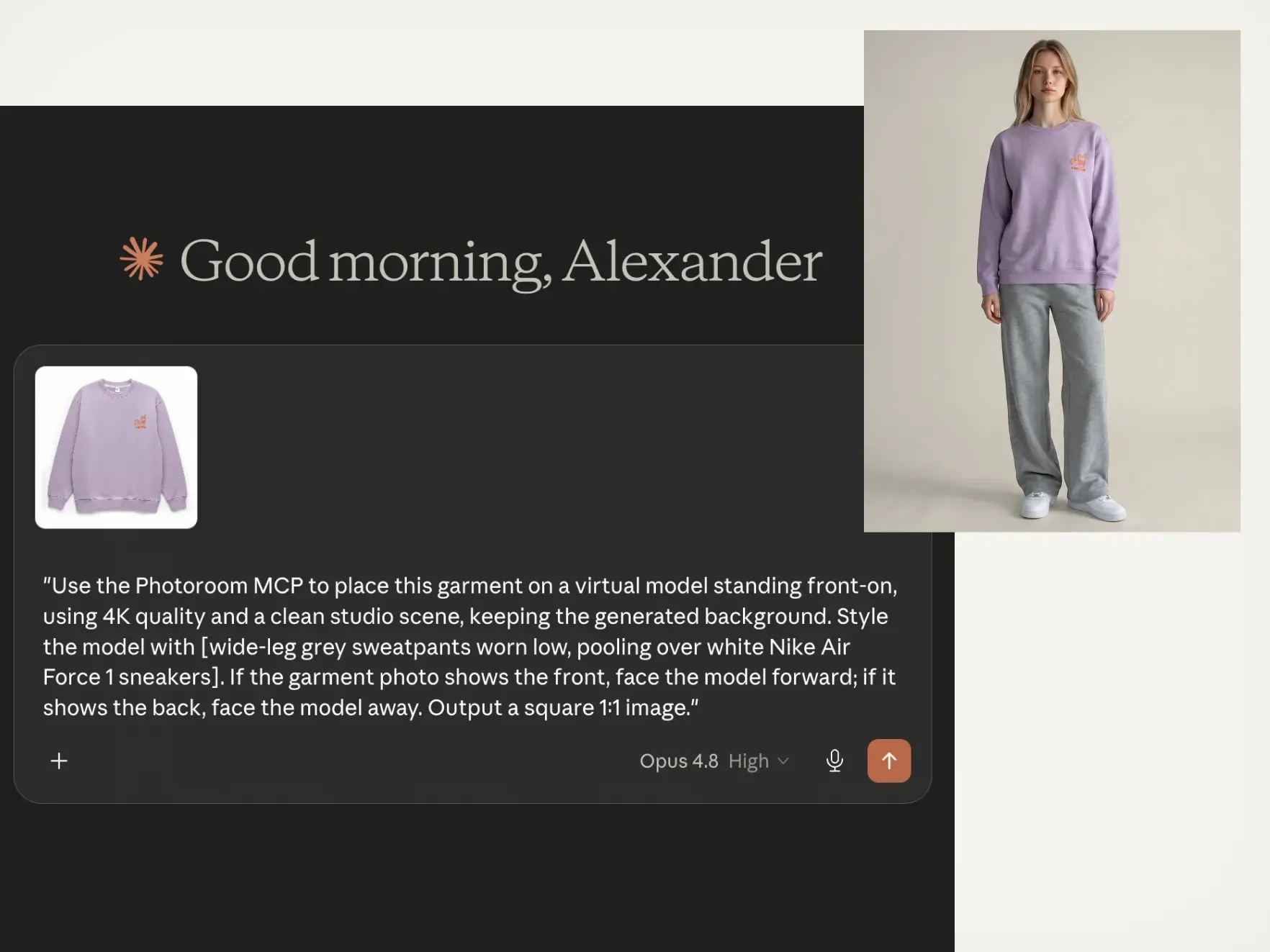
Put your clothing on AI fashion models
Prompts to try
Copy a prompt, attach a photo, and Claude does the rest
Not sure where to begin? Start with these, then change the background, size or style to fit your listing.
Background removal

Relight images

Upscale image quality

Beautify food images

Create realistic shadows

Generate new backgrounds

Virtual Model

Ghost Mannequin
Chain image edits in one conversation with Claude
Start with one product photo and keep asking. Cut it out, add a new background, then a shadow, then resize it for each marketplace. Every edit builds on the last, so one chat gives you a full set of listing images.
The same editing, already running at catalog scale
4x
faster market rollouts
89%
lower image processing costs
56%
higher conversion on listings
236%
increase in average order value
Exclusive to Enterprise plans
When a Claude workflow becomes a production pipeline
Visual Agents, product video and a contractual quality guarantee for teams editing whole catalogs.
Visual Agents
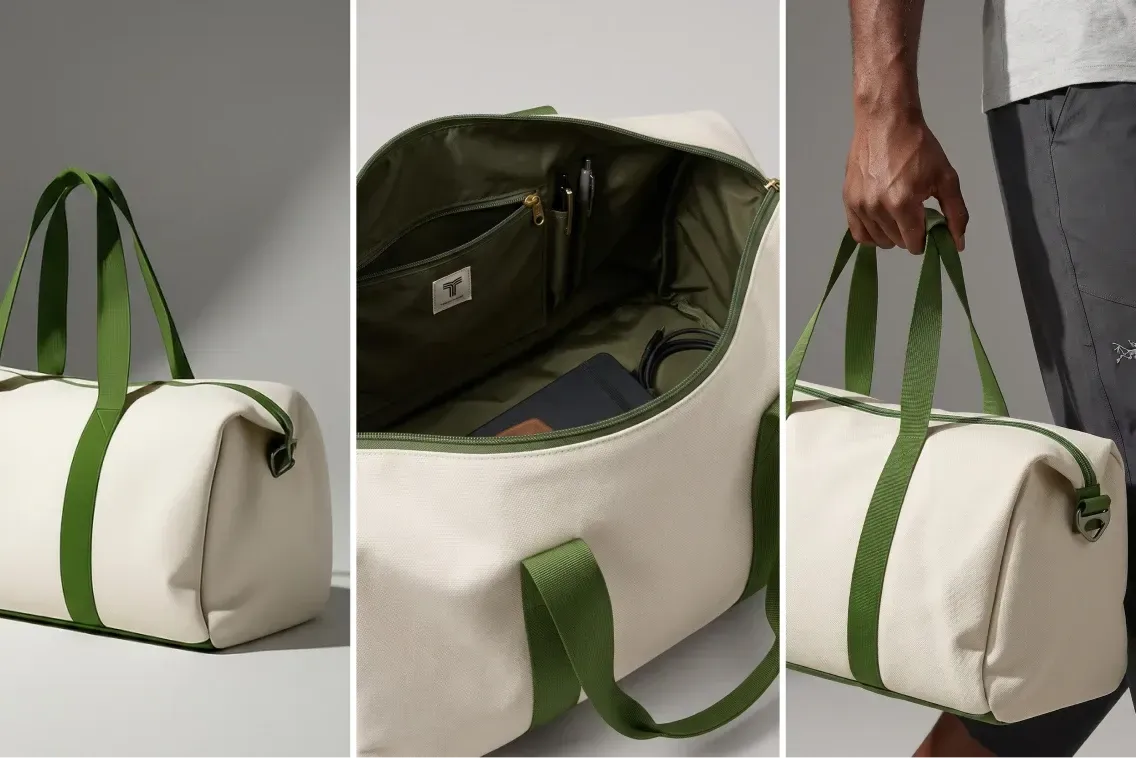
Visual Agents execute the perfect workflow for your use case. They analyze every input, generate and edit, score the output, retry until it passes. Every visual runs the same loop and only the ones that pass reach your catalog.
Visual QA
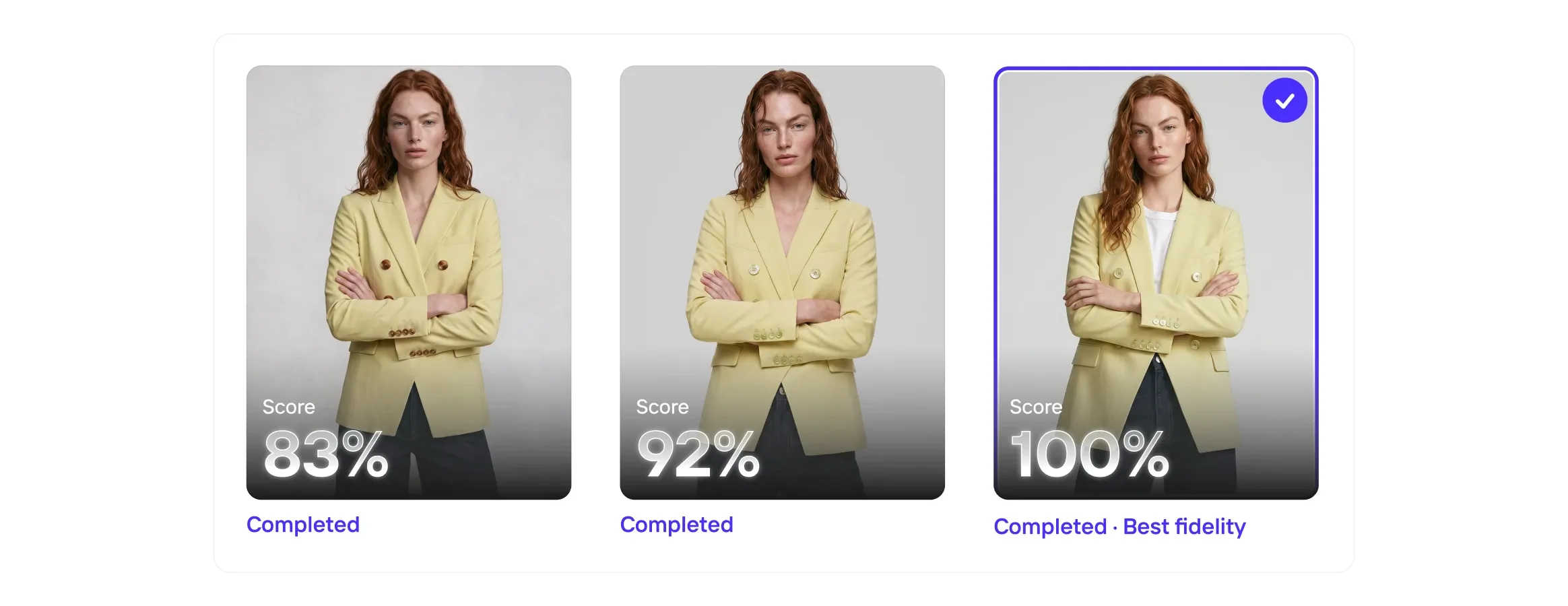
Even the best AI models get it wrong, so Visual QA scores every output for fidelity, catches the misses, and corrects the details before they reach your customers.

Enterprise Guarantee
Pay only for the outputs that pass. Set your product-fidelity criteria upfront. Every output is checked against your brief by our proprietary fidelity model. Anything that misses is regenerated before it reaches your team.

Image to Video API
The Image to Video API turns static product photography into short-form video automatically. Submit a product image and receive a polished video with natural camera motion, animation, or configured effects.