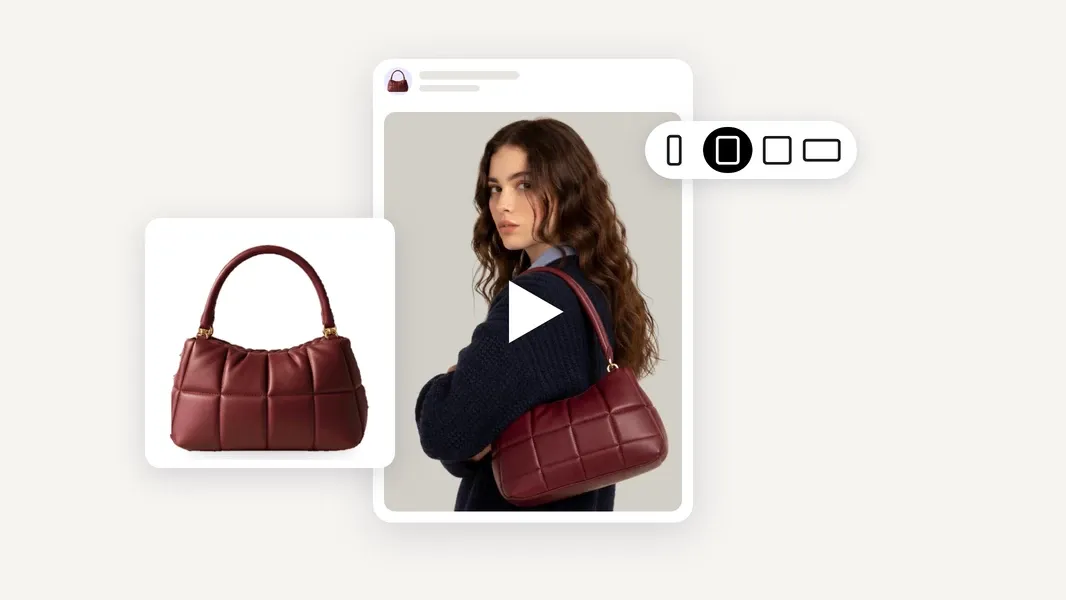
Clothing sells better when shoppers can see what an item looks like when worn. But booking models, a studio and a photographer for every new drop isn't realistic for most small brands and resellers. AI fashion model generators fill that gap: you upload a photo of a garment you already have and get back an image of a model wearing it.
For most small fashion sellers, Photoroom is the best place to start. Its AI Fashion Models tool turns your existing garment photos into on-model product images, which you can check, edit, and export in the same app you use for the rest of your listing photos. Other tools are better suited for narrower needs: FASHN for prompt-level control over the model and scene, Botika for curated models and full outfit control, Wearview for keeping one AI model consistent across a collection, and WeShop AI for styled social content.
Below, we compare eight AI fashion model generators on their capabilities, use cases, pricing, workflows and documented limitations, so you can pick the one that fits the clothes you sell and the way you work. The comparison draws on each tool's official documentation and pricing pages rather than our own side-by-side tests.
Table of Contents
The best 8 AI fashion model generators at a glance
Photoroom is the best choice for small fashion brands turning existing garment photos into on-model product images for their online shops. The other seven tools suit more specific needs, from prompt-level control to social content. Pricing and capabilities were verified November 2026.
| Tool | Best for | Accepted garment inputs | Model customization | Starting price |
|---|---|---|---|---|
| Photoroom | Small brands creating on-model product photos | Flat lay, hanger or on-model photos; several items combined into one outfit | Pre-made models across genders, ethnicities, ages and body types; custom models; pose list; preset or custom backgrounds; prompts for position and crop | $7.50/month, billed annually |
| Botika | Curated AI models and full outfit control | Flat lay, hanger, ghost mannequin (front, back or side) or on-model photos | Tagged model library; preset poses and backgrounds; top, bottom and footwear slots | $20/month, billed annually |
| Wearview | Reusing the same AI model across a collection | Flat lay or hanger photos | 20 models on Lite, 250+ on higher plans, by body type, skin tone and age; custom models from Pro; templates only, no prompts | $24/month billed annually |
| FASHN | Prompt control over the model and scene | Flat lay, ghost mannequin, hanger or on-model photos | Text and image prompts for model, pose, background and lighting; consistent models; model swap | $16/month, billed annually |
| Pixelcut | Occasional on-model shots inside an all-round photo editor | A clothing photo, on its own or worn by a person | Library models in different sizes and shapes, or your own uploaded model | $8/month, billed annually; free plan available |
| WeShop AI | Styled lifestyle and social content | Flat lay, mannequin or on-model photos | Models by body type, skin tone and age; your own model; templated poses and scenes | $7.99/month, billed annually; free plan available |
| Veeton | Planning complete AI photoshoots across a collection | Product photos, including phone shots | Choice of models, backgrounds and poses; custom AI models | $12.99/month |
| Zawa | Social content alongside other brand assets | Flat lay, mannequin or on-model photos | Model library; custom models from a reference image; background templates or uploads | $6/month, billed annually; free plan available |
The 8 best AI fashion model generators for e‑commerce
Here's how the top 8 tools compare, starting with the one designed specifically for online sellers.
1. Photoroom: Best for small brands creating on-model product photos
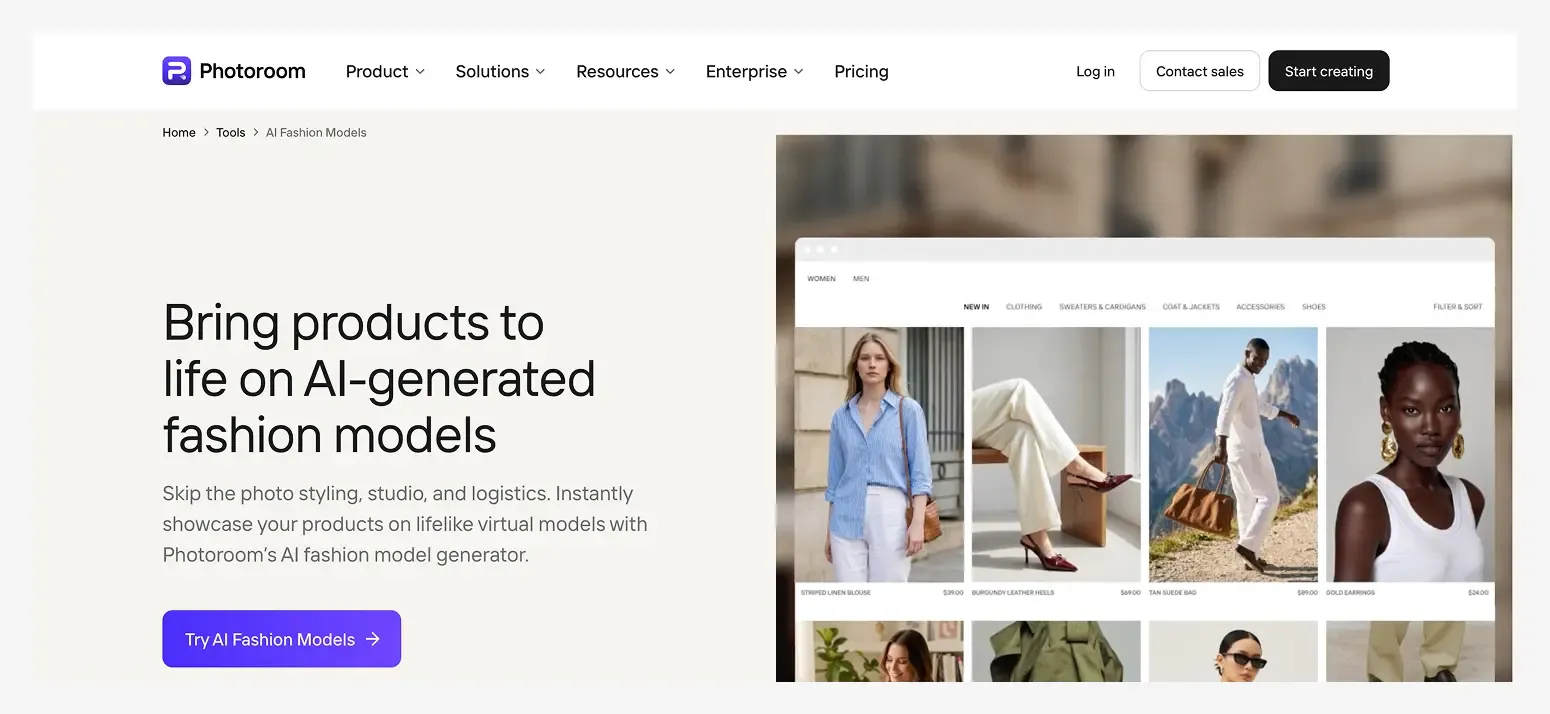
What it's best for: Small fashion brands and resellers who want to turn the garment photos they already have into on-model product images, then edit and export them in the same app.
How it works: Start with a photo of your garment, open AI Fashion Models, and choose a model, pose, and background. Photoroom generates the on-model image, which you can refine in the editor, turn into variations, or download and upload to your shop.
From phone photo to listing:
Photograph the garment flat or on a hanger. Keep it unfolded, well lit and fully in frame.
Open AI Fashion Models in the Photoroom app or web app.
Choose an available model, pose and background.
Generate the on-model image.
Compare it with the real garment: color and fit first, then prints, logos, zippers, buttons and tags.
Export the image for your store or marketplace.
Key capabilities:
Starts from your own flat lay, hanger or on-model photo, and combine several items into one outfit
Pre-made models across genders, ethnicities, ages and body types
Custom models from your own photos, to reuse the same model across a collection (one on Pro, three on Max, unlimited on Ultra)
A pose list, plus prompts to fine-tune position and crop, such as "show top half of model, focus on t-shirt"
Pre-made background themes, or your own uploaded or AI-generated background
AI Product Fixer to repair logos, text, colors and patterns against your original photo.
Portrait, square or landscape formats
Batch editing of up to 250 images, plus background removal and the full editor for touch-ups
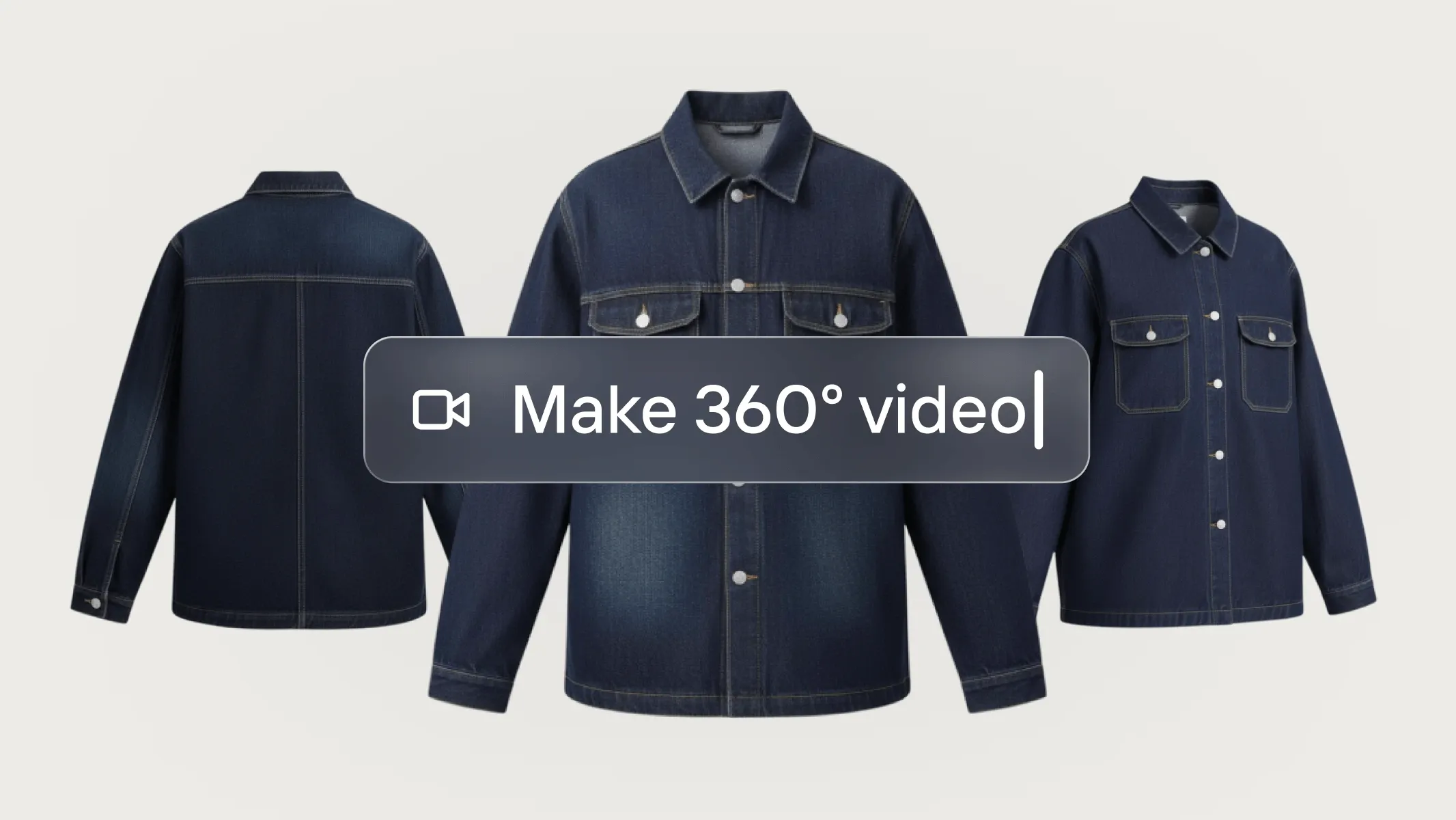
Create a complete set of listing visuals from one photo: virtual model, ghost mannequin, flat lay, and video product ads
Create model images from your Shopify catalog and upload them directly to your store through Photoroom’s Shopify Integration
Garment accuracy: No independent testing of Photoroom’s garment accuracy was found. AI Fashion Models works from a photo of your real garment, so results depend on how much of it that photo shows: simple pieces such as T-shirts and jeans are the easiest to reproduce, while folded hems or hidden sleeves leave gaps the AI has to fill. If a logo, print or color comes out wrong, AI Product Fixer lets you brush over that area and regenerate it from your original photo, without using extra AI credits. Check color and fit first, then prints, logos, zippers, buttons and tags, before you publish.
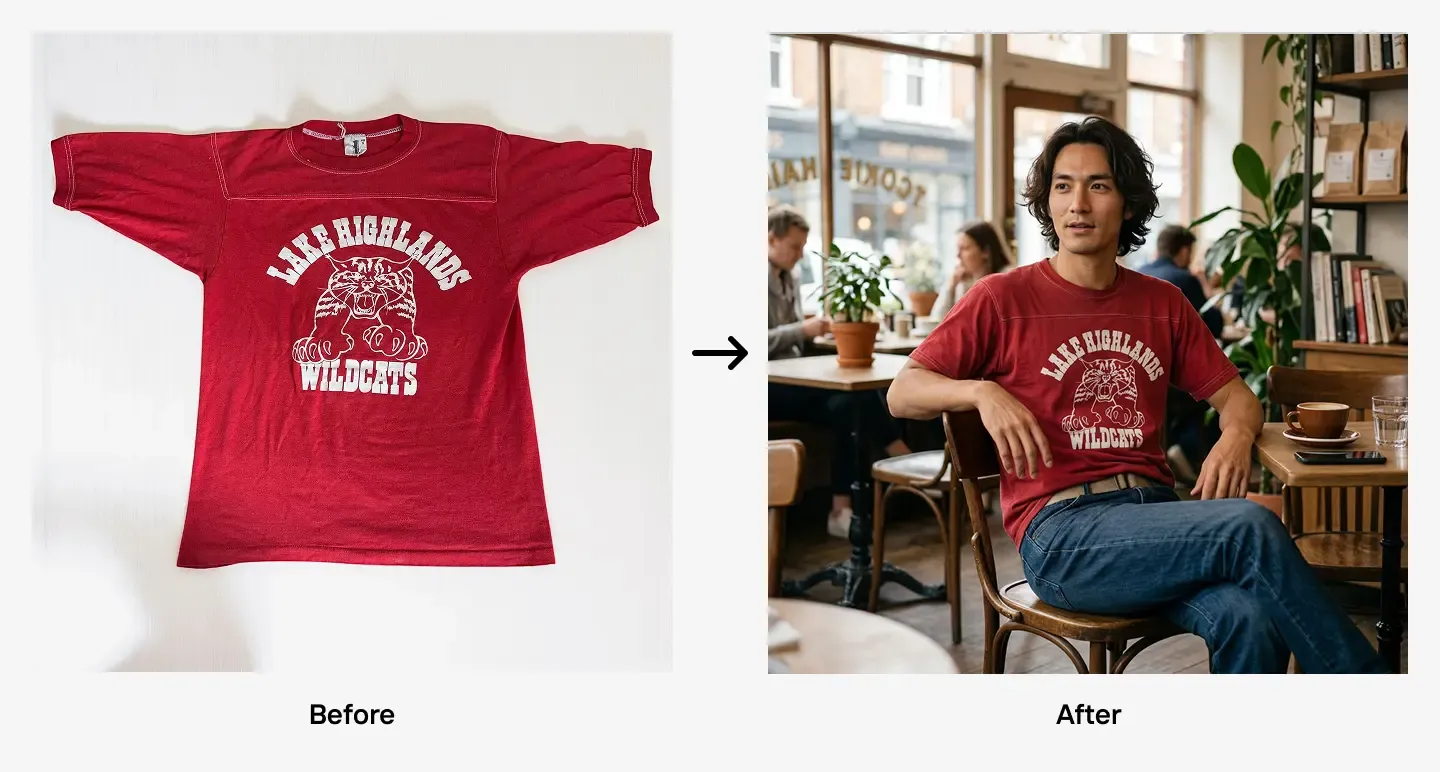
In practice: Layer, a two-person UK sportswear brand that sells through its own Shopify store, used to hire photographers for its running and gym wear. Now founder Dan Bacon photographs products at home and uses AI Fashion Models to turn them into on-model images. A pair of running shorts with an inner lining and phone pocket took him about five minutes. Layer then refines details with Edit with AI and publishes images to its store through Photoroom’s Shopify integration. “From the outside, our website looks like we’re bigger than just a team of two,” Bacon says.
Limitations:
Pro plans generate fashion images at 1K; 2K requires Max and 4K requires Ultra
Custom model slots are capped on Pro and Max
Poses come from a preset list, with finer control through prompts
Folded, creased or partly hidden garments give the AI less detail to work from
Product Fixer works only on images generated from a single source photo.
Pricing:
Pro: $7.50/month, billed annually, with up to 1,600 AI Fashion Models generations at 1K.
Max: $20.99/month, billed annually, with up to 5,000 generations at 1K or 185 at 2K.
Ultra: $82.50/month, billed annually, with up to 15,000 at 1K, 555 at 2K, or 310 at 4K.
Verdict: Choose Photoroom if you want to go from a phone photo of a garment to a listing-ready on-model image in one app. You choose the model, pose and background, and can check and edit every detail before you export.
Try AI Fashion Models in Photoroom
2. Botika: Best for curated AI models and full outfit control
What it's best for: Fashion sellers who want to choose every piece of an outfit and pick their model from a tagged, ready-made library.
How it works: Upload a flat lay, hanger or ghost mannequin photo of your garment, or an existing on-model photo, then choose a model, pose and background from Botika's libraries. Before generating, add the rest of the outfit’s items from your own photos or Botika's library to complete the look.
Key capabilities:
Accepts flat lay, hanger, ghost mannequin (front, back or side) and existing on-model photos as inputs
A library of AI models tagged by age and size
Separate choices for model, pose and background
Top, bottom and footwear slots
Bulk upload for a whole collection
Short product videos generated from a single photo
Garment accuracy: No independent testing of Botika's garment accuracy was found. Botika accepts front, back and side mannequin views, which give the AI more of the garment to work from.
Limitations:
No ability to upload your own model or describe one
Most full-body poses are small variations on a standing stance
Backgrounds are presets only, with no option to upload or describe a scene
You must add a bottom and footwear before generating, even if you only sell tops
Full model library and all backgrounds are only available on the Advanced plan
Pricing: From $20/month, billed annually.
Verdict: Choose Botika if you want a consistent, curated set of models and precise control over the full outfit, and you don't need custom models or custom scenes.
3. Wearview: Best for reusing the same AI model across a collection
What it's best for: Small fashion brands that want one consistent AI model, or a small cast, across all their product pages.
How it works: Upload a flat lay or hanger photo, then pick the model's body type, skin tone and age, along with a pose and background. Wearview generates the on-model image, which you can then download in high resolution.
Key capabilities:
20 ready-made models on the entry plan and 250+ on higher plans, customizable by body type, skin tone and age
Reusable custom AI models with the same face every time (Pro plan and above)
Shoes and accessories added to complete the outfit
Virtual try-on, model swap, pose changer, ghost mannequin and flat lay tools on every plan
Garment accuracy: No independent testing of Wearview's garment accuracy was found. Wearview generates on-model photos from templates at a single quality setting, so check fine details such as lace, seams and length against the real garment.
Limitations:
No custom prompts
On-model photos come in a single quality setting
Entry plan is limited to 20 models and two images per generation, with no custom models or video
No free plan: trying it relies on free sample shoots and a 14-day refund on your first plan
Pricing:
Lite: $29/month, or $24/month billed annually, for 50 credits a month (about 16 on-model images)
Pro: $49/month, or $40/month billed annually, for 200 credits.
Verdict: Choose Wearview if model consistency across a collection is what matters most and you don’t need custom prompting.
4. FASHN: Best for prompt control over the model and scene
What it's best for: Sellers who are comfortable creating images with short prompts and want fine control over who wears the garment and where.
How it works: Upload a flat lay, ghost mannequin, hanger or other product photo to FASHN's Product to Model tool. Describe the model, pose, background and lighting in a text prompt, then generate one to four images.
Key capabilities:
Accepts flat lay, ghost mannequin, hanger and on-model product photos
Allows multiple garments per generation to style a complete outfit
Text and image prompts for the model, pose, background and lighting
Try-On, Model Swap and consistent models for repeat use across products
Garment accuracy: No independent testing of FASHN's garment accuracy was found. FASHN's research write-up presents preserving colors, logos, patterns and textures as the problem its model is built to solve, which is the vendor's own claim. Its guidance also asks for clean, uncropped garment photos.
Limitations:
No automatic outfit completion: it dresses the model in the items you upload, so shoes and other pieces must be included
Doesn't generate other images e‑commerce sellers need, like flat lays
Pricing:
From $16/month, billed annually, for 200 monthly credits.
Pro plans with FASHN's most realistic image generation start at $41/month, billed annually. One credit generally equals one generation, with exceptions for high-quality images and videos.
Verdict: Choose FASHN if you want detailed control, you're confident writing short prompts, and you can supply every piece of the outfit yourself.
5. Pixelcut: Best for occasional on-model shots inside an all-round photo editor
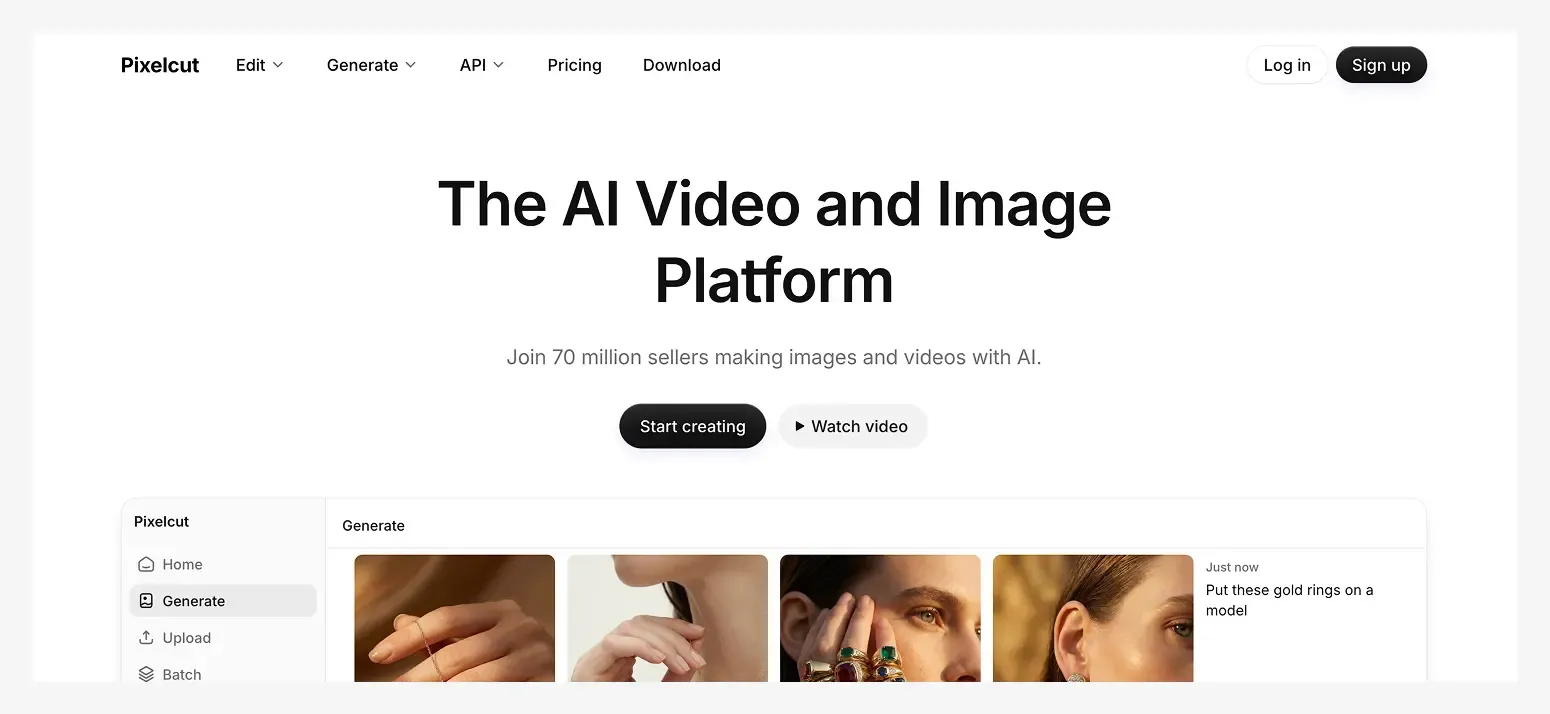 What it's best for: Sellers who mainly need everyday photo editing, such as background removal and upscaling, and only need on-model images occasionally.
How it works: Upload a photo of your garment, either on its own or worn by a person. Pixelcut's Virtual Try-On fits the garment onto a model from its library or a custom model you upload.
Key capabilities:
Library of diverse models and the option to upload your own model
Accepts JPG, PNG and HEIC files
Background removal, upscaling and batch editing in the same app
Available on web, iPhone and Android
Garment accuracy: No independent testing of Pixelcut’s garment accuracy was found, and Pixelcut makes no specific claims about preserving prints, logos or construction. Check results against your real garment before using them in listings.
Limitations:
No documented pose, framing or background controls for on-model images
No documented handling of specific inputs such as flat lays, hangers or ghost mannequin photos
A general photo editor rather than a fashion-specific tool, with fewer garment-focused options
Pricing:
Free plan with limited daily use.
Pro starts at $8/month, billed annually, with 600 AI credits
Verdict: Choose Pixelcut if you want one inexpensive editor for most product photos and only need occasional on-model shots. Sellers who need documented garment accuracy or detailed model control should look for an e‑commerce specific tool.
6. WeShop AI: Best for styled lifestyle and social content
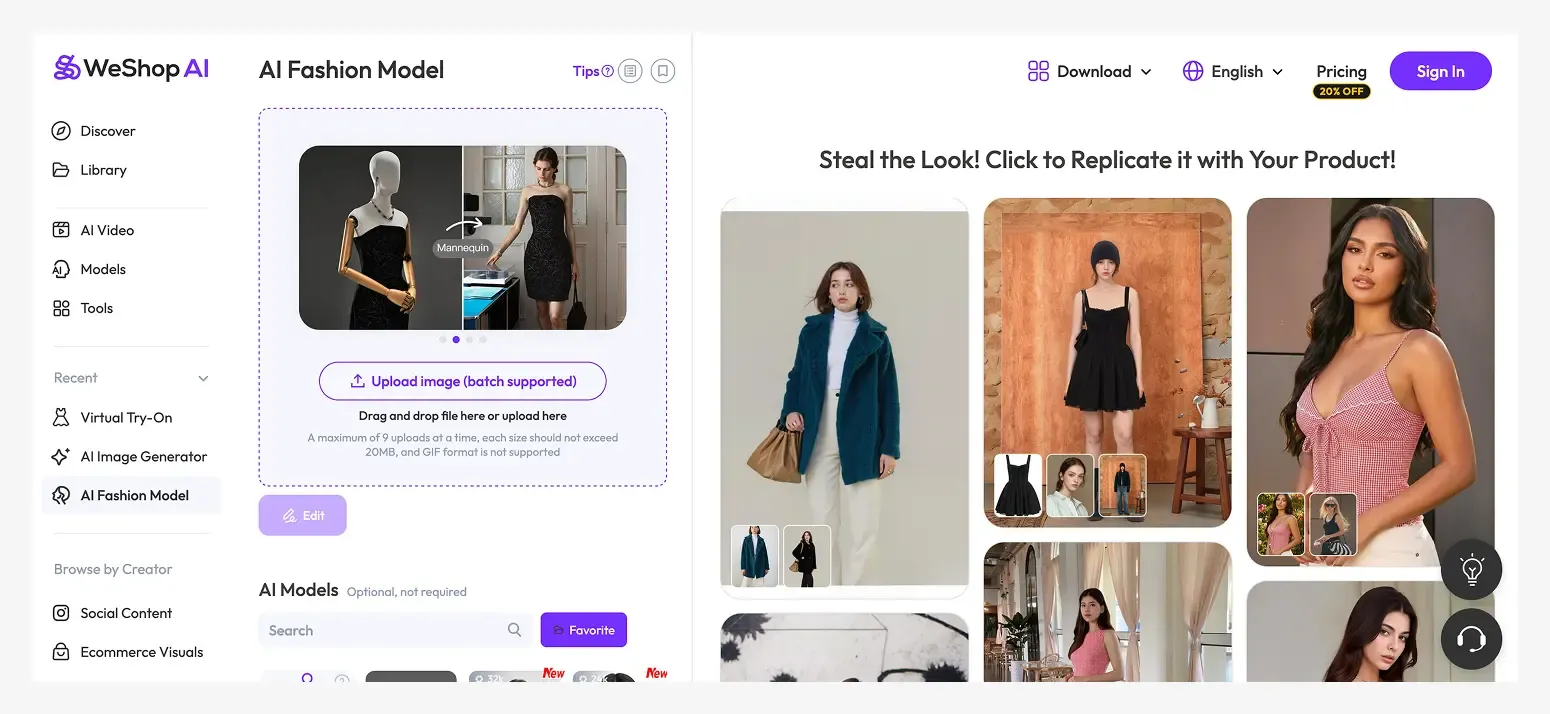
What it's best for: Sellers who want styled, scene-based images for social media and occasional product listings.
How it works: Upload a photo of your garment as a flat lay, on a mannequin, or worn by a real model. Choose an AI model and a background, then generate several images in one run.
Key capabilities:
A dedicated AI Fashion Model tool alongside virtual try-on and pose-change tools
Models across body types, skin tones and ages, plus the option to upload your own model
A wide range of templated poses and lifestyle scenes
Up to 16 images of a single garment per generation, and up to 9 garments uploaded at once
Garment accuracy: No independent testing of WeShop AI's garment accuracy was found. WeShop's own guidance says higher-resolution uploads give better results.
Limitations:
Styled scene templates can add accessories, so plainer templates are needed for clean listing images
Not easily scalable across a full product catalog
Pricing: From $7.99/month, billed annually, for 12,000 points. The free plan includes 200 points.
Verdict: Choose WeShop AI for low-cost, styled content where atmosphere matters as much as the product. Review color and fine detail closely before using images on product pages.
7. Veeton: Best for planning complete AI photoshoots across a collection
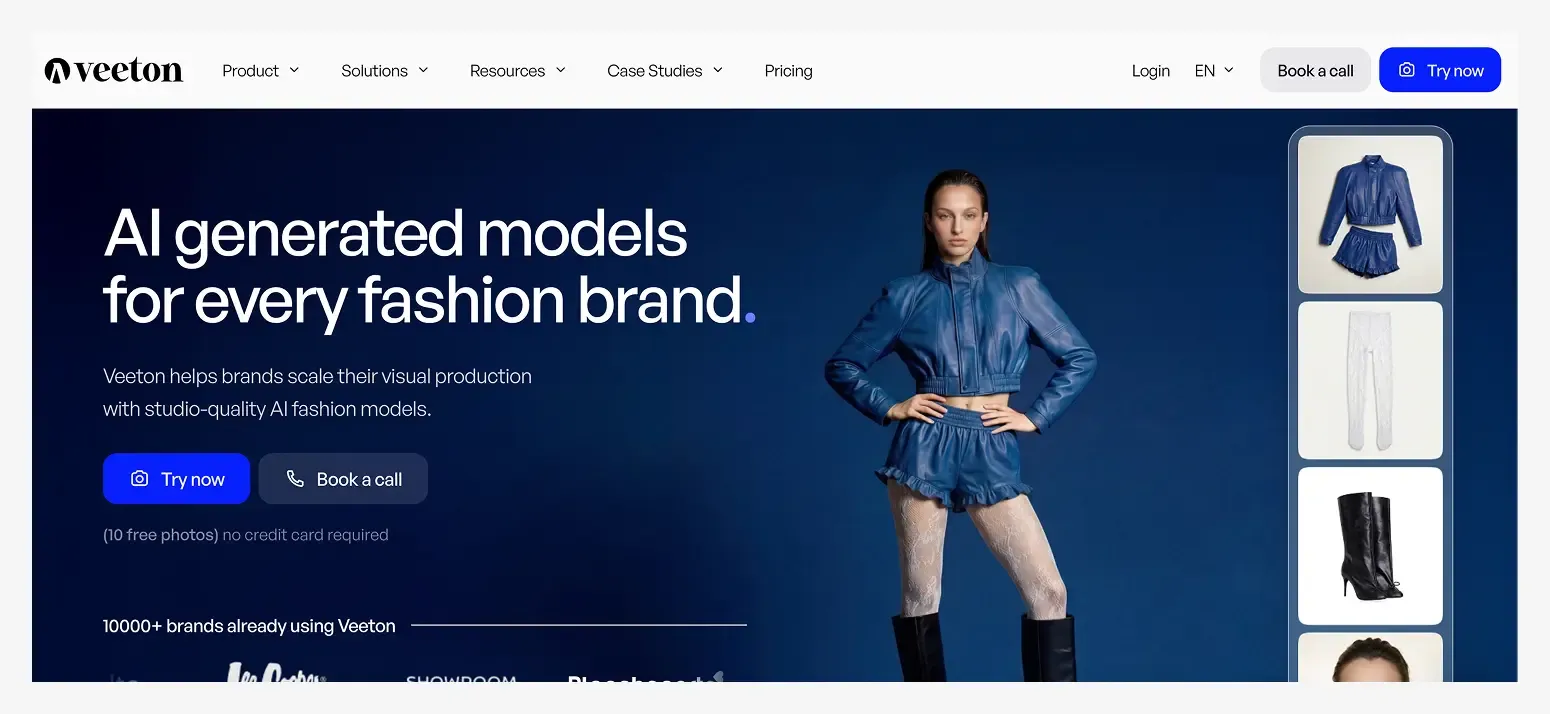
What it's best for: Fashion brands that want to plan full shoots for a collection, with outfits combined across products, rather than one-off images.
How it works: Upload your product photos or import your catalog. Then, combine items into outfits, choose models, backgrounds and poses, and generate an AI photoshoot.
Key capabilities:
Catalog upload with outfit combinations across products
A choice of models, backgrounds and poses
Custom AI fashion model creation for a consistent brand look
AI fashion videos and product photo enhancement
A Shopify app for working inside your store
Garment accuracy: No independent testing of Veeton's garment accuracy was found. Check results against your real garment before using them in listings.
Limitations:
Uses AI-generated models only, with no option to use real or imported model photos
On-model images cost 10 credits each, and unused credits expire after 2 months on monthly plans
Jewelry and watches aren’t supported yet
Works best with front, back and detail shots of each product, rather than a single photo
Pricing:
Free plans come with 100 credits for on-model images, flat lay, and ghost mannequin
Pro plans start at $12.99 for 100 credits or 10 images per month. Plans are adjustable to the amount of images you need on a monthly basis
Verdict: Consider Veeton if you want a dedicated AI photoshoot workflow with custom models and outfits styled across your collection. It has the highest starting price in this list, so trial it on your hardest garments first.
8. Zawa: Best for social content alongside other brand assets

What it's best for: Small businesses that want on-model fashion images as part of a wider branding toolkit for social posts, logos and product videos.
How it works: Upload a flat lay, mannequin or on-model photo of your garment, choose an AI model, and generate your image. You can also swap clothing on an existing model photo, or upload flat lays of several garments and accessories to build one outfit on a model.
Key capabilities:
Apparel swapping on existing model photos
Virtual outfits built from several flat lay garments and accessories
Custom models generated from a reference image
Background templates, plus your own uploaded backgrounds
Logos, posters, social posts and product videos in the same platform
Garment accuracy: No independent testing of Zawa's garment accuracy was found. Zawa describes its results as realistic, but that's the vendor's own claim, so check results against your real garment before using them in listings.
Limitations:
Built around branded social content rather than product listing photos
Free plans offer limited models and no batch processing for Model Try-On tools
Pricing:
Free plans include 60 daily credits, or up to 20 image generations. No listed limits on AI model images.
Plus plans: $6/month, billed annually for up to 50 AI model image generations monthly.
Verdict: Choose Zawa if you want on-model images as one part of a broader social and branding toolkit.
How do AI fashion model generators work?
AI fashion model generators turn a photo of your garment into an image of a model wearing it. You upload the garment, choose a model and scene, and the tool generates the on-model photo. Here's how that works in Photoroom's AI Fashion Models:
1. Upload your garment photo
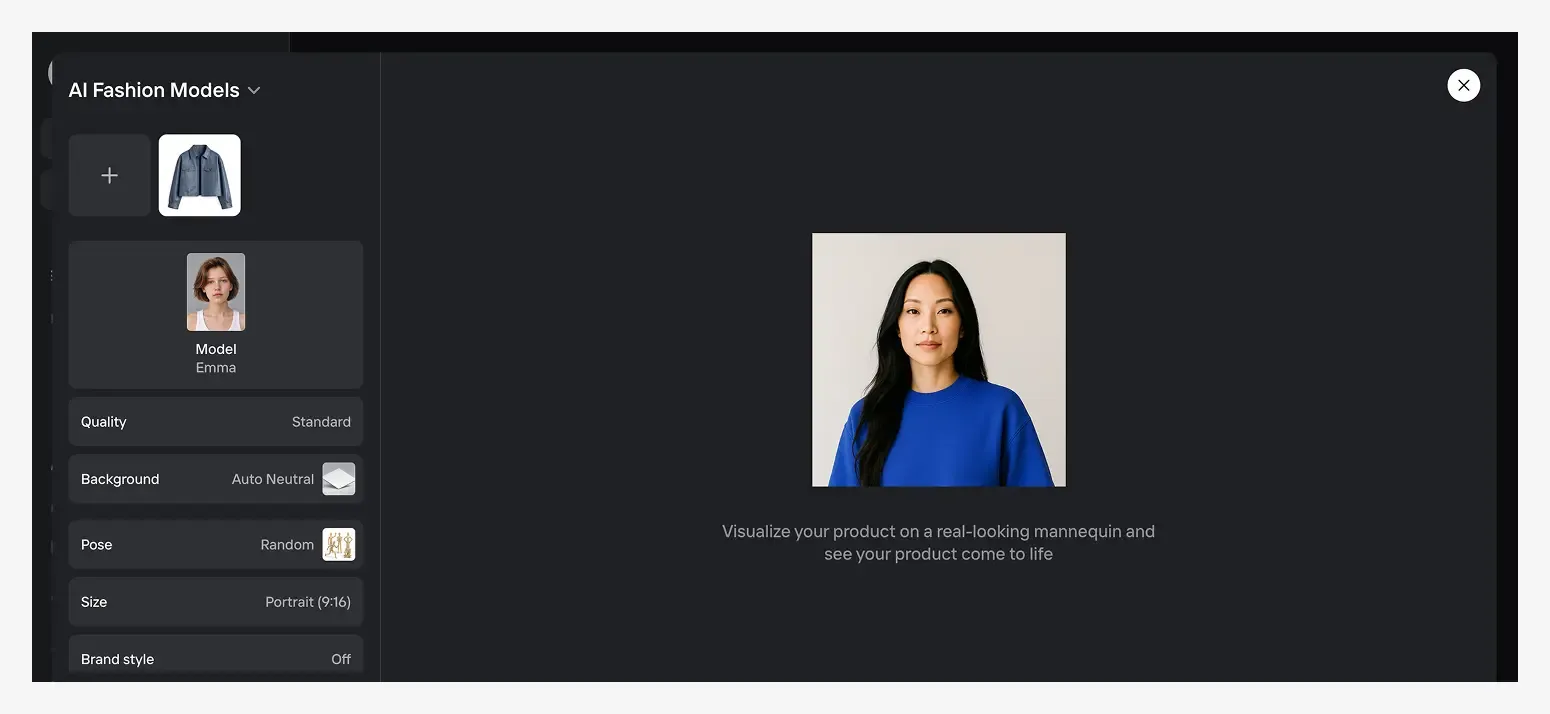
Start with a flat lay, hanger or on-model photo of your garment. You can add several items, such as a top and jeans, to build one outfit. Keep the garment unfolded and fully in frame so the AI has as much detail as possible to work from.
2. Choose a model
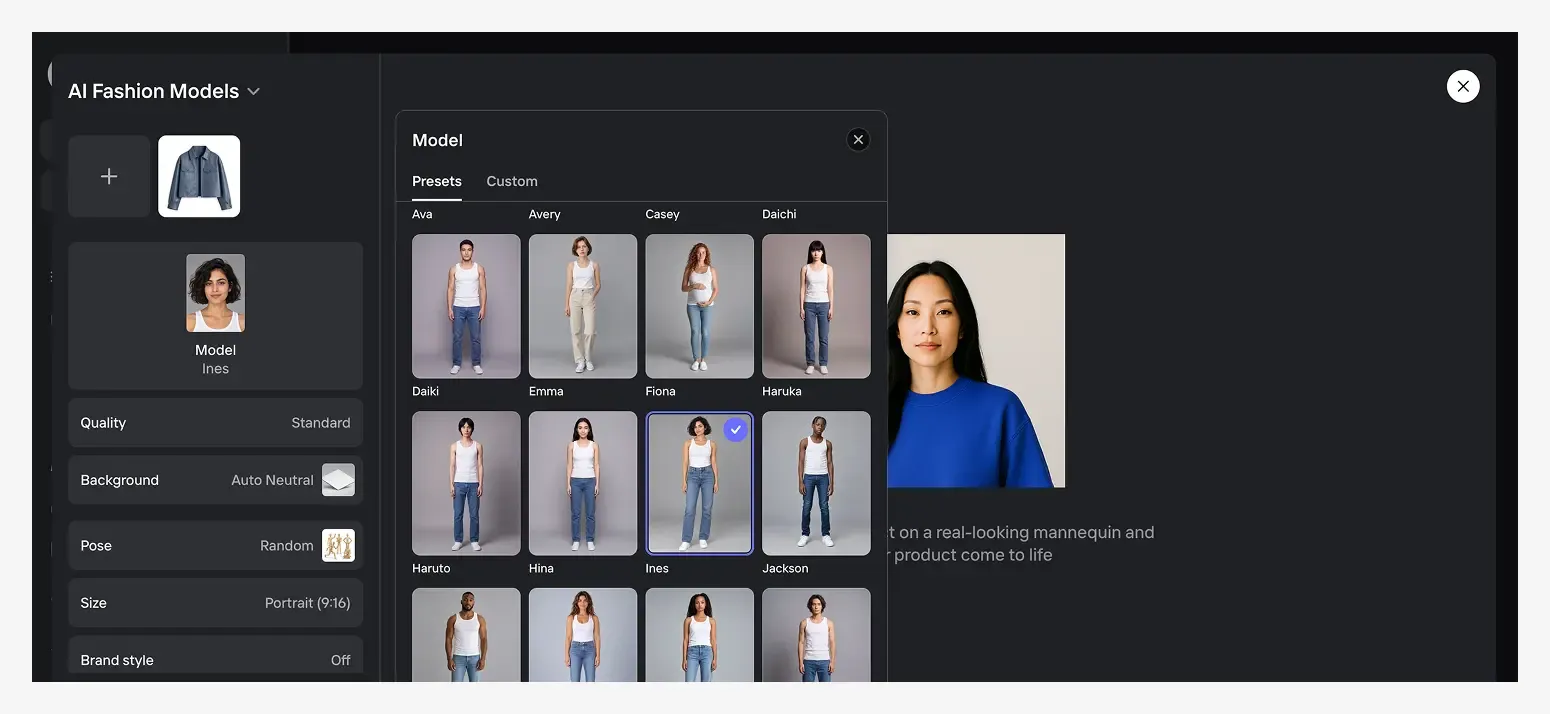
Pick from pre-made models across genders, ethnicities, ages and body types, or use a custom model created from your own photos.
3. Set the pose and scene
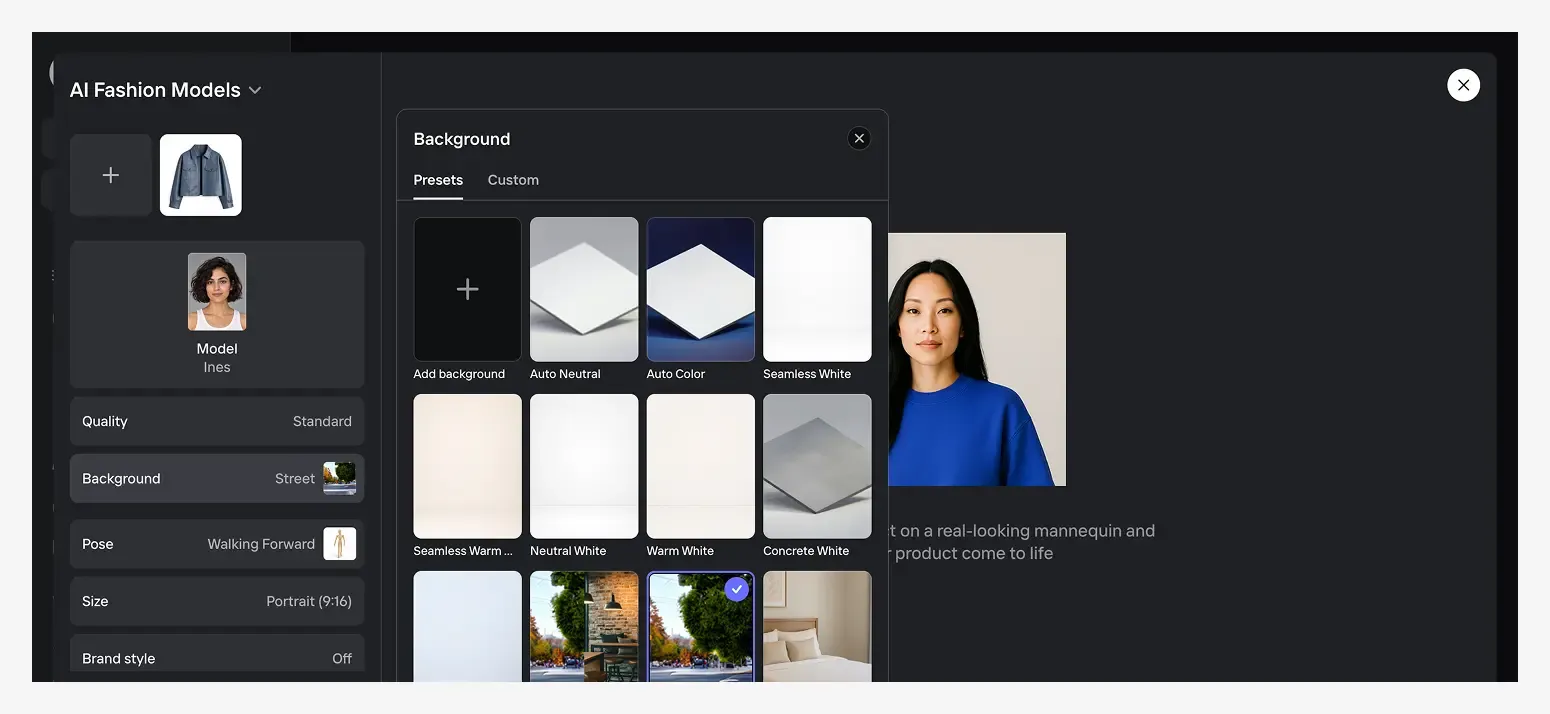
Choose a pose and a background theme, or upload your own background. Pick a portrait, square or landscape format, and add a prompt if you want to adjust position or crop. For example, "show top half of model, focus on t-shirt."
4. Generate and review
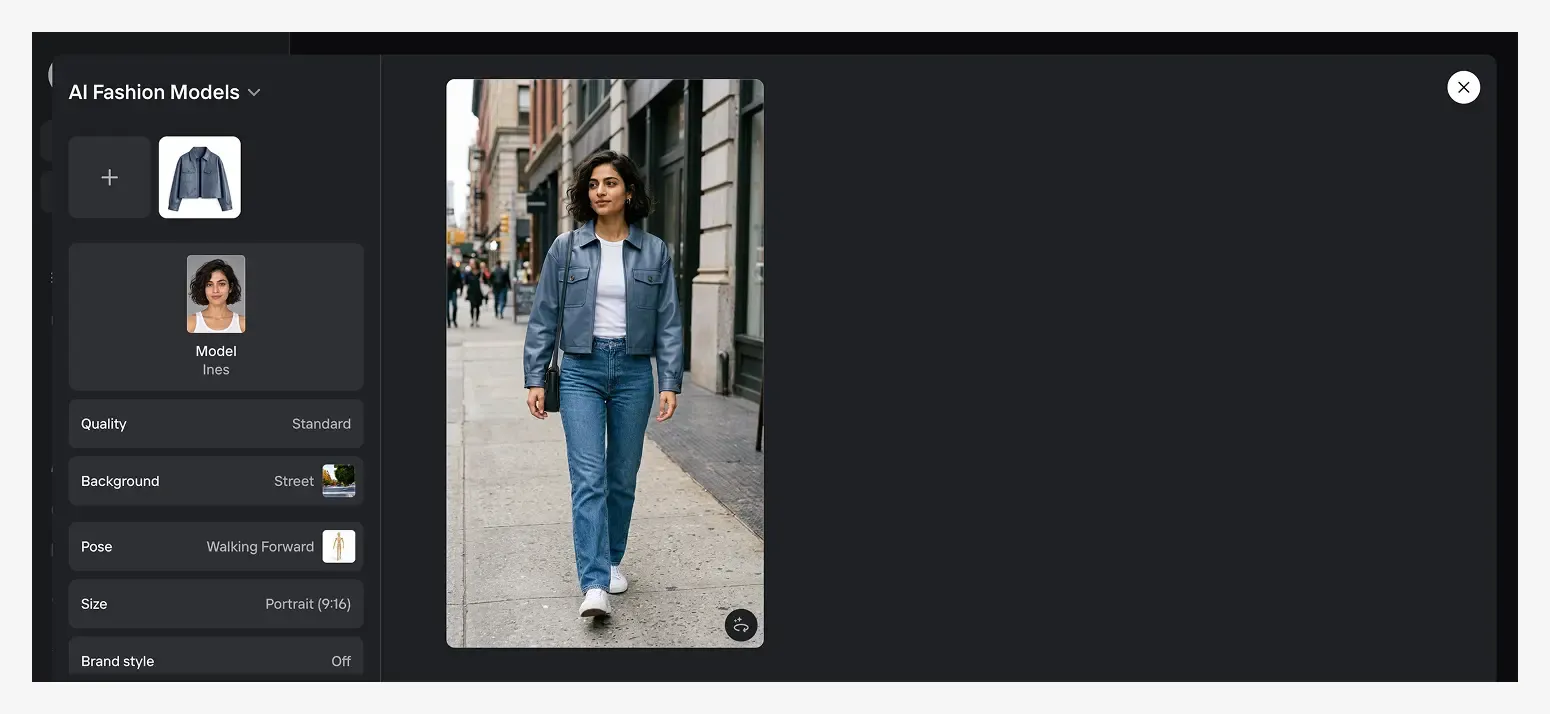
Photoroom generates the model wearing your garment. Because details like drape and fit are generated, compare the result with the real garment before you refine it in the editor and export it.
Other tools follow similar steps, though accepted inputs, model options and controls vary.
Can AI fashion models show different body types, sizes and skin tones?
Yes. Most AI fashion model generators let you choose models across skin tones, ages and body types, so you can create model imagery that reflects your customer base.
What you can customize
Options vary by tool, but they usually include:
A preset model library: Photoroom's AI Fashion Models offers pre-made models across genders, ethnicities, ages and body types. Botika tags its models by age and size, and Wearview and WeShop AI let you filter by body type, skin tone and age.
Your own model: Several tools, including Photoroom, let you upload a photo of a model you have permission to use and save it as a custom model.
Pose, crop and background: These don't change who the model is, but they affect how clearly fit and drape come across.
Model ranges also differ in size. Some tools offer a few preset models on entry plans, while others offer hundreds, so check the available library before buying a plan.
How to keep the same model across a collection
If you want one consistent face across your product pages, look for custom or reusable models. In Photoroom, a custom model is saved to your AI Fashion Models list and your Brand Kit, so you can apply it to every new product. Pro includes one custom model, Max three and Ultra unlimited. Even with a saved model, review each image to make sure the face and proportions stay consistent.
Why you still need to review for fit and accuracy
When you start from a flat lay or hanger photo, the AI has no information about how the garment sits on a body. That means the same dress can look longer, shorter, looser or tighter depending on the model you choose. Check each result for:
Hem, sleeve and inseam length
Waist and rise position
How fabric drapes and stretches across the body
Whether proportions look plausible for the model's build
A generated image shows how a garment could look on a body type. It doesn't show how it will fit a customer in a given size. Keep accurate size charts and garment measurements on every product page, and don't describe AI-generated fit as a substitute for them.
How can small fashion brands and resellers use AI models?
Use AI models to show how a garment looks when worn. Place the image alongside real photos of the item, not in place of them.
From phone photo to listing
A phone, a clean surface and a few minutes in Photoroom are enough to add an on-model image to most listings.
For example, if you're listing a vintage denim jacket:
Lay the jacket flat or hang it against a plain wall, in clear, even light. Keep the sleeves, collar and hem visible.
Take up to four photos: the front, the back, the label and any wear or fading up close. You can take photos in the Photoroom mobile app, or upload them to the Web app.
Open AI Fashion Models in Photoroom and upload your images.
Choose a model, pose and background that fit your brand.
Compare the result with the jacket: wash color, stitching, buttons, pockets and length.
Download the on-model image and add it to your listing next to your real photos.
Depop, Vinted, Poshmark and other resale platforms
Resale platforms have stricter photo rules to ensure that buyers see the item they’ll actually receive. Depop asks sellers to use only photos they took themselves and Vinted requires clear, accurate photos showing the actual item as it is. Both platforms discourage stock photos or images from other vendors.
In practice, that means:
Your real photos of the item come first and stay in the listing.
An AI on-model image can show styling and fit, but it can't replace photos of the actual item.
Never use a generated image to hide wear, stains, alterations or fading. Show condition in real, unedited close-ups.
Check each platform's current rules before adding AI images, as policies change and aren't the same everywhere.
Shopify product pages and brand websites
On your own store, you set the photo rules, so AI model images can play a bigger role. For example:
Use one custom model across a collection so product pages look consistent.
Pair the on-model image with flat lay and close-up shots of the same product.
Show a garment on several body types so more customers can picture themselves in it.
Keep size charts and measurements next to every on-model image.
Do you need to disclose AI-generated fashion models?
Sometimes. It depends on where you publish the image and what it's used for. Amazon now requires sellers to tag images with photorealistic AI-generated people, Etsy and eBay require photos that accurately show the real item, and EU transparency rules apply to some AI-generated content. The rules aren't the same everywhere, so check each one before you publish.
Marketplace listing-image rules
These rules are about accuracy: buyers must see what they'll actually receive.
Etsy: Etsy's listing image requirements ask for at least one unedited photo of the actual item for most products. Your other images can use AI tools if the item still looks the same, but you can't change its color, texture or condition, or hide defects.
eBay: eBay's picture policy doesn't allow photos that don't accurately represent the item, or stock photos for used, damaged or defective items.
Depop and Vinted: Both expect your own photos of the item you're selling.
Labeling AI-generated people
Some platforms now ask you to label AI-generated people specifically.
Amazon: Sellers must tag product images and videos that contain photorealistic AI-generated people, according to an Amazon announcement on Seller Central. You add a special keyword to the file's metadata before uploading.
Etsy: Sellers must disclose when an item itself is created using AI. For listing photos, Etsy recommends making the first photo the most realistic and noting in the description which images were AI-edited.
Advertising and regional rules
Advertising and regional laws can apply even where a marketplace doesn't ask for a label.
EU: Under Article 50 of the EU AI Act anyone using AI to create a "deep fake" image must disclose that it's artificially generated. Whether a fictional AI model counts isn't settled: a narrow reading excludes people who don't resemble real ones, but realistic depictions of real products may fall in scope, and the lighter rules for creative work don't apply to content made mainly for commercial purposes. If you advertise or sell to EU customers, label realistic AI imagery or get legal advice.
California: Etsy notes that California's SB 1050 may require a disclosure from 1 January 2027 when listing images or videos prominently feature an AI-generated "synthetic performer" and can reach buyers in California.
What to check before publishing
Read the destination platform's current image and AI policy.
Keep at least one real, unedited photo of the item in every listing.
Add any required tag or label, such as Amazon's metadata keyword.
Say which images are AI-generated where the platform recommends it.
Label realistic AI imagery in ads or listings aimed at EU customers.
Confirm the AI image doesn't change the item's colour, details or condition.
Create on-model fashion photos with Photoroom
Creating on-model fashion photos doesn’t require a separate photoshoot. With the right tool, the garment photos you already have can become realistic on-model product images. The right tool is the one that keeps your garment's color, print and construction accurate, and fits the way you already work, whether that's a Shopify store, a resale shop or both.
Photoroom's AI Fashion Models turns a flat lay or hanger photo into an on-model image in a few steps. You choose the model, pose and background, check every detail against the real garment, and edit and export it in the same app you use for the rest of your product photos. Try AI Fashion Models in Photoroom.