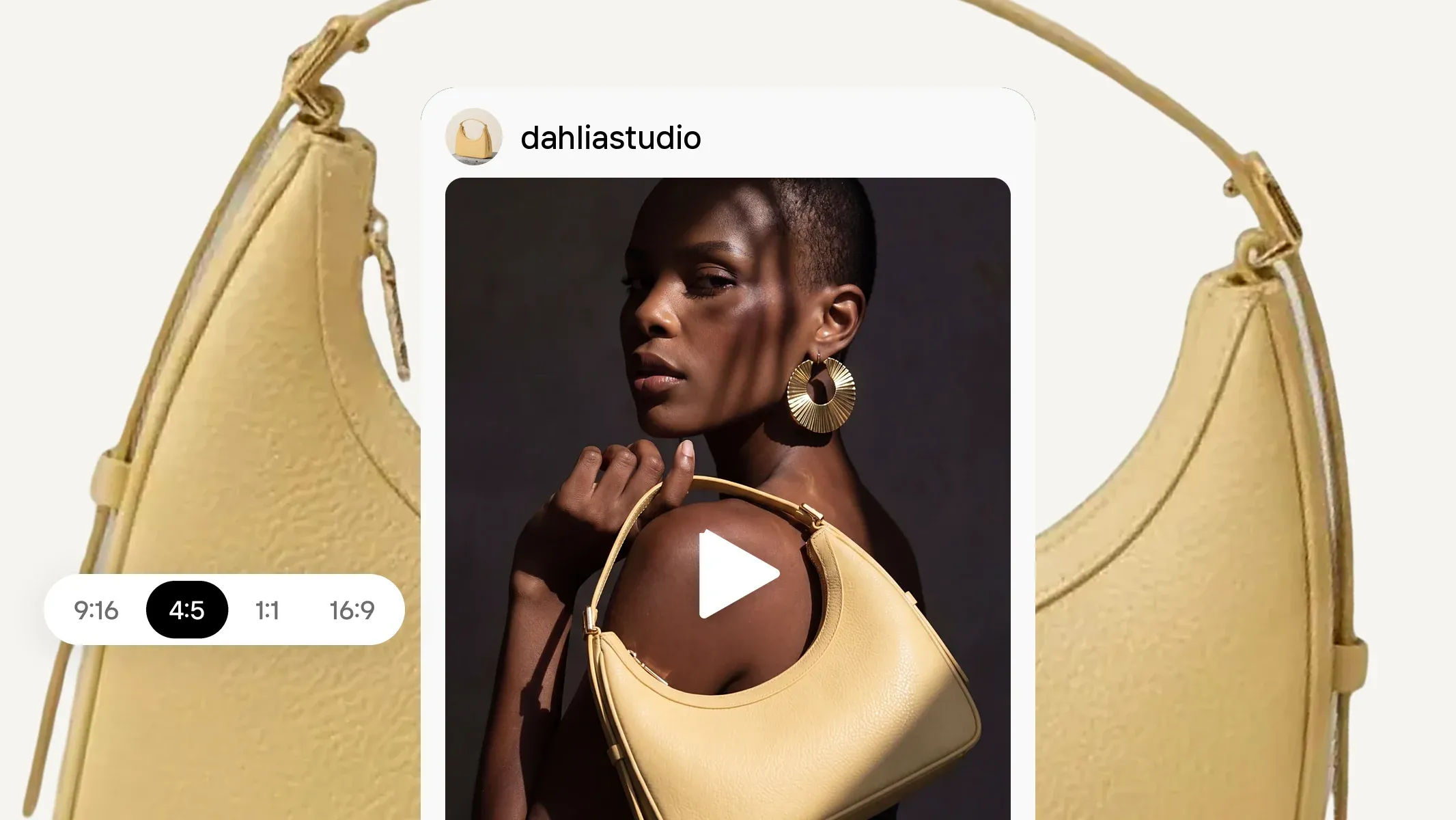
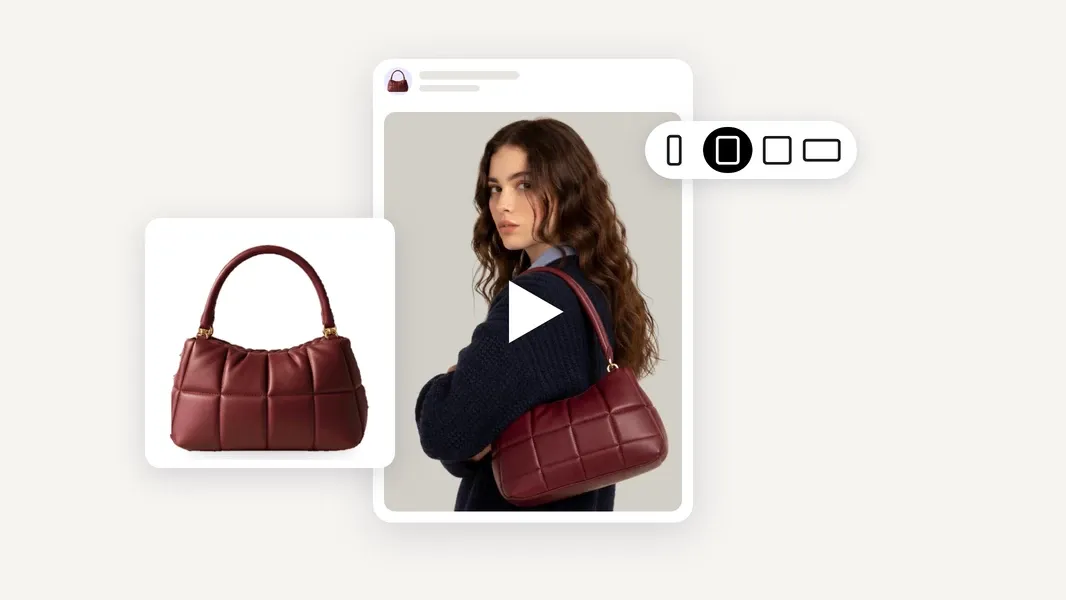
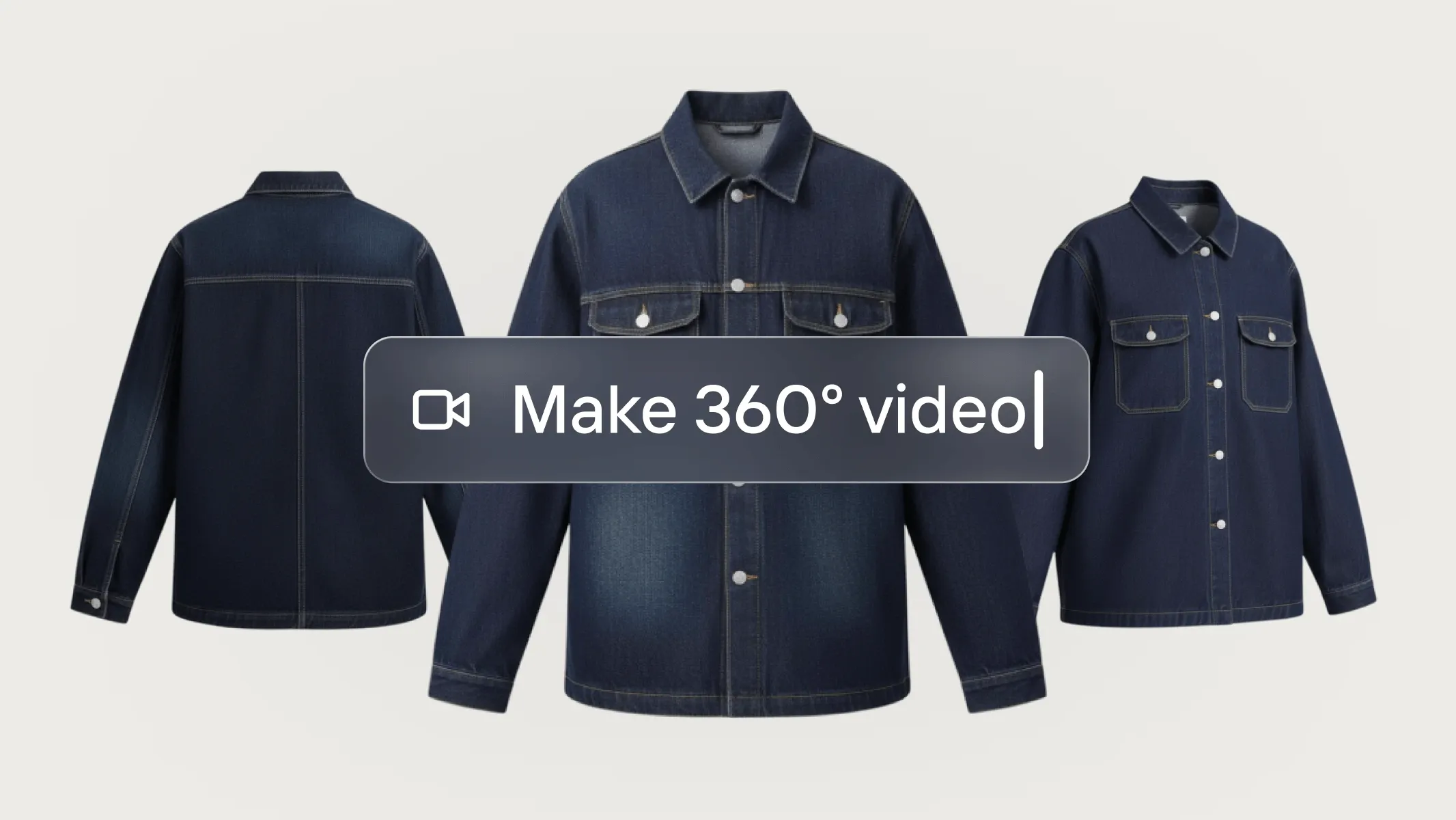
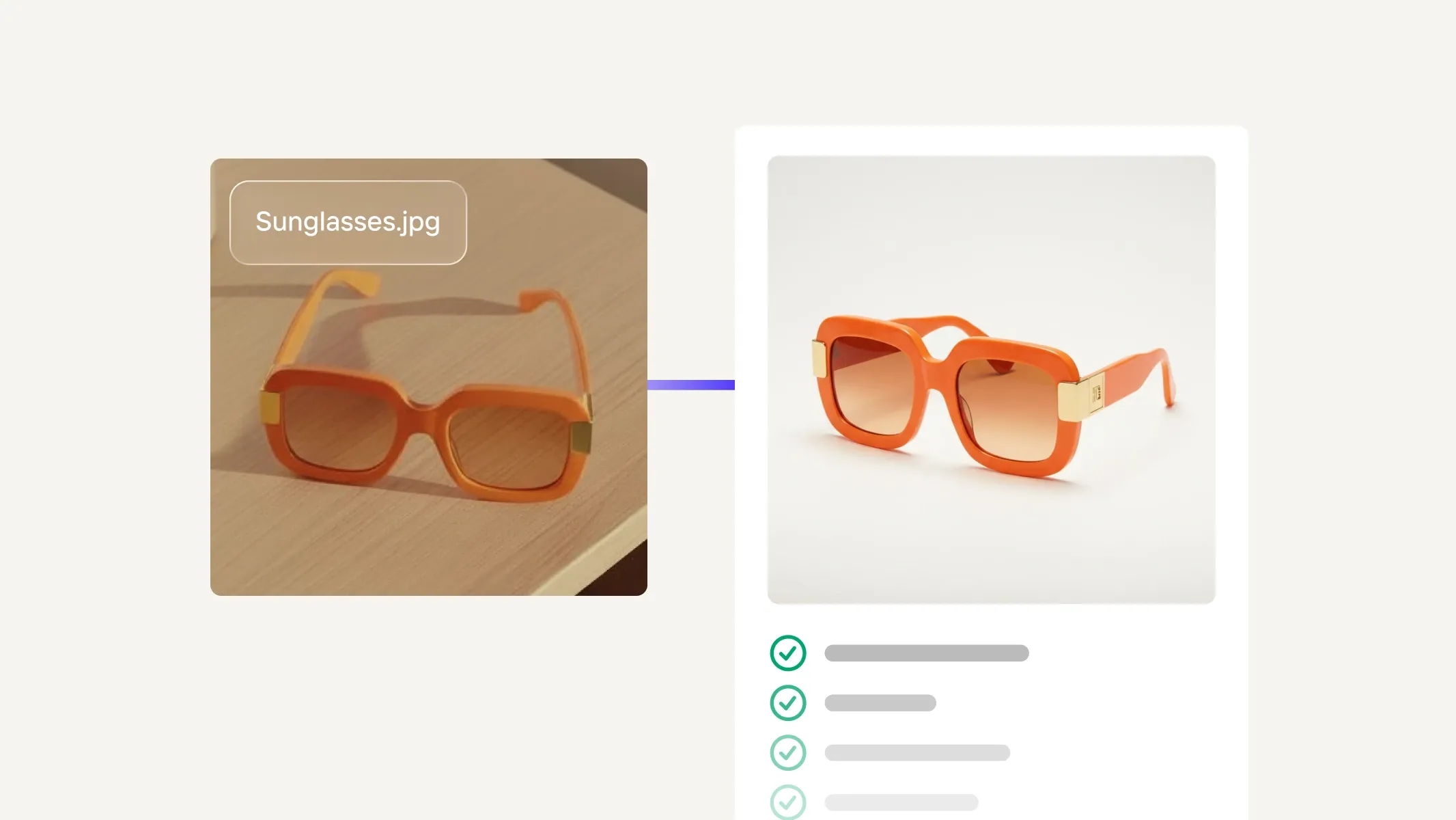
You already have strong product visuals: flat lays, lifestyle shots, and model imagery, all optimized for multiple listing sites and marketing channels. But the platforms you use to attract customers require video ads and daily social posts to get your products seen. Making video ads for e‑commerce is a challenge for most small sellers. The average video shoot costs 3 to 10 times more than a photoshoot, and advertising platforms want multiple assets for every product you promote.
Instead of filming, hiring creators, and editing, use Photoroom to turn the product photos you already have into video ads. Photoroom’s Video Ad Maker creates 5 to 10 second AI product video ads with characters, voiceover, and music for TikTok, Meta, and YouTube. Generate videos in 2 minutes, test multiple ad creatives, build brand awareness, and increase sales.
For small businesses who need video ads, this guide covers how to make product video ads with AI: why video ads matter, why you should start from your product photos, and step-by-step instructions for creating video ads with Video Ad Maker.
Table of Contents
Why video ads are important for small online stores
Small sellers aren’t short on good photos. They’re short on video, and that gap costs them customers. Here’s why.
Shoppers want to see products in motion
A photo shows what a product looks like. A video answers the questions a photo can’t: how a bag hangs on a shoulder, how a serum spreads, or how a lamp lights a room. The fewer questions a shopper has, the faster they buy.
Ad platforms are built for video
Ads on TikTok and Instagram Reels are video-only. Google allows for both photos and videos, but Google Ads Help says advertisers who used both video and image assets in Demand Gen saw 20% more conversions at the same cost per action than those using video alone.
One product, one ad per moment
Black Friday, Small Business Saturday, Cyber Monday, and other high-sales moments throughout the year are competitive times to reach new customers and generate sales. Video ads with differentiated hooks, characters, settings, and scripts allow you to reach customers on the platforms where they spend the most time, with fresh creative that stands out in the feed.
Are you wondering if an AI video ad maker is worth paying for as a small business? For today’s e‑commerce sellers, the answer is yes. An AI video ad maker allows you to create assets that attract and convert customers on popular platforms. Try new scripts, styles, and seasonal creative without a separate photoshoot, and get noticed by buyers.
Why make video ads from the product photos you already have
A good video ad doesn’t replace your product photos. It’s built on them. Your photos already capture what your product is, which is the hardest part to get right. Video gives shoppers a reason to buy it.
| What a product shows | What a video ad brings |
|---|---|
| Color, texture, and hardware | Motion, scale, and use |
| Your product in a static setting | A hook, a voiceover and a reason to buy now |
| The correct format for your listing platform | The correct format for your ad platform (9:16 or 16:9) |
When your photos are the starting point, the details customers rely on carry straight into your ad, and the video does the selling. Starting from photos instead of a camera has practical advantages, too:
You already have the assets. No shoot, no studio, and no shipping samples to creators.
Your real product is the starting point. The ad is built from your own photos, not a generic product that looks like yours. This reduces discrepancies in product fidelity that lead to product returns and poor reviews.
Create ads in minutes, not weeks. When you start from your product photos, video ads are just the final step in the visual production process. Make an ad the same day you launch a product or start a promotion.
It costs a fraction of the usual cost. Agency-created video ads often cost thousands of dollars. One video from a UGC creator can range from $100 to $ 2,000, and AI UGC tools such as Arcads cost about $8 per video. With Photoroom, video ads are included in the Max and Ultra plans, alongside the photo tools you already use. (Prices verified in November 2026.)
Test ad creative without reshoots. The same photos can become several ads with different hooks, styles and voice-overs. Simply change different variables to find out what sells.
Avoid ad fatigue. When you run the same ad for weeks, your customers stop noticing it. Meta’s own ad team analyzed the performance of 26,000 ads over time, and found that by the 4th exposure, conversion decreased by 45%. Using the photos you already have lets you generate many new combinations from a single photoshoot.
Create one look across your store, ads and socials. The same product photos appear everywhere, so your brand stays consistent.
How to make a product video ad from your photos, step by step
When you create video ads from product photos, you get high-quality assets with speed, at scale, for a fraction of the usual cost. But how do you get from a collection of still photos to a video with characters, music, and voiceover? Photoroom’s Video Ad Maker turns your product photos into complete 5 to 10 second ads, in only a few steps. Here’s how.
1. Select your photos
Choose 1 to 4 sharp, well-lit photos on a clean background. Show your product from the front, side, back and in use. More angles give the AI more to work with.
Tip: Cluttered backgrounds in a photo can impede the AI’s ability to read the image. For the best results, remove the product from its environment and place it on a solid background with Photoroom's Background Remover.
2. Open Video Ad Maker and add your photos
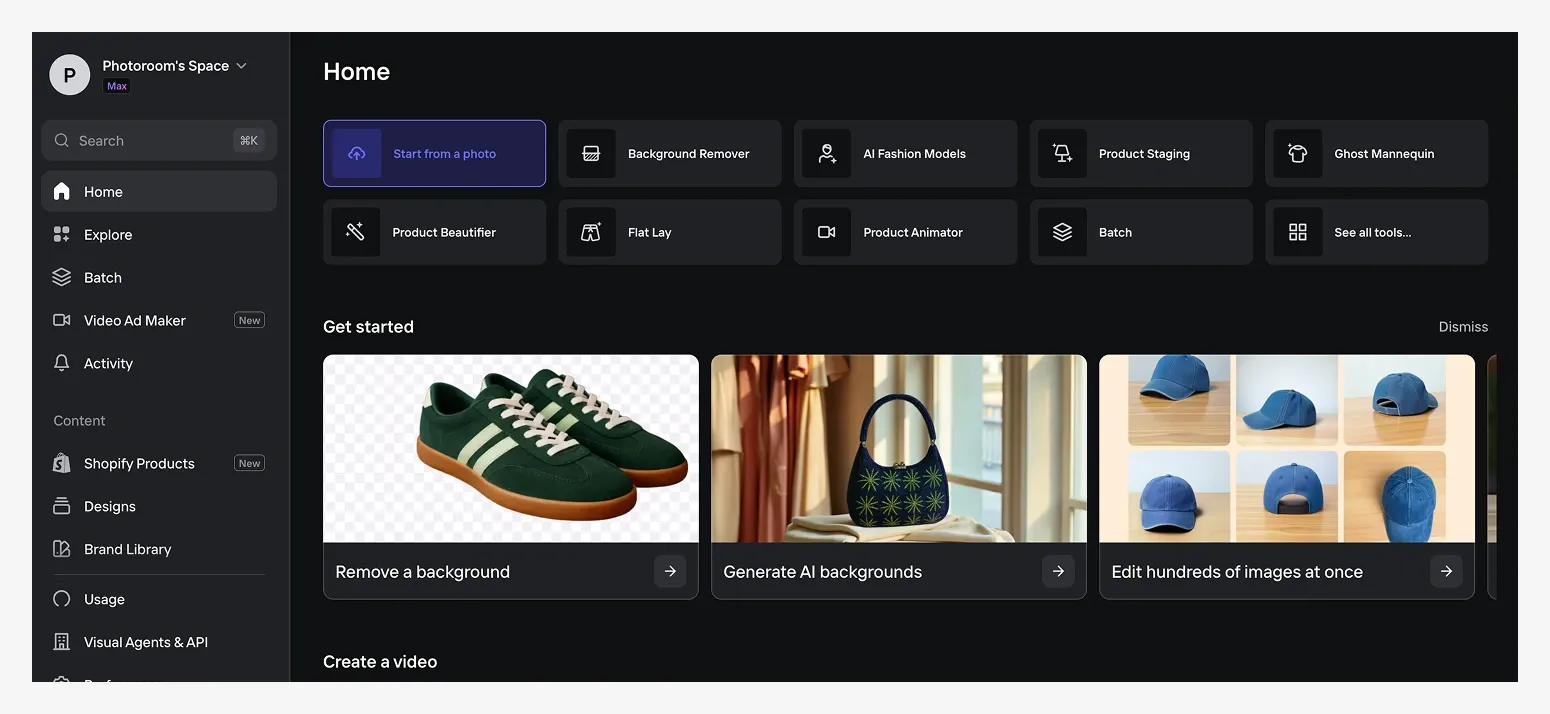
In Photoroom, Video Ad Maker is in the left-hand menu on the web app, or under AI Tools on iOS. Upload your product photos from your phone or computer, import them from Shopify, Google Drive or Dropbox, or paste your product page link.
Tip: If you already use Photoroom, you can upload pictures you’ve previously edited in the app.
3. Choose your settings, or leave them on Auto
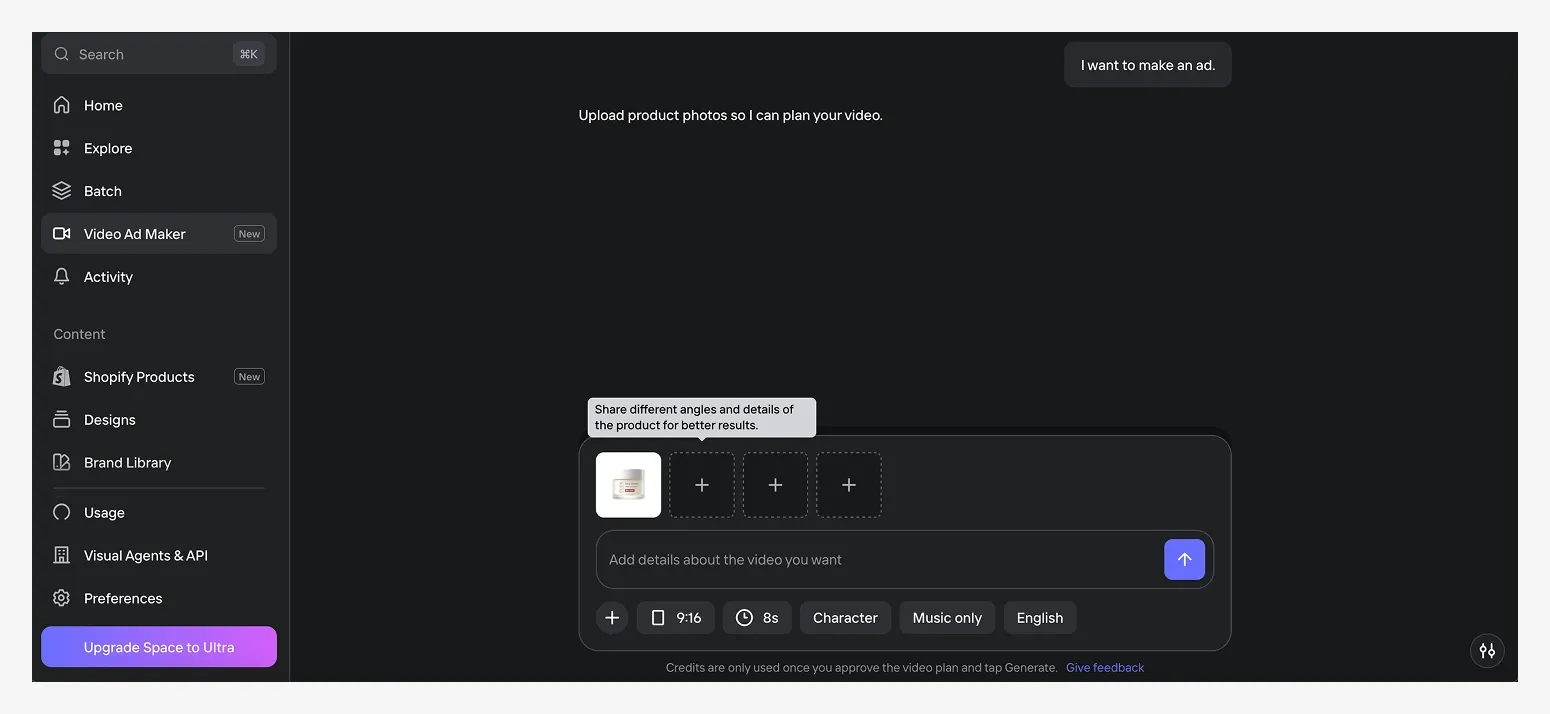
Choose from dropdown menus for format, length, character, audio and language.
Format: 9:16 for TikTok, Reels, Stories and Meta ads, or 16:9 for YouTube and your site.
Length: 5, 8 or 10 seconds.
Character: Select from over a dozen characters
Audio: With voice, music only, or silent
Language: English, French, Spanish, German, Italian, Portuguese, Japanese, Korean
Tip: For your first ad, keep everything on Auto. You’ll be able to revisit these options later in the video ad creation process.
4. Answer the AI director's questions
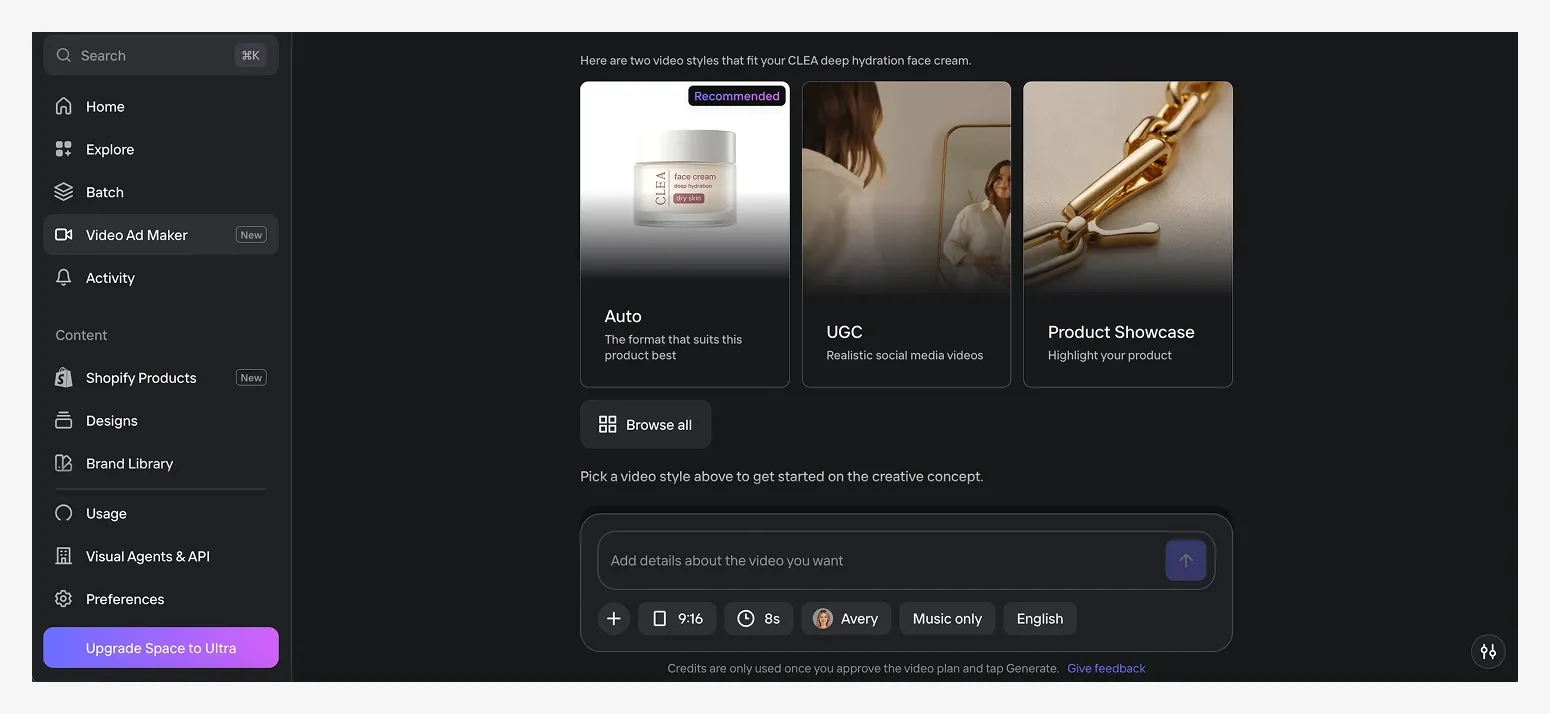
Photoroom’s AI Director asks about who should be on camera, the video's mood, tone, and style, and the video concept. You don’t have to know these answers in advance. Photoroom generates options for you to choose from, or you can type in your own prompt. For your first ad, select from Photoroom’s options.
For example, the final creative direction for a moisturizer’s video ad might look like:
Character: Avery
Mood and tone: Natural & fresh
Video Style: Product Showcase
Concept: The Daily Skin Reset - Start with the rich texture scooped up, showing instant hydration without the shine.
5. Check the plan and script
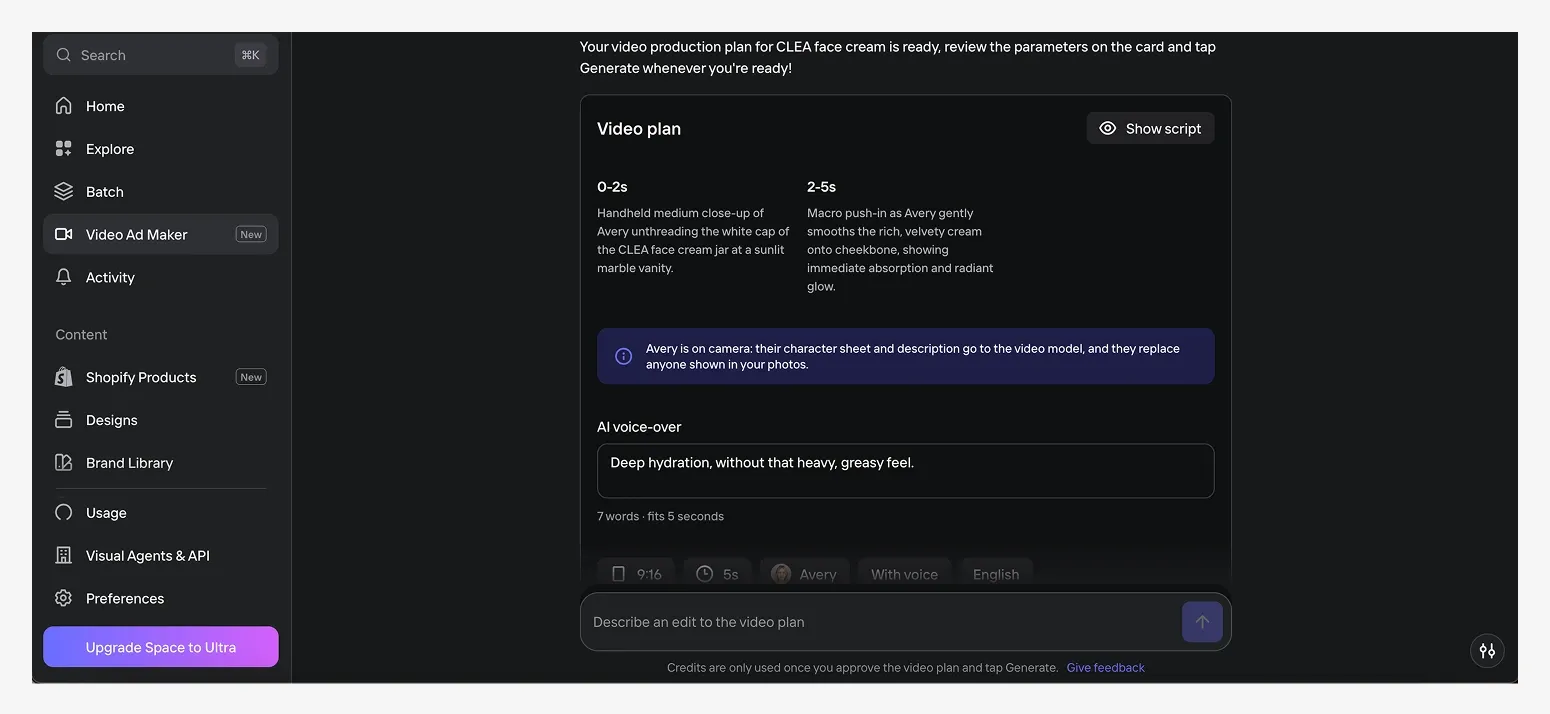
Read the shot-by-shot plan. Edit the script so every claim is true for your product and the voice is on brand. Do this before generating your video. Any changes you make after the video is generated will cost additional credits.
Tip: The Video Ad Maker creates 5, 8, or 10 second videos. The tool will flag any script that runs longer than your selected time limit.
6. Generate your video ad
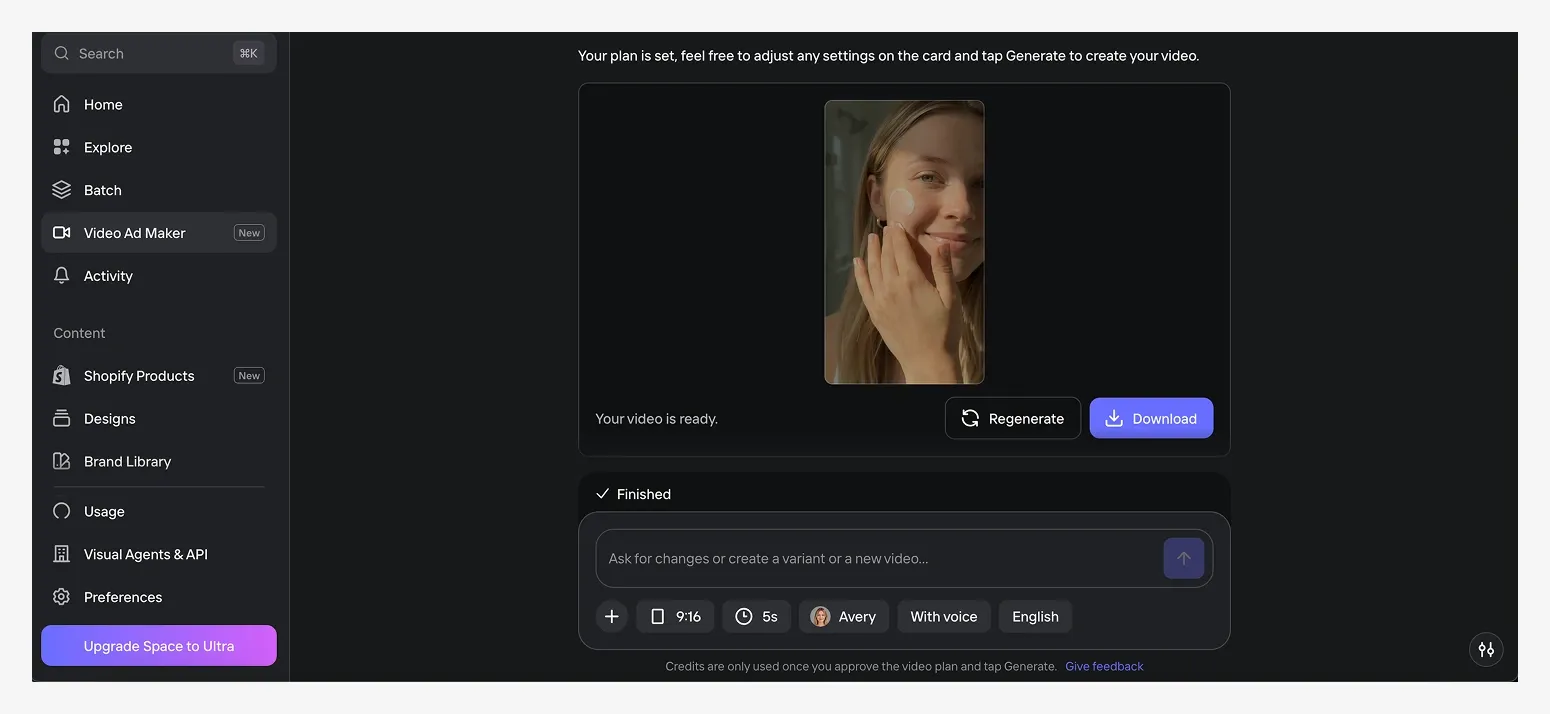
Generate your video. Each video takes about two minutes to create. For the moisturizer, that’s a ready-to-post ad: the character you selected opens the jar and applies the product to her face, with detailed close-ups of the jar and a script that shares a core product benefit.
7. Download and upload to your ad platform
The web app doesn't save videos, so download your asset right away. Then upload it to Meta Ads Manager, TikTok Ads Manager or Google Ads.
7 tips for video ads that sell
Not all video ads convert customers equally. The strongest video ads attract buyers, relay a clear message, show the product, and are optimized for the channel they appear on. Follow these tips to create video ads that sell:
Add a hook in the first two seconds: Show the product or the problem straight away to attract buyers as they scroll.
Use one message per ad: Ten seconds is only room for one reason to buy. With Video Ad Maker, you can test multiple messages for the same product to find the one that resonates with customers.
Show the product being used: Customers like seeing how a product moves, functions, and looks in a realistic setting.
Design for sound on: Take advantage of features like voiceover and music to relay your message, but make sure the ad still serves its purpose when muted.
Match the format to the platform: Each platform has specific requirements for video ads. Use 9:16 for TikTok feeds and Instagram Reels, 16:9 for YouTube.
Test one change at a time: Making small, incremental changes to your video ad creative can help you determine which hooks, styles, actors, and language convert customers at a higher rate. You can then use these learnings to create better selling ads in the future.
Check logos, packaging text and small details before you publish: If something looks off, regenerate the video. It can take a few tries to get the ad you actually run.
Make your first video ad with Photoroom
The photos you already use on your Shopify store, Instagram feed and other marketplaces are all you need to start making video ads. Photoroom’s Video Ad Maker is an image-to-video tool built for e‑commerce video ads. It creates 5 to 10 second video ads with characters, music, and voiceovers in minutes, starting directly from your product photos. This means small businesses can generate and test multiple ad creatives, reach new customers, and sell more products, without filming and appearing on camera, or hiring an expensive third party to do it for them.
Your first ad only takes 10 minutes:
Pick your best-selling product and its 3 or 4 best photos.
Open Video Ad Maker, leave the settings on Auto and answer the AI director’s questions.
Check the script, generate, and download.
Run it next to your current photo ad and compare results after a week.
Video ads are included in Max and Ultra plans together with Photoroom’s photo tools, so you can create high-quality product visuals and turn them into video ads all within the same workflow and for one subscription. Try Video Ad Maker on web, iOS, or Android today.