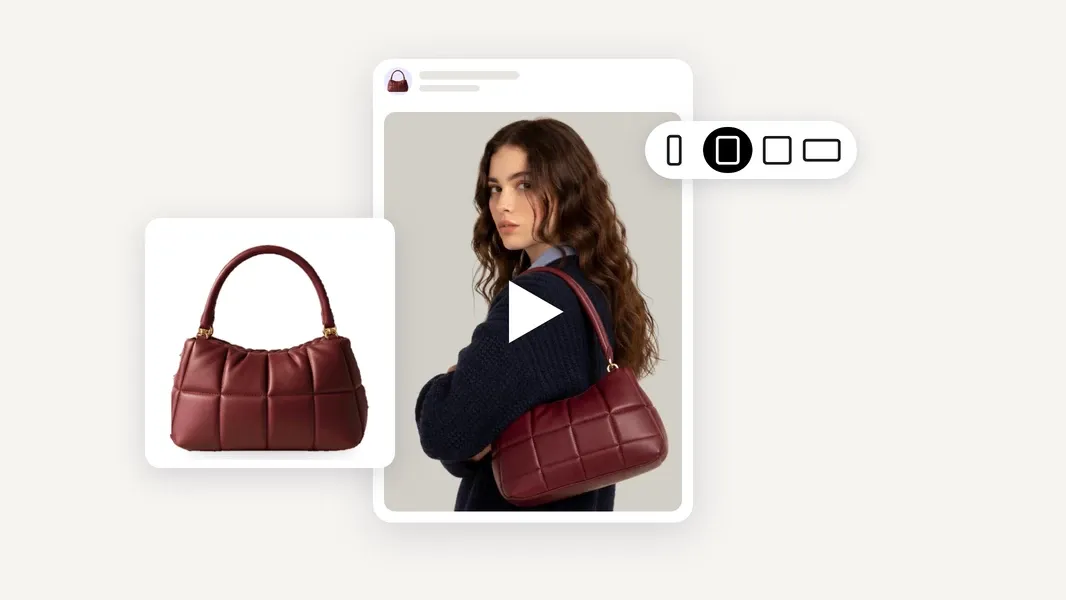
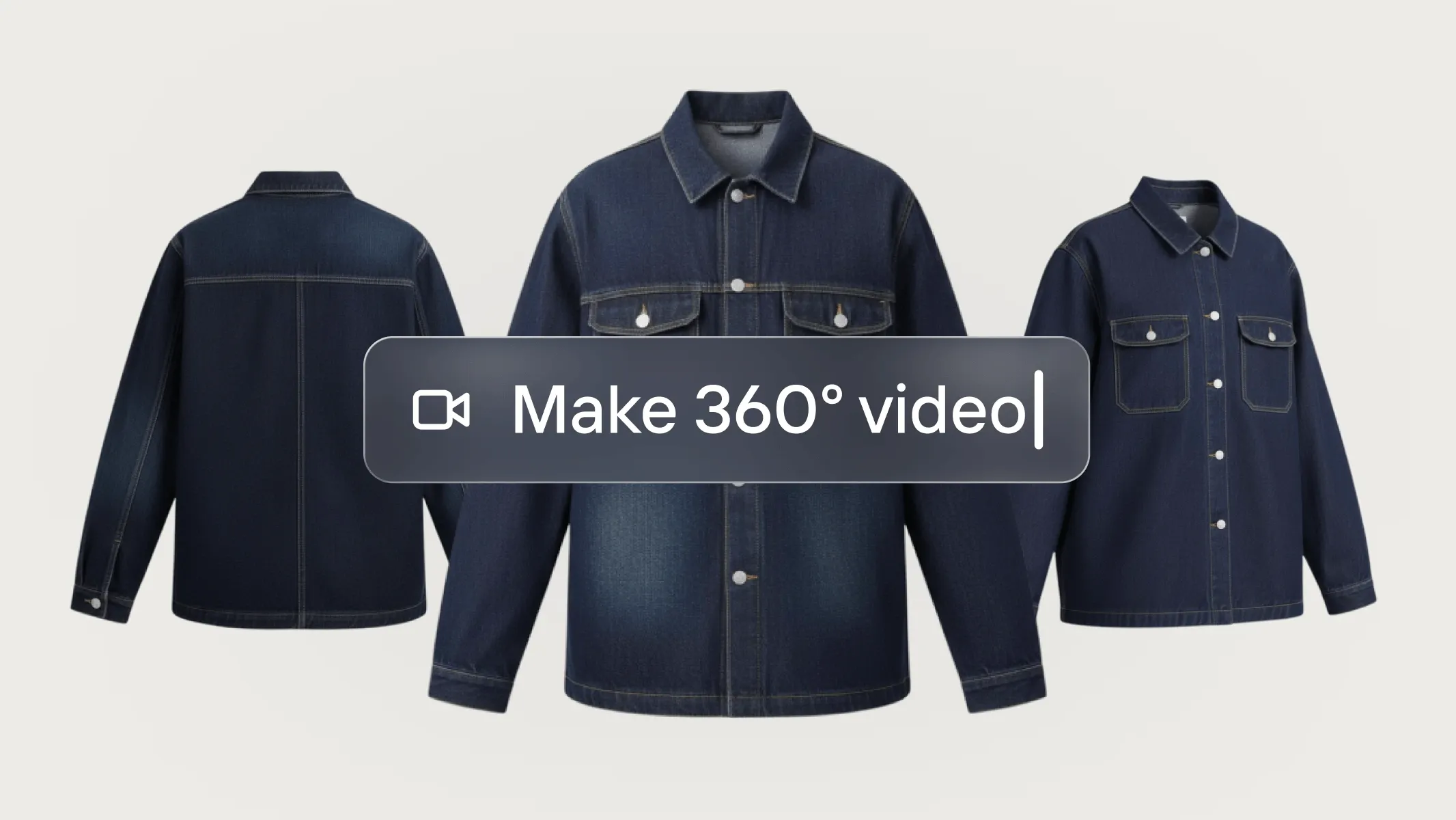
If an e‑commerce seller creates a product video ad using AI, do they need to disclose it? The answer is often yes. TikTok, YouTube, and Google Ads require disclosures for realistic AI-generated or substantially modified AI content, and Meta applies the disclosure itself. But the exact rule depends on the platform, the type of AI-generated content, and in some cases, the market where the advertisement appears.
The biggest distinction platforms make is between creating an AI-generated video and making minor AI-assisted edits to existing product photos. Generating a video of a character promoting a product requires a disclosure. Using AI to remove a background doesn’t. Knowing the difference can help you properly disclose AI use, and avoid any associated penalties.
If you use a tool like Photoroom to turn existing product photos into video ads, this guide shows you which platforms require a label, how to add it, and what happens if you skip it.
Table of Contents
Do AI-generated video ads need labels? Rules by platform
Platform | When disclosure is needed | How the label is applied | What happens without disclosure | Official policy |
TikTok Ads | Mandatory when an ad's image, video or audio is fully AI-generated or substantially changed by AI. Background removal and lighting or color tweaks don't count. | You turn on "This ad contains AI-generated content" in Ads Manager, or add your own clear caption, watermark or sticker. Spark Ads follow TikTok's organic rules instead. | Your content is rejected or restricted. | TikTok Advertising Policies: Misleading and false content (Edited media and AIGC); Help Center: How to add disclaimers to ads |
TikTok organic content | Mandatory for AI-generated or edited content that shows realistic-looking people or scenes. | You turn on the AI-generated content label when you post, or add your own clear caption or sticker. TikTok also automatically labels content made with its own AI tools, and content uploaded with C2PA Content Credentials. | Unlabeled realistic AI content isn’t allowed under TikTok’s Community Guidelines. | TikTok Community Guidelines: Integrity and authenticity |
TikTok Shop | Mandatory for content that is fully or significantly AI-generated. AI content must also match the real product and its listing. Rules differ by market (US, UK and Singapore guidance aren’t the same). | Turn on TikTok’s AI-generated content setting, or add on-screen text, a watermark or a note in the video description. | Content removal, commission restrictions and, for repeated violations, account bans. | TikTok Shop Academy: AI-Generated Content Restrictions and Requirements |
Meta (Facebook and Instagram) | Automatic for most commercial ads. No general self-disclosure step. Ads about social issues, elections or politics need advertiser disclosure. | Meta adds an "AI info" label when you use its generative AI ad tools for a significant edit, and when it detects certain third-party AI signals in ad images. The label sits in the three-dot menu, or next to "Sponsored" when Meta's tools add a photorealistic AI person. | Nothing. Meta applies the label. Advertisers running ads related to social issues, elections, or politics remain responsible for disclosing. | Meta Help Center: How AI-generated images in ads are identified and labeled; Meta Newsroom: Expanding GenAI transparency for Meta's ads products |
YouTube videos and Shorts | Mandatory for realistic altered or synthetic content a viewer could mistake for real. Unrealistic content and minor edits are exempt. | You select "Yes" for AI use when uploading in YouTube Studio. YouTube may add the label itself for content with C2PA metadata or detected AI. | YouTube may add a label for you. Repeated failures can lead to removal or suspension from the YouTube partner program. | YouTube Help: Disclosing use of altered or synthetic content |
Google Ads | Mandatory in some regions, optional elsewhere. Google points to AI rules in the EU, India and New York. Election ads have a separate disclosure. | Google labels some assets made with its own AI tools. For third-party AI, you set the AI label on each asset, or add a label to the creative. A visible label shows on ads targeting the EU, India, New York, California, South Korea or Vietnam. | No penalty described. | Google Ads Help: Use AI content label settings to label your ads; Google Ads policy update: AI labeling requirements (July 2026) |
What counts as AI-generated content in video ads?
Ad platforms differentiate between substantial AI generation and minor AI-assisted editing.
Substantial AI generation is the use of AI to create new characters, new scenery, or situations. These AI use cases typically require disclosure, because they have the potential to misrepresent products and people.
Content that may require disclosure:
A UGC-style ad where a realistic AI character holds, wears or reviews your product
A still product photo turned into a realistic video, such as a serum bottle shown on a bathroom shelf with steam rising
An AI-generated voice that makes someone appear to say something they never said
A realistic product scene generated entirely with AI, such as your brand's sneakers on a city street you never photographed
AI-assisted editing enhances an existing asset visually without altering the key information at the core of the image. These edits typically don’t require disclosure.
Edits that generally don’t require disclosure:
Removing a product photo background
Adjusting lighting or colors
Resizing existing creative assets
Using AI to write a script or generate captions
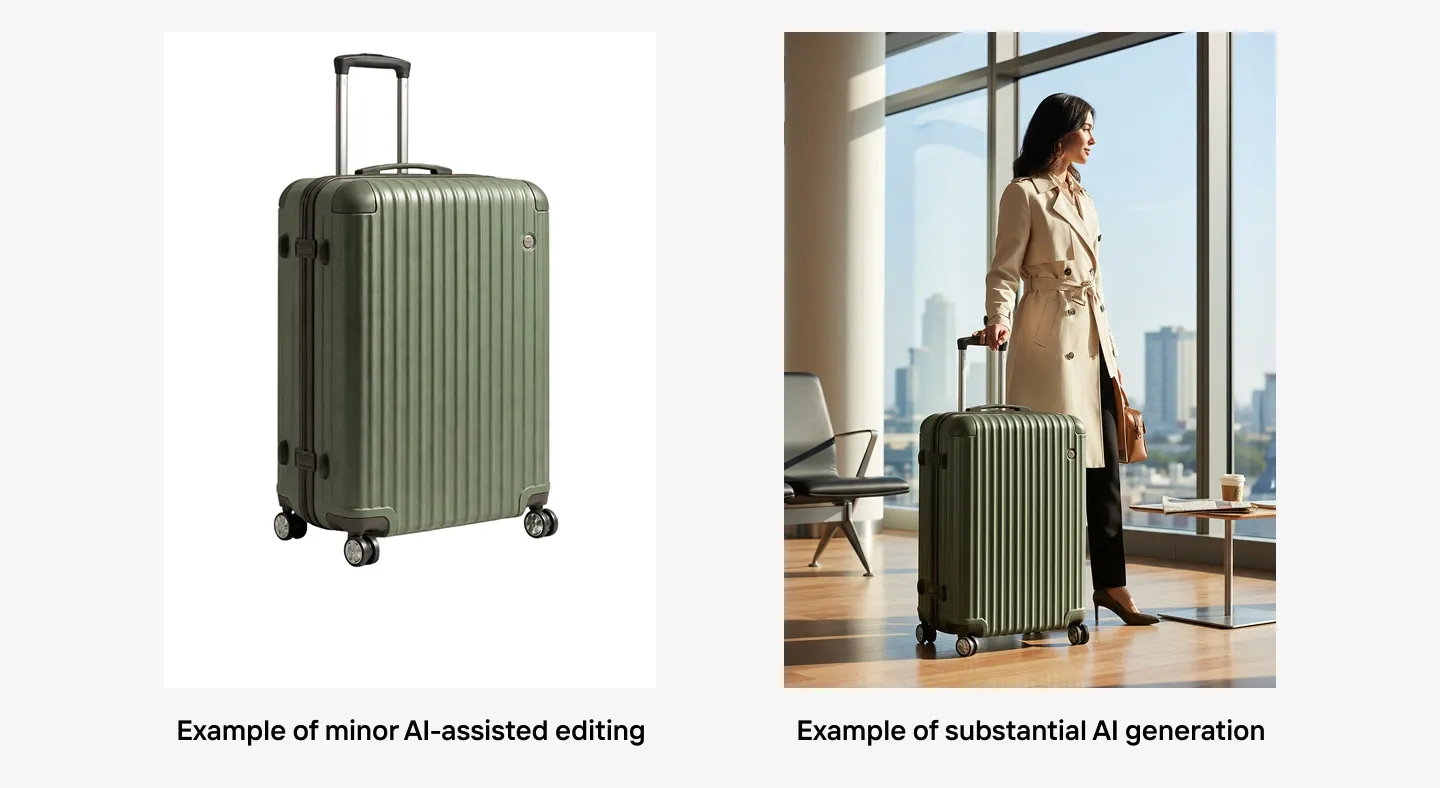
Requirements vary by platform. TikTok's ad policy names background removal and lighting or color adjustments as insignificant edits. YouTube exempts color and lighting filters, background blur, and AI help with scripts or captions. Meta doesn't label resizing or color correction made with its tools.
Using real product photos also doesn’t automatically exempt an AI-generated video from disclosure. If AI adds realistic motion, people, voices or scenes to your photo, the finished video may still need a label.
How to label AI-generated video ads on TikTok
TikTok requires you to disclose AI-generated content in both paid ads and organic posts. Ads follow TikTok’s advertising policies, and organic videos and TikTok Shop content follow its Community Guidelines and Shop rules, so the steps differ slightly for each.
TikTok Ads disclosure requirements
TikTok asks sellers to disclose when TikTok ads include images, video, or audio that is completely generated or significantly modified by AI. Its ad policy gives three examples of what those significant changes are: fully AI-generated content, real footage altered to show the main subject doing something they didn't do, and AI voice cloning that makes the main subject say something they didn't say.
For sellers, that covers a UGC-style ad with an AI character, a product photo animated into a realistic scene, and an AI voiceover presented as a real person speaking.
There are two ways to disclose AI-generated content in a TikTok ad:
1. Turn on TikTok’s AI label.
Toggle on “This ad contains AI-generated content” in Ads Manager, and TikTok adds an AI-generated content label to the ad.
When your ad goes live, users will see an AI-generated content (AIGC) label on the ad itself.
After submitting the ad, sellers can only change or unselect the toggle if the video or image itself is changed. Creating a new campaign, including duplicating an existing one, resets the toggle, even if you’re reusing an ad that had it on.
2. Add your own disclosure.
Instead of the toggle, you can add a clear disclaimer, caption, watermark or sticker to the ad that tells viewers it was made with AI.
Ads that include AI-generated content without either disclosure are rejected or restricted.
TikTok organic videos and TikTok Shop
Sellers are required to disclose AI usage in organic content and on TikTok Shop. According to TikTok, sellers can either add their own disclosure in the video or turn on the AI-generated content label before publishing. TikTok automatically labels videos that use TikTok’s in-app AI tools.
TikTok Shop videos with AI disclosures still need to follow certain rules to remain eligible. Video ads can’t use a celebrity's or authority figure’s likeness to promote products, even if the video is marked as AI-generated. Videos must also accurately represent the product, its features, and its outcomes. Using AI to change a product’s shape, color, or function is prohibited.
For example, AI can’t be used to:
Make a moisturizer look like it erases wrinkles in seconds, or show before-and-after results the product can’t deliver.
Show a handbag in a different color, size or material than the one in your listing.
Show a product doing something it can’t, like a “waterproof” demo for a phone case that isn’t waterproof.
This is especially important for e‑commerce sellers using AI to generate video ads. An AI tool may change your product’s appearance and features, or an AI script generator might write claims you can’t back up. When using AI to create video ads, always compare the final result to your actual product and make sure any claims your video makes, either visually or in the script, are easily verifiable.
Does TikTok penalize AI-generated videos?
TikTok doesn’t penalize AI-generated videos, but it does restrict and reject videos that don’t properly disclose AI usage. If your AI-generated content violates TikTok’s advertising or content policies by misrepresenting your product or results, your video may be rejected or restricted even if you include the proper AI disclosures.
User preferences can also impact who sees your content. Since November 2025, TikTok has allowed users to manage the amount of AIGC content on their feed through a tool called “Manage Topics”. This hasn’t been rolled out across the platform, and only impacts organic content.
Does Meta require AI labels on Facebook and Instagram ads?
For most commercial ads, no. Instead of asking you to self-disclose AI use, Meta labels AI-generated content itself based on the tools you use and the signals it detects. Ads about social issues, elections or politics are the exception. Advertisers in these categories must disclose digitally created or altered content.
When Meta applies AI info labels
Meta places a label on ads that are created or substantially edited with its own generative AI creative features. Examples include background generation, image generation and Add Animation. This covers both images and videos.
For content made outside Meta, the company labels ad images created or edited with third-party AI tools using industry-standard signals such as C2PA metadata. Meta's documentation is written about ad images. It doesn't spell out how third-party AI video, like a video ad you export from another tool and upload, is detected or labeled. Expect the label to depend on the file’s unique signals, and don't assume a video is labeled or unlabeled.
Where users see the label
Users can see these labels by tapping “About this ad” in the three-dot menu at the top right. When sellers use Meta's tools to add a photorealistic AI-generated person, Meta places the label next to "Sponsored," where it's visible in the feed. Meta’s documentation ties it to its own tools, and doesn't say how it treats realistic AI characters made elsewhere.
AI-generated assets vs. minor edits
Meta doesn't label minor or immaterial changes made with its tools, such as resizing or color correction. A product photo you've cropped for Reels or color-corrected won't get an AI-generated label for those uses alone. A new background generated around your product, or a still image animated into motion might.
Do you need to do anything extra?
For standard product ads, Meta doesn’t require sellers to add their own disclosure, but two things are still your responsibility:
Don't strip AI metadata from your files to avoid a label. It won't remove your disclosure duties in places like the EU.
Follow local law. If your ad reaches the EU, the AI Act's disclosure rules apply on top of Meta's labeling.
How to disclose AI-generated videos on YouTube and Google Ads
YouTube requires creators to disclose realistic, altered or synthetic content. Google Ads offers a separate AI label setting for ad creatives in regions where local law requires it.
YouTube videos and Shorts
YouTube requires creators to disclose AI usage when uploading realistic content a viewer could mistake for a real person, scene or event. For example, a video of a real person saying they used your product when they didn’t or a realistic scene of your product that didn’t occur both require AI disclosure. YouTube also requires sellers to disclose the use of AI-generated music.
You don't need to disclose:
Clearly unrealistic content, like a perfume bottle floating through outer space.
Minor edits like color or lighting filters, beauty filters or background blur.
Production help, such as AI-generated scripts, titles, thumbnails or captions.
To disclose AI-generated content in YouTube Studio:
Start your upload in YouTube Studio on desktop or mobile.
Under "AI use," select Yes.
Finish the rest of your video details.
Turning this setting on won’t impact your reach or your video’s ability to earn money. Repeated non-disclosure can result in the label being applied automatically, and creators may have their content removed or be suspended from the YouTube partner program.
Google Ads and YouTube advertising
Google Ads, Display & Video 360, Campaign Manager 360, Merchant Center and Ads Editor all include a setting to label AI content. It covers image and video ad creatives generated or modified with AI.
Google applies labels automatically to some assets created with its own AI tools. For video ads made with a third-party tool, applying the label is up to you:
New campaigns: At the "Review assets" step, select the assets, choose Manage AI label, then choose "Label this asset as created or edited with AI."
Existing campaigns: Go to Asset studio, open the Asset library, select the asset and set the label.
Sellers can also add their own disclosures to content, too. Google says these labels won't count against its text overlay or watermark policies, and recommends keeping them away from corners and edges, where crops can cut them off.
Don't mix the two systems. If you upload a video to YouTube from inside Google Ads, YouTube asks whether AI was used. That answer doesn't replace and can’t be replaced by the AI label on the ad asset. Sellers should set both.
Are AI-generated video ad labels required in the EU?
Yes, realistic content that qualifies as a “deep fake” requires disclosure under Article 50 of the EU AI Act. The disclosure must be clear and appear when someone first sees the content. A hidden watermark, a note in the caption, or metadata added by the AI tool isn't enough on its own.
What this means if you sell to European customers:
A realistic AI character presenting your product, or a realistic AI-generated scene, may need a visible disclosure in EU ads.
Disclosure depends on you. A platform's automatic label can help, but you’re required to disclose AI usage even if the platform doesn’t require it.
Platform policies and EU law are separate layers. Meeting TikTok's or Meta's rules doesn't automatically meet the AI Act, and the reverse is true too.
The Commission's voluntary Code of Practice suggests a common "AI" icon for these disclosures. Google already shows a visible AI label on ads targeting the EU when the label setting is on.
This is general information, not legal advice. If you advertise heavily in the EU, check the Commission's Article 50 guidelines and FAQ, or speak to a legal advisor.
Do AI labels affect ad reach or performance?
No platform says a correct AI label lowers your reach. YouTube states that disclosure alone won't limit a video's audience or its eligibility to earn money. TikTok, Meta and Google don't describe the label as a ranking or delivery penalty in their policies.
Sellers should know the difference between:
Applying a required AI label: This is a disclosure, and official guidance doesn't treat it as a penalty.
Having an ad rejected for breaking a policy: Skipping a required disclosure on TikTok, making misleading product claims, or using someone's likeness without permission can get an ad rejected or restricted.
Running misleading or low-quality AI content: An ad where the product looks different from what arrives or features a poorly generated scene can hurt clicks, returns and reviews.
There's no published evidence that AI labels raise or lower conversions. When using AI for video ads, measure success by performance, not the label.
How to create and label AI product video ads with Photoroom
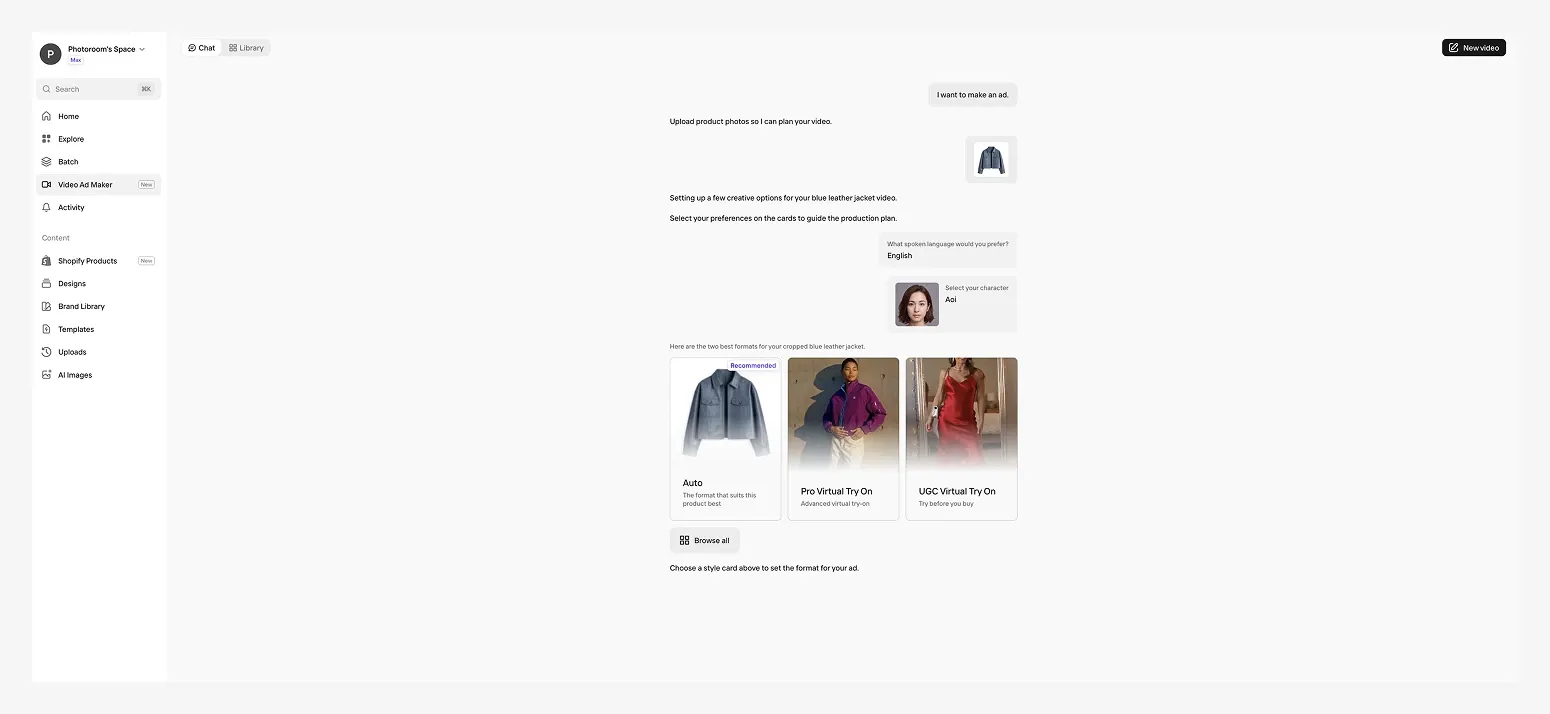
A compliant AI video ad starts with your real product photos and includes the correct disclosure for the platform it lives on. Here’s a workflow that covers both:
Start with genuine product photos. Upload clear photos of the product you actually sell to Photoroom's Video Generator. Real photos keep the product's shape, color and label accurate from the first frame.
Create your video. Pick a Product Animator template for a listing or product page video, or open Video Ad Maker to create an ad with characters, music, and voiceover. The AI director suggests a concept, scenes and a script.
Review the output before you export. Check the product against the real item: color, size, texture, packaging and any text on it. Read the script for claims you can't back up. Look at how the AI characters use the product, and check that nothing suggests a real customer or a real person's endorsement.
Export in the right format. Use vertical 9:16 for TikTok, Reels and YouTube Shorts, and horizontal 16:9 for standard YouTube placements.
Apply the disclosure on the destination platform. Turn on the AI-generated content toggle in TikTok Ads Manager, select AI use in YouTube Studio, set the AI label in Google Ads, and add your own clear disclosure where local rules call for it.
Photoroom helps you create your video ad. It doesn't apply platform disclosure labels or guarantee compliance with any platform's policies. That last step is your responsibility.
Product accuracy matters as much as a compliant disclosure. A correctly labeled video can still break platform rules if it shows a product that doesn't match what the customer receives. Use the AI to show your product in new settings, not to change what it is.
Create AI product video ads with confidence
Businesses can use AI-generated product video ads to reach customers on Meta, TikTok, YouTube and Google. But they need to understand the disclosure rules of each platform and market first.
Label realistic AI content on TikTok, YouTube and Google Ads, expect Meta to label many AI ads for you, and add a visible disclosure for realistic AI content in ads reaching EU customers. Disclosing AI use in your video ads doesn’t replace the need to accurately represent your product. The two go together to keep your video ads visible and your brand trustworthy.
Creating a compliant video ad starts by using the real product photos you already have. Photoroom’s Video Ad Maker allows you to turn up to 4 product photos into a fully scripted 5- to 10-second video ad, with characters, music, and voiceover.