What's new in product: July 2024
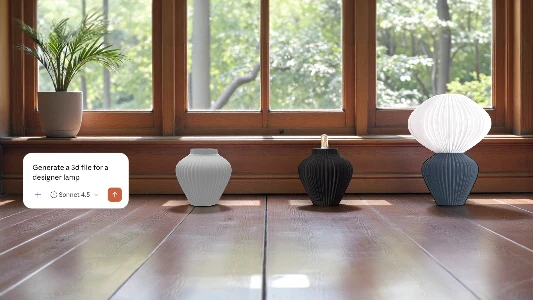
Welcome to the July edition of the Photoroom product blog! We're excited to show you some awesome new features that are going to take your image game to the next level. Say hello to better image prompts for AI Backgrounds, our new AI Upscale (beta) for ultra-clear shots, and more user friendly updates on the horizon. Get ready to create more WOW images with Photoroom!
New Updates
Enhance your images with AI Upscale (beta)
If you need higher resolution photos for your website or just want to restore details of old photographs, our AI Upscale tool can help. Try to unblur your image with “enhance”, add details with “transform” or be creative with “reimagine” all within the same tool. It will be slowly rolled out to iOS users with app version 6.0.6 and above.
Platform: Photoroom for iOS
For: Pro users

Better image prompt results for AI Backgrounds
If you use an image as inspiration for AI Backgrounds, you will notice that the results are getting much closer to your inspiration image. In addition, if you move your object slightly on iOS, it will automatically regenerate a new background with very minimum changes to your AI Background.
Platform: Photoroom for iOS, Android and Web
For: Pro users

Quick view for your team’s design
If you are in a Photoroom Team, you can now easily share, comment and export a design you are not the author of, all in the same place.
Platform: Photoroom for web and iOS. Coming soon to Android in the next weeks
For: All users in a Team

Coming soon
More intuitive AI Backgrounds (beta)
AI Backgrounds will soon have improved UX on iOS. Be prepared to experience easier ways to customize prompts and have more control of how much you want your image to resemble the inspiration image.
For: Pro users
Platform: Photoroom for iOS
Auto-regenerate your AI background on the web app
If you move your object in front of an AI Background on the web app, you will soon be able to automatically regenerate a new AI Background that aligns with your object’s new position, without having to tap on the background and generate a new one.
For: Pro users
Platform: Photoroom for the web
Got product feedback?
We value your input to make Photoroom even better. If you have any suggestions for product improvement, pick a time here to speak directly to our team and impact the future of Photoroom.

Jeanette ShaI am a product enthusiast and a freelance photographer with a passion to connect with Photoroom users to understand their needs. At Photoroom, I write about our product updates and product tips.