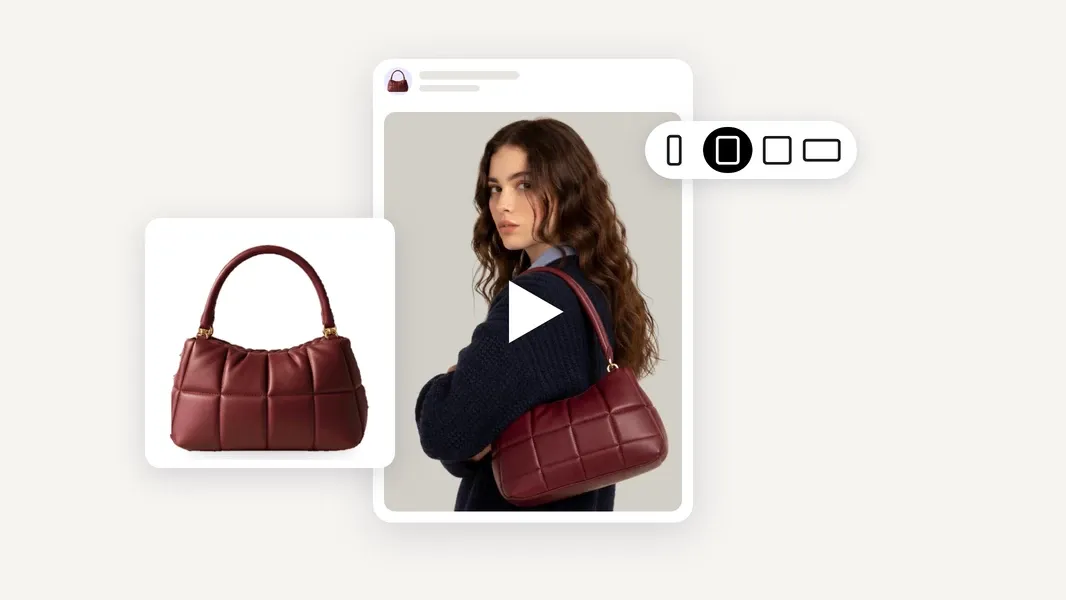
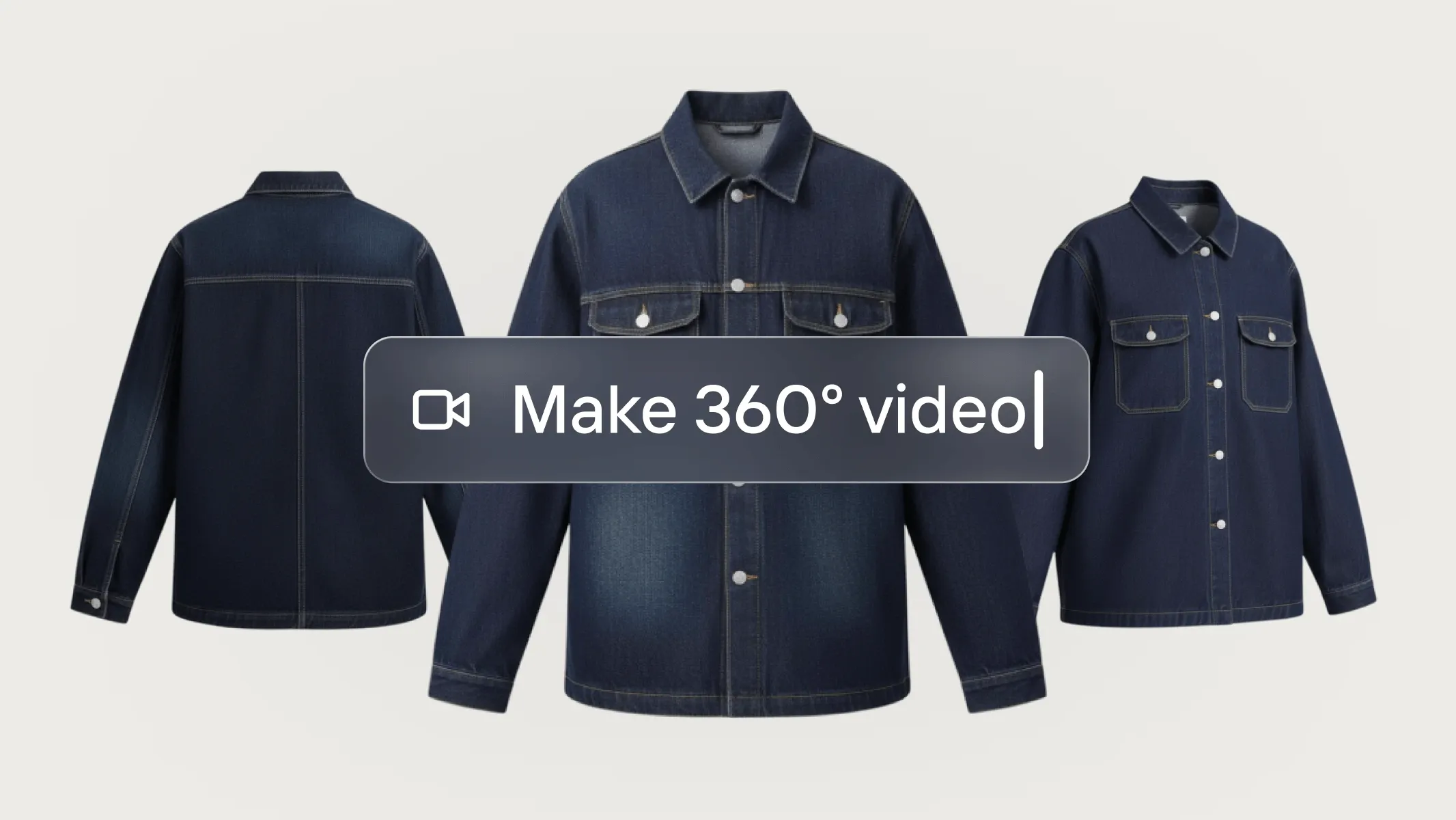
You signed up for Higgsfield to make video ads for your products. Then you met the model picker, the studios, the presets, the avatars and the credit costs that change with every choice. If you sell online and just need ads that sell, it's no surprise you're looking for Higgsfield alternatives.
Higgsfield is a powerful creative suite. But it's built for creators, cinematic looks and influencer-style content first. Small brands and solo sellers usually need something narrower: start from the product photos you already have, get a ready-to-run ad for Meta or TikTok, and move on with your day.
That's where tools like Photoroom's Video Ad Maker come in. Photoroom's Video Ad Maker turns existing product photos into short video ads without requiring you to choose generation models, write complicated prompts, or edit footage. Simply describe what you want to create in plain, everyday language, or let the AI director guide you from the start. It recommends a video style, script, and format that you can customize to promote new products, test different approaches, or launch seasonal campaigns. Other alternatives take different approaches, from automated ad variations to AI avatars and hands-on editing. The right choice depends on how you sell and how much control you actually need.
This guide compares six Higgsfield alternatives for that job, what each does best, and where Higgsfield still wins.
Higgsfield alternatives at a glance
Tool | Best for | Starts from | E‑commerce focus | Learning curve | Price (checked Nov 2026) |
|---|---|---|---|---|---|
Photoroom Video Ad Maker | Brands and sellers making product ads | Your product photos | Built for sellers | Low: guided chat | Included in Max and Ultra plans |
Creatify | Performance marketers testing many variations | Product URL | Strong | Medium | From $15/mo; Pro $55/mo |
Pippit | TikTok Shop sellers on a budget | Product link | Strong | Low to medium | About $20/mo [VERIFY on publish day] |
Arcads | Actor-led UGC ads at scale | Script and AI actor | Medium | Medium | About $110/mo (not published; via reviews) |
HeyGen | Talking avatars and translation | Script and avatar | Low | Low | Creator $29/mo |
CapCut | Editing your own footage | Your clips | Low | Medium to high | Standard $9.99/mo, Pro $19.99/mo (US) |
Higgsfield (for reference) | Creators who want model choice and cinematic control | Prompts, images, product URL | Medium | High | Starter $15/mo (200 credits) |
Higgsfield gives you plenty of creative freedom. You can experiment with different AI video models, cinematic camera movements, visual effects, and character consistency. Its Marketing Studio also includes advertising formats such as UGC, unboxing, and product reviews, and you can start certain ad workflows from a product URL.
If you enjoy experimenting with video generation, want to create distinctive visual effects, or need more control over how individual scenes look, those capabilities can be valuable.
But creating an impressive video and creating an ad for your business aren't always the same job.
If you're selling products online, you also need to think about how quickly you can launch a promotion, whether the video represents your product accurately, and how easily you can make new versions for different audiences or campaigns.
The question isn't whether Higgsfield can create product ads; it's whether its creative workflow is the right fit for how you sell.
Why sellers look for a Higgsfield alternative
1. Too many decisions before creating an ad
Higgsfield offers a wide range of models, studios, presets, and generation settings. That flexibility can be useful when you want to control how a video looks, but it also means spending time understanding which options to use.
For a seller preparing a new product launch or a weekend promotion, the priority might be much simpler: turn a few existing product images into an ad and get the campaign running.
If choosing models and adjusting settings takes longer than planning the promotion itself, a more guided workflow might make sense.
2. More creative possibilities than your products need
Higgsfield is well suited to cinematic content, stylized visuals, and creator-led advertising. It also supports product advertising, so those formats aren't its only use case.
But not every product needs an elaborate video concept.
If you're selling kitchen accessories, skincare, pet products, or everyday essentials, your customers may simply want to see the product, understand its benefits, and decide whether it's right for them.
A tool that helps you communicate those things clearly may be more useful than one with dozens of creative effects you'll rarely use.
3. Credit costs that complicate planning
With Higgsfield, credit consumption depends on the model, video length, resolution, and generation workflow you choose. Different creative choices can have different costs.
This becomes particularly relevant when you want to create several ads.
A seasonal campaign might need different messages, product variations, or formats for different advertising placements. You may also need to regenerate a video when the first result doesn't look right.
Before committing to any AI video tool, consider how many usable ads your subscription can realistically support, not just how many credits it includes.
4. Your product photos are only part of the workflow
Most sellers already have product images for their websites, marketplaces, or social media accounts.
Higgsfield can use images and product URLs as inputs, but its broader creative environment also includes prompts, models, and other generation tools.
If your main goal is to create ads from your existing product photos, you may prefer a workflow organized around those images from the beginning.
That also makes it worth considering what happens before video generation. If your photos need background removal, improved lighting, or new product scenes, being able to prepare those images and create ads in the same workspace can simplify the process.
The 6 best Higgsfield alternatives for e‑commerce video ads
1. Photoroom Video Ad Maker: best for small brands and sellers
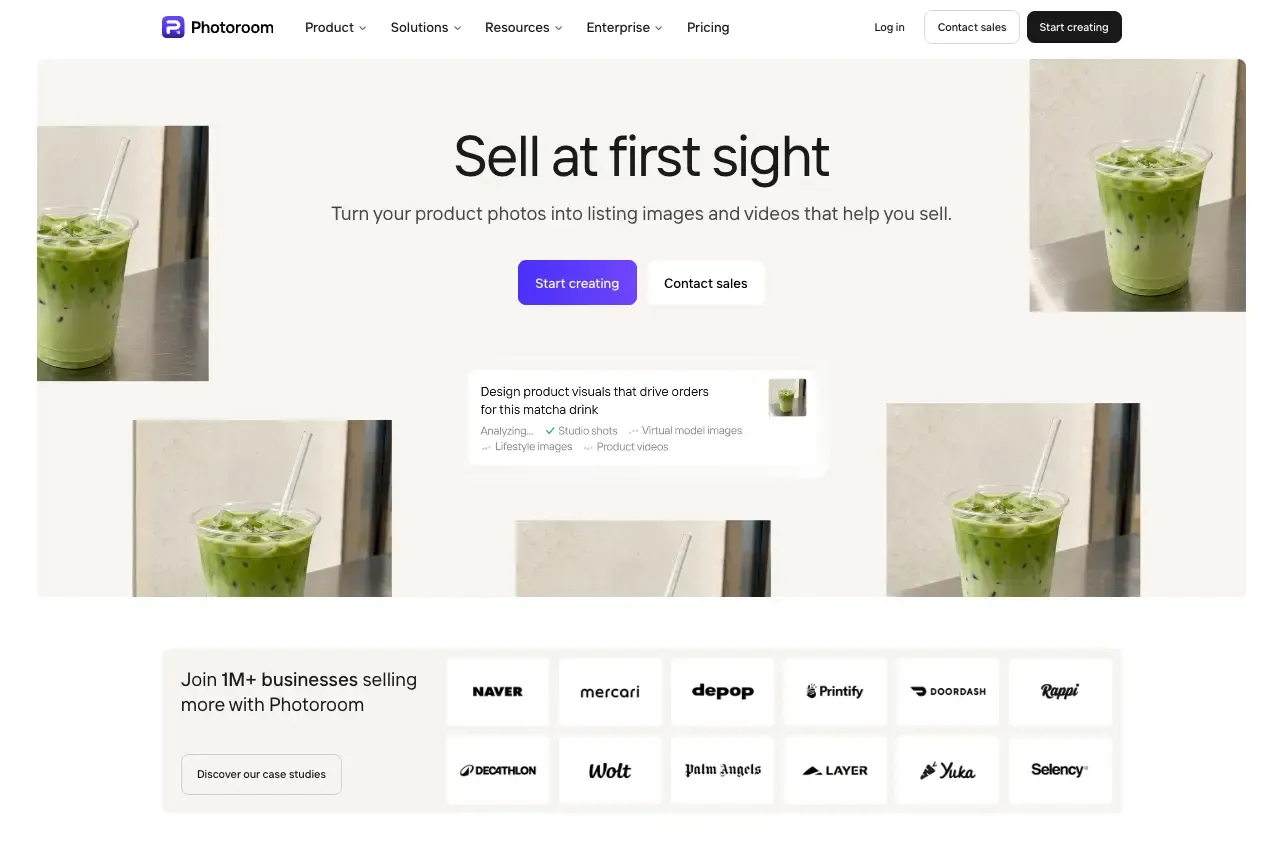 Best for: Sellers who want to turn their product photos into engaging video ads, whether they sell through their own website, online marketplaces, or social media, without complicated tools or video editing skills.
Photoroom's Video Ad Maker helps sellers turn the product photos they already have into video ads, without complicated tools or video production skills. Whether you're promoting products on your website, advertising on social media, or selling through an online marketplace, you can create short videos that help your products stand out and attract buyers.
Instead of starting with a prompt or choosing between generation models, you start with your product. Add up to 6 photos showing it from different angles, either by uploading them, importing them from Shopify, Google Drive, or Dropbox, or reusing images you've already created in Photoroom.
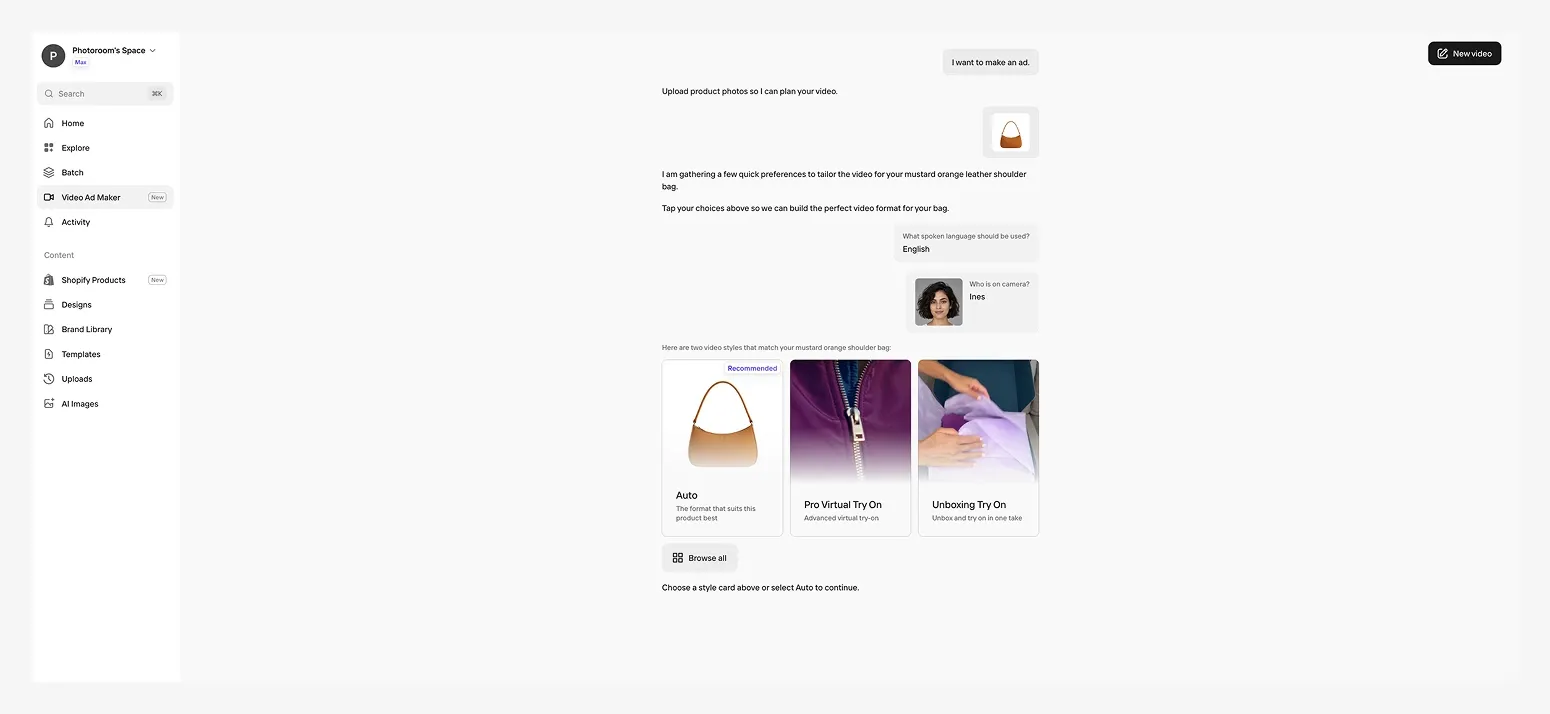
From there, Photoroom's AI director guides you through the creative process. You can let it take the lead describing exactly what you want in simple words or tell it what kind of video you want to create. Either way, it asks a few questions to understand your goals, then recommends a video type, script, and format that fits your product. You can follow its suggestions or make your own choices, including selecting a different video type and adjusting the script before generating your ad.
For example, imagine you're launching a new skincare product and have photos of the bottle, packaging, and texture. You want to create a short Instagram ad, but you don't have footage, an editor, or a clear idea of what the video should look like.
Photoroom can use those product images to build an ad concept, including the shot sequence, script, and voice-over. You can review the plan, change what doesn't work, and generate the video once you're happy with the direction.
The difference is that you don't have to become a video creator to produce an ad for your store.
What you can do with Photoroom
Create different ad styles: Choose from a wide range of video formats, including product showcases, UGC-style ads, product reviews, before-and-after videos, creator-led stories, and more. Let the AI director recommend the best format for your product, explore the available styles yourself, or describe your own idea for a custom video.
Review the creative before generating: Photoroom provides a shot-by-shot video plan, script, and voice-over that you can edit before generating the final output.
Create ads for different placements: Generate 5, 8, or 10-second videos in 9:16 for TikTok, Instagram, and Facebook, or 16:9 for YouTube and websites.
Make ads in multiple languages: Create voice-overs in different languages while keeping the same AI actor and voice across versions.
Reuse your product visuals: Remove backgrounds, improve product images, or create new product scenes in Photoroom before turning them into ads.
For small businesses the big advantage of using Photoroom is that your product photos aren't separate from your video advertising workflow. You can prepare images for your listings, use those same assets in promotional content, and create new ad variations without moving between different applications.
Where Photoroom wins over Higgsfield
Higgsfield provides a wide range of creative models, effects, and video generation options. That flexibility can be useful when you want to experiment with cinematic content or build a highly customized visual concept.
Photoroom takes a more guided approach, with a clear goal: helping you sell more products with video ads, without complicated tools. You can describe the ad you want in plain, everyday language or let the AI director guide you from the start. It recommends a creative approach, script, and format, while giving you the chance to review and customize the plan before generation. And because the creative process starts with your existing product images, you can focus on how to promote what you sell rather than figuring out how to produce a video.
Because product photography and video creation live on the same platform, you can go from cleaning up an image with Photoroom's background remover or any other AI tools to preparing a listing visual and making a video ad from the same product assets.
What to consider before choosing Photoroom
Videos are 5, 8, or 10 seconds long, making Photoroom ideal for short ads rather than lengthy product demonstrations. You can still create shorter product demos that highlight key features or show your product in action, and use them as ads across your marketing channels.
You can edit the creative plan before generation, but changing the finished video means generating another version rather than editing individual frames on a timeline.
Video generation uses AI credits included in eligible subscriptions.
Pricing: Video Ad Maker is available in Photoroom's Max and Ultra plans, alongside its image editing and generation tools. See Photoroom pricing for current plans and credit allowances.
Choose Photoroom if: You want to create video ads that help you sell more products, test different creative approaches, and launch campaigns quickly, without complicated tools or video editing skills.
2. Creatify: best for managing AI ad production and testing at scale
 Best for: E‑commerce brands and marketing teams that regularly produce, manage, and test multiple advertising creatives.
Creatify is an AI advertising platform designed to help businesses create, refine, and test video ads. You can start with a product URL, upload your own assets, or describe what you want to create in everyday language through its AI Ad Agent.
Creatify also offers conversational creation: its Ad Agent can turn a description in everyday language into an ad and refine the result through chat. That makes it a genuine alternative for sellers who want to avoid complicated prompting. Its wider focus, however, is advertising production, with tools for creative variations, ad research, and ongoing campaign workflows rather than a product photography workspace.
For example, imagine you're managing advertising for a DTC brand with several product lines. You want to experiment with different hooks, scripts, and AI presenters, then produce variations for ongoing campaigns. Creatify brings these activities into a platform designed around recurring ad production.
This can be useful when advertising is already a structured part of your business, particularly if you're running several campaigns and regularly testing new creative concepts.
That doesn't mean an individual seller couldn't use Creatify to make a single ad. The more useful question is what else they need to do with their product visuals. If they're regularly improving listing photos, preparing images for different sales channels, and turning those assets into promotions, an integrated product-image-to-video workflow may fit their day-to-day work better than a dedicated advertising platform.
Where Creatify differs from Higgsfield
Both platforms offer multiple ways to generate video content, but they approach the process differently.
Higgsfield emphasizes creative experimentation through different AI models, effects, and visual styles. Creatify is more focused on producing advertising content and managing the surrounding creative workflow.
Its product-URL generation, conversational AI Ad Agent, and advertising features make it particularly relevant to businesses that want to manage recurring ad production rather than experiment primarily with cinematic video generation.
What to consider before choosing Creatify
Decide whether you need the wider ad workflow. Its tools for researching, producing, and varying creatives are useful for recurring campaigns, but not every seller needs that breadth for their next product promotion.
Think about your product visuals outside advertising. Creatify accepts product images and can create image ads, but it is not primarily organized around preparing and managing product photography for listings and sales channels.
Generated content still needs reviewing. Check that scripts, product visuals, and AI-generated scenes accurately represent what you're selling.
Credits affect production costs. Different models and generation features can consume different amounts, so consider how many usable ads your plan will realistically support.
Pricing: Creatify offers a limited free plan and paid subscriptions based on credits. Generation costs vary depending on the features and models you use, so check the current allowances against how frequently you plan to create ads.
Choose Creatify if: Your main priority is producing, refining, and testing advertising creatives regularly, and you want a dedicated AI ad production workspace.
3. Pippit: best for TikTok Shop content and publishing
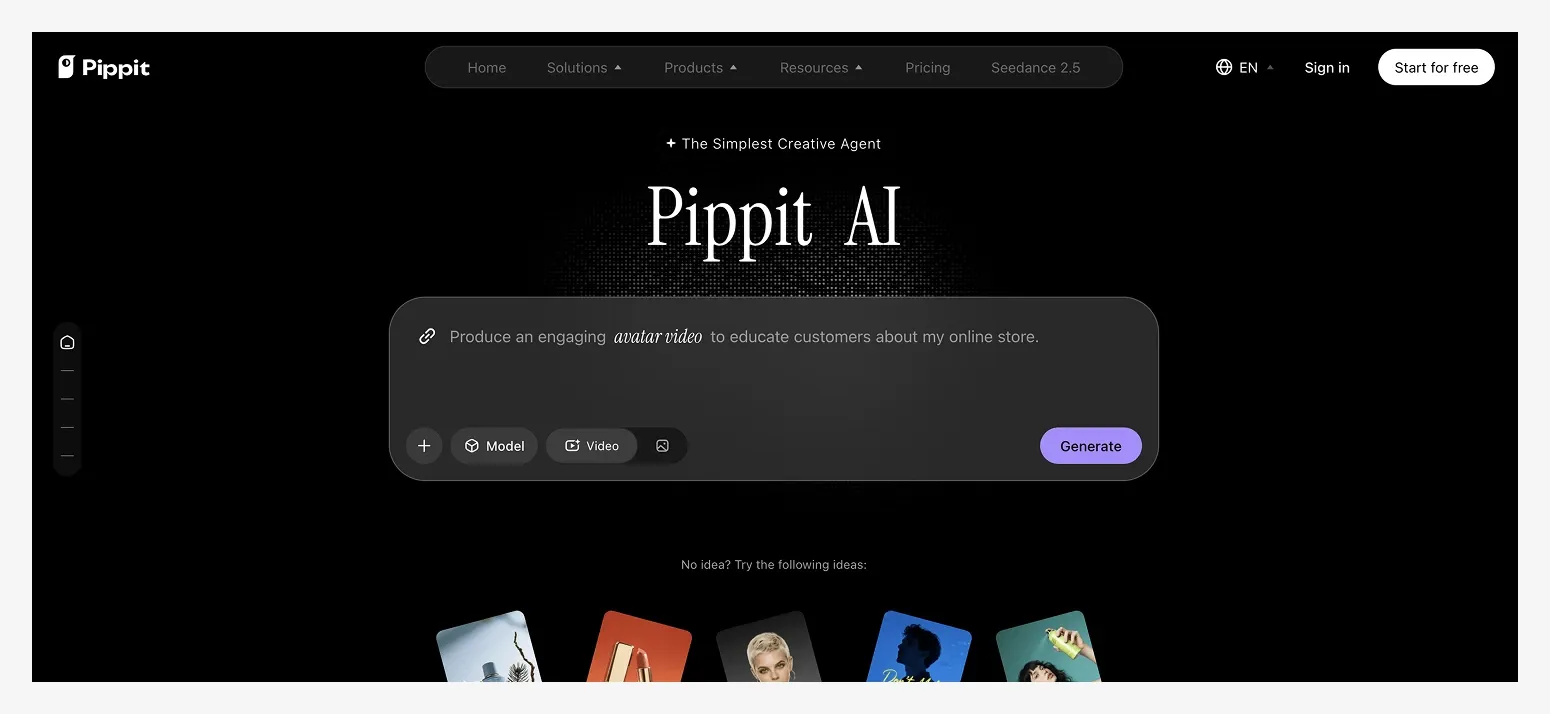 Best for: TikTok Shop sellers who want to create promotional videos and manage social commerce content from one platform.
Pippit, part of the CapCut ecosystem, combines AI content generation with tools for creating and distributing e‑commerce marketing content.
It supports product videos generated from links or existing assets, AI avatars, promotional designs, and editing features. It also includes publishing and analytics capabilities, making it relevant to sellers who produce content frequently for social commerce.
For example, a TikTok Shop seller might need videos for a new product launch, promotional posts for a weekend sale, and additional content featuring popular items from their catalog.
Pippit can support those recurring content needs within a broader social media workflow.
This is where its positioning differs from a dedicated video ad maker. Pippit isn't exclusively about creating one product ad. It also helps with the surrounding work of producing, organizing, and distributing promotional content.
That can be useful if TikTok Shop is central to your business, although not every seller needs content scheduling and publishing features alongside video generation.
Where Pippit differs from Higgsfield
Higgsfield focuses on generating creative video content, while Pippit combines content creation with tools for social commerce and publishing.
If your main challenge is keeping up with regular TikTok Shop content, Pippit's workflow may be more relevant than Higgsfield's creative model selection.
However, if you primarily need short product ads for multiple channels, it's worth considering whether you need a broader social commerce platform or just a tool that creates videos from your existing product assets.
What to consider before choosing Pippit
Its commerce workflow is particularly relevant to TikTok Shop. Sellers focused on other channels may not use all its publishing and commerce features.
Templates require customization. Reusing common formats can speed up production, but your product and brand still need to stand out.
AI-generated footage needs checking. Make sure the product shown in the video matches what you're selling.
Available features and pricing can vary by region. Check whether the creation and publishing tools you need are included in your plan.
Pricing: Pippit offers trial access and paid plans with usage allowances. Pricing and available features depend on the market and subscription.
Choose Pippit if: You run a TikTok Shop and want to combine content production with social media publishing and commerce tools.
4. Arcads: best for script-led ads with AI actors
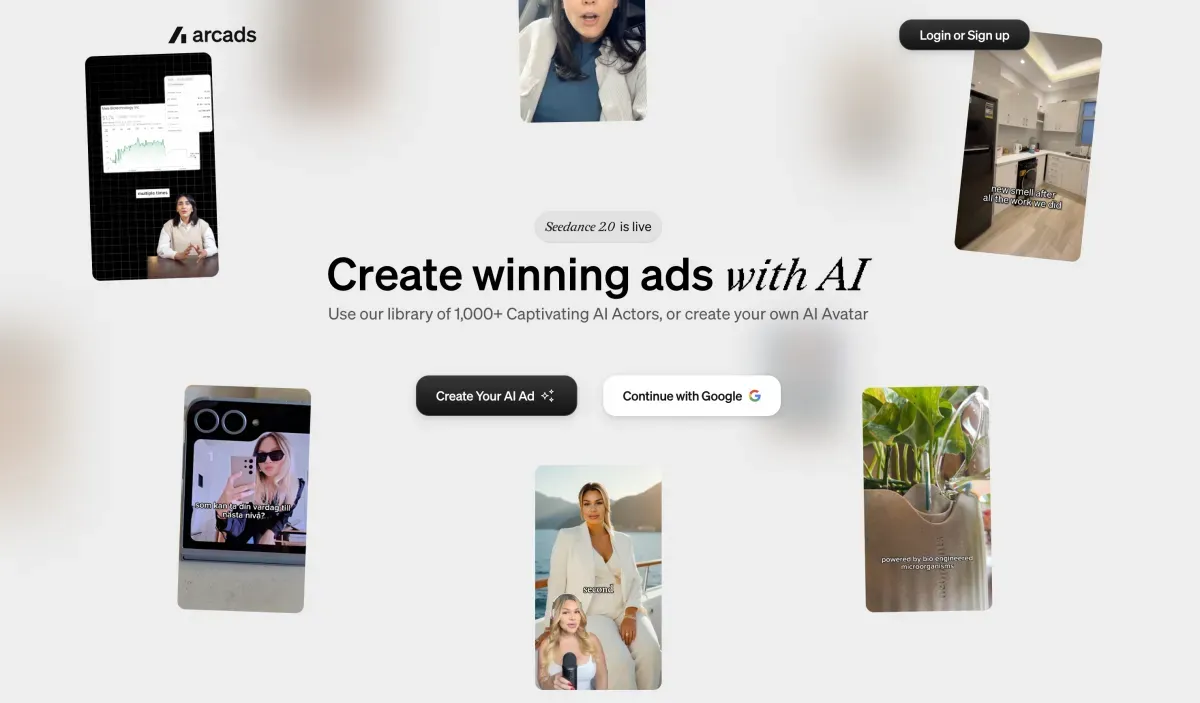 Best for: Brands and marketing teams that regularly create presenter-led advertising and want to experiment with different scripts and AI actors.
Arcads is an AI advertising platform with a strong focus on realistic digital actors. It allows users to create ads featuring AI presenters who speak a script, introduce products, or explain their benefits.
The platform also includes product video generation, additional AI models, and tools for producing creative variations. Its actor-led workflow is particularly relevant when the advertising message depends on a person speaking directly to the viewer.
Imagine you're promoting a kitchen appliance that needs some explanation. Rather than simply showing the product, you might want a presenter to describe the problem it solves and introduce its main features.
With Arcads, you can select an AI actor, write the message, and create a video without filming a real spokesperson.
You can also experiment with different scripts and presentations to see which approach fits your campaign.
The important distinction is between the message and the product demonstration. A convincing presenter can help explain why a product matters, but that doesn't replace the need to show its real features accurately.
For physical products, you'll still need to check how the item appears in the actor's hands, during a demonstration, or in any generated product footage.
Where Arcads differs from Higgsfield
Both platforms provide creative generation capabilities, including AI actors and video models.
Arcads is more explicitly organized around advertising workflows, with tools for producing presenter-led ads, combining footage, and creating variations.
Higgsfield offers a wider creative environment for users who want to explore different video generation approaches.
If you're primarily producing spoken, script-led advertisements, Arcads provides a workflow designed around that type of content.
What to consider before choosing Arcads
Creating an actor-led ad involves creative decisions. You'll need to consider the presenter, message, script, and how the product appears.
It's a broader AI ad production workspace. Features for additional footage, models, and automated variations may be unnecessary for a straightforward product ad.
Product accuracy needs review. Pay attention to packaging, proportions, and any AI-generated interaction between the actor and your product.
Credit consumption varies. Different models, video lengths, and generation operations have different costs.
Pricing: Arcads uses credit-based subscriptions, with consumption depending on the type of video and models selected. Trial access is available for new users, subject to current terms.
Choose Arcads if: Presenter-led advertising is a central part of your strategy and you want to create multiple scripts and AI actor variations.
5. HeyGen: best for multilingual talking-avatar videos
 Best for: Businesses that need digital presenters for product explanations, educational videos, or content adapted into different languages.
HeyGen specializes in AI avatars, voice generation, and video translation.
You can use a digital presenter to deliver a scripted message, create videos featuring a consistent spokesperson, and adapt content for audiences speaking different languages.
For example, imagine you're selling a technical product that customers frequently ask questions about.
A short visual ad might introduce the product, but you may also need a longer explanation of how it works, what makes it different, or how customers should use it.
HeyGen is particularly relevant to that kind of presenter-led content, where communicating information clearly matters as much as the visuals.
It's also useful for companies that produce videos for multiple markets. Instead of recording the same explanation with different speakers, you can create localized versions using AI-generated speech and translation tools.
The trade-off is that talking-avatar videos aren't always the most suitable format for showcasing physical products.
If you're selling clothing, jewelry, cosmetics, or home accessories, customers may want to see the product's shape, materials, movement, or appearance rather than watch someone explain it.
Where HeyGen differs from Higgsfield
HeyGen is centered on digital presenters and spoken communication, particularly when the same message needs to be delivered consistently across different videos or languages.
Higgsfield offers more options for generating creative video scenes and experimenting with visual effects.
For businesses producing multilingual explainers or spokesperson content, HeyGen's specialization may be useful.
What to consider before choosing HeyGen
Its core strength is presenter-led content. That may not match the needs of sellers who primarily want short, visually driven product ads.
Product footage may require additional work. A convincing explanation doesn't automatically provide the close-ups or demonstrations buyers need.
Translation should be reviewed. Product terminology, marketing claims, and local expressions need checking before you publish.
Advanced generation features have usage limits. Review the credits associated with the avatar and translation capabilities you plan to use.
Pricing: HeyGen offers a limited free plan and paid subscriptions, with different allowances for video generation and premium features.
Choose HeyGen if: You need talking-avatar videos, longer product explanations, or localized presenter-led content for different markets.
6. CapCut: best for editing your own product footage
Best for: Sellers who already film their products and want to edit clips, add captions, and control the final video.
CapCut is primarily known as a video editing platform, although it also includes AI generation tools.
Unlike a guided product ad maker, CapCut gives you a hands-on editing environment where you can arrange footage, adjust timing, add text, and work with music, transitions, and effects.
Imagine you sell handmade jewelry and regularly record short videos with your phone.
You might have a clip showing a necklace being worn, another showing its details, and a third featuring the packaging.
CapCut lets you combine those clips into a promotional video, choose the order, add captions, and adjust the pacing.
This approach works well when you already have footage of your products and want precise control over how it's presented.
The downside is that editing remains part of the job. Even with templates and AI assistance, you still need to make creative decisions and assemble the finished video.
If you don't have any video footage, creating an ad may involve generating clips, animating images, or working with additional AI features before editing everything together.
Where CapCut differs from Higgsfield
Higgsfield is primarily used to generate new video content, while CapCut's core strength is editing and combining footage.
CapCut gives you direct control over a video's timeline, making it suitable when you want to choose exactly what appears in each shot.
Higgsfield is more appropriate for users who want to generate original AI scenes and creative effects.
What to consider before choosing CapCut
You'll still need to edit. Templates and automated tools can help, but assembling a complete ad involves more manual work than a guided generation process.
Your starting assets matter. Having good product footage makes editing easier, while starting from static photos may require additional steps.
Some AI features and editing assets require paid access. Check which features are included before building your workflow around them.
Export settings vary by platform and plan. Confirm the resolution and formats available for your intended advertising channels.
Pricing: CapCut offers free editing features and paid subscription options. Prices and access to premium tools vary by region and platform.
Choose CapCut if: You enjoy editing, already record product footage, and want detailed control over the final video.
Which Higgsfield alternative should you choose?
The best Higgsfield alternative depends on what you're starting with, what you want to create, and how often you need new videos.
If you're selling products, think beyond the video itself. You want something you can use to promote your products, test different messages, respond to seasonal opportunities, and ultimately help your business sell more.
Here's how to narrow down your options.
1. Start with the assets you already have
Have product photos ready to go? Photoroom is designed to turn those images into video ads, with the option to improve and prepare your product visuals in the same workspace.
If you already record your products and want to assemble the footage yourself, CapCut gives you a video editing timeline. Creatify can work from product URLs, while Arcads and HeyGen are particularly relevant when you want to build videos around AI presenters and scripts.
Think about how much additional work is required between the assets you have and the ad you want to publish.
2. Decide how much creative work you want to do
Some sellers enjoy writing prompts, experimenting with video models, and directing individual scenes. Others would rather describe what they need and have the tool suggest an approach.
With Photoroom, you can leave the creative direction to its AI director or explain the video you have in mind. In either case, you can review its suggestions, choose a different style, and adjust the script and video plan before generating.
You retain control over the message without having to manage every technical part of video production.
3. Think about your next ten ads, not just your first
You might create an ad for a product launch today, need another for a holiday promotion next month, and want to test a different message the following week.
Consider how easily you can reuse your existing assets, change creative approaches, and prepare videos for different audiences or markets.
Photoroom lets you use the same product images to create different ad styles and customize the message, language, and format for new campaigns.
If you primarily run a structured ad production and testing operation, Creatify's more dedicated advertising workflow may be relevant. It also supports conversational creation, so the decision isn't simply which tool lets you describe an ad in plain language.
The important question is whether creating another ad feels like starting over or repeating a process you already know.
4. Look at the cost of producing usable ads
A low subscription price doesn't necessarily mean low production costs.
Check how many credits different videos consume, what happens when you regenerate an ad, and whether the features you need require a more expensive plan.
Also consider the tools you already pay for. Photoroom includes video generation in eligible Max and Ultra subscriptions alongside product image editing and creation tools, so sellers who already use Photoroom can keep those activities together.
The goal is to find a workflow that fits your budget and lets you create enough videos to support your promotions.
So, which one makes sense?
If you're looking for cinematic effects and extensive model control, Higgsfield may still be a good fit. CapCut is worth considering for manual editing, while Creatify, Arcads, HeyGen, and Pippit serve more specialized advertising or content workflows.
For sellers who want to turn product photos into ads, launch promotions quickly, and experiment with different ways to sell their products without complicated tools, Photoroom is our recommended Higgsfield alternative.
It brings product image preparation and video ad creation together, with an AI director to guide you from your photos to a finished ad.
How to switch from Higgsfield to Photoroom for your product ads
Decided to try Photoroom instead of Higgsfield? You don't need to migrate projects or recreate your previous videos. Start with the product photos you already use for your store, marketplace listings, or social media, and create a new ad in five steps.
1. Choose a product and prepare your photos
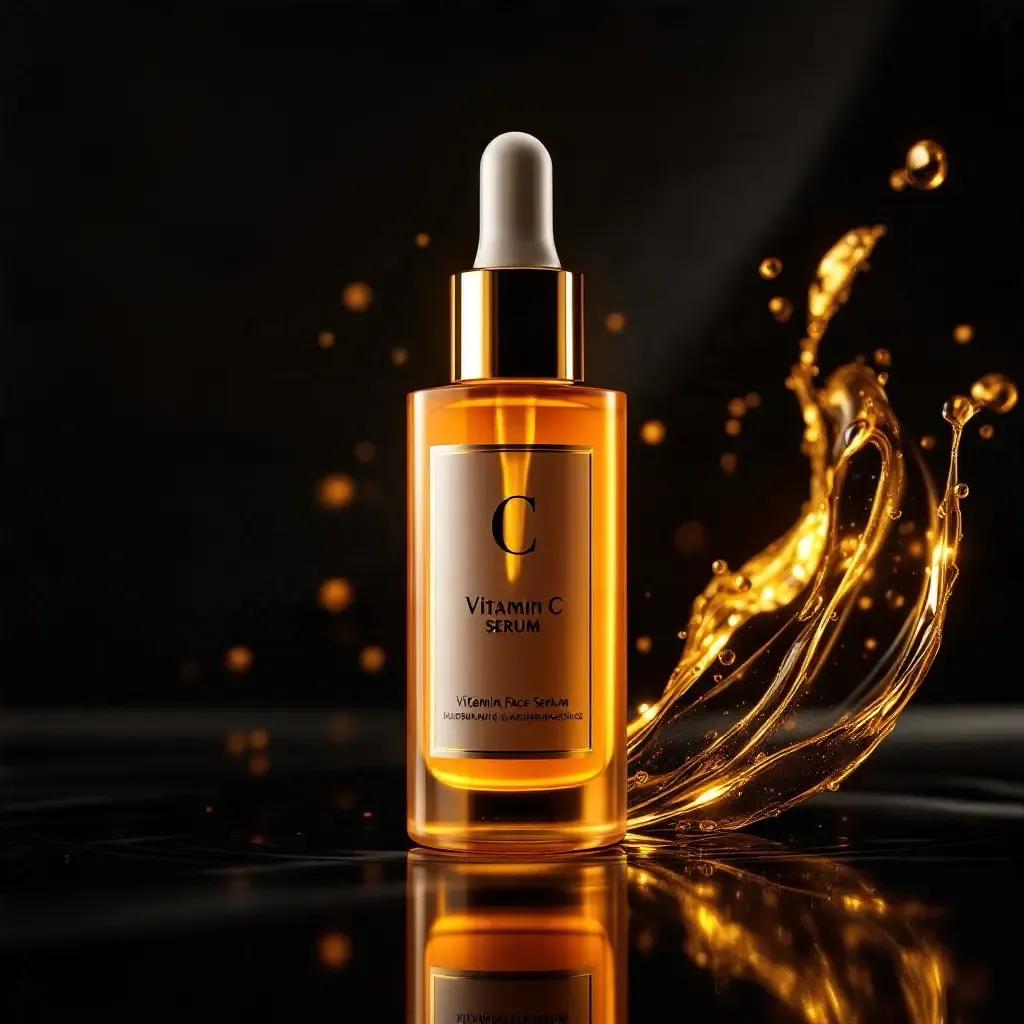 Pick a product you want to promote. It could be a bestseller, a new arrival, or something you're featuring in an upcoming sale.
Choose clear photos showing the product from different angles. Include a lifestyle image if you have one.
Open Photoroom's Video Ad Maker and upload your images, import them from your store or cloud storage, or select existing Photoroom designs.
2. Tell the AI director what you want to achieve
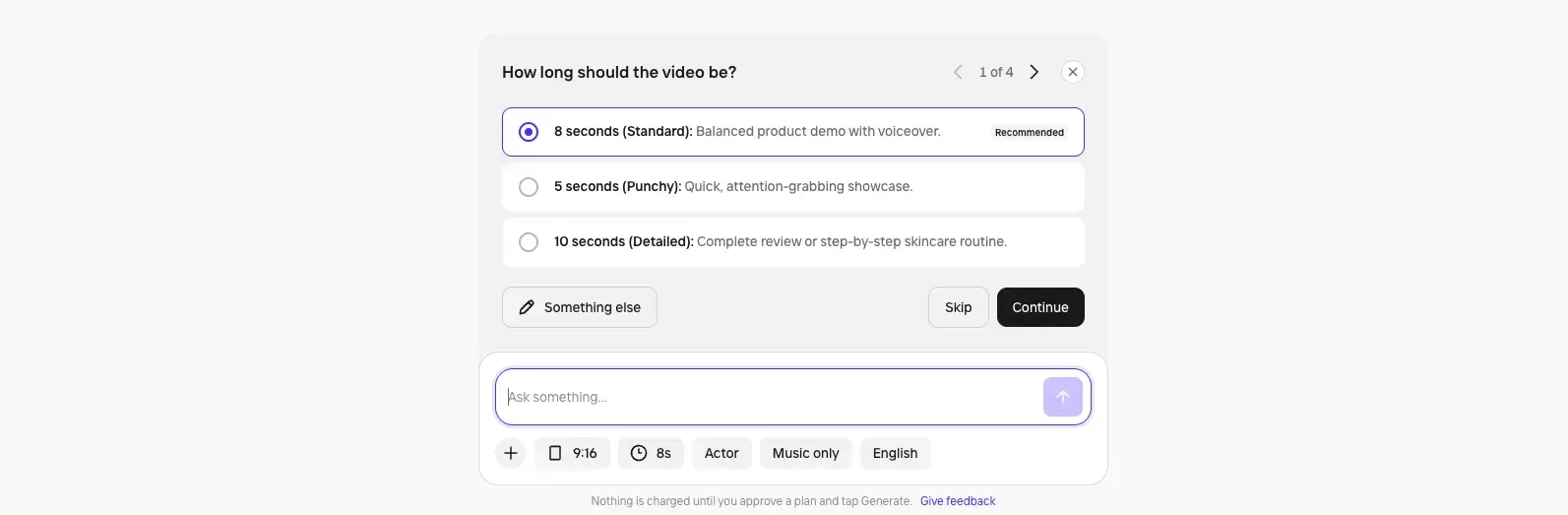 You don't have to begin by choosing a video generation model or writing a detailed prompt.
Tell Photoroom what you'd like to create, such as a promotional video for a new product, a creator-style ad, or a seasonal campaign. Or let the AI director take the lead.
It will ask questions to understand your goals and recommend an appropriate creative direction.
3. Choose a style or follow the recommendation
Photoroom suggests a video format based on your product and what you've told it.
You can accept the recommendation, browse different ad styles, or describe another idea.
You can also customize settings such as the format, duration, language, and AI actor, depending on the video you're creating.
4. Review the script and video plan
 Before generating, review the proposed scenes, script, and voice-over.
Make sure the product benefits and any advertising claims are accurate. Adjust the wording, change the creative direction, or refine the video plan until it communicates what you want customers to know.
Once you're happy with it, generate your ad.
5. Download your video and start promoting your product
Check the finished video, especially the product's appearance, packaging, and any AI-generated details.
Then download it and use it on your website, social media, or marketplace listings that support video.
You can also create new versions to test different creative approaches, introduce seasonal promotions, or adapt your message to different audiences and markets.
You don't have to replace every part of your existing Higgsfield workflow at once. Start with one product, create an ad, and see how Photoroom fits the way you sell.
The best video ad tool is the one that helps you sell
Higgsfield gives you plenty of ways to create videos, and for sellers who enjoy experimenting with cinematic styles and AI models, that flexibility can be valuable.
But if you started looking for Higgsfield alternatives because making a simple product ad felt more complicated than it should, the answer isn't necessarily another tool with more features.
It's finding one that fits how you sell.
You need to be able to promote a new product, launch a seasonal campaign, test different messages, or adapt an ad for another market without starting from scratch every time.
That's what Photoroom is designed to help you do. Start with the product photos you already have, create ads with guidance when you need it, and customize them when you have a specific idea in mind.
Because at the end of the day, you're not trying to become an AI video creator. You're trying to sell your products.