



Our Setup for A/B Testing LLMs with Millions of Users
At Photoroom, we leverage LLMs under the hood of various features: prompt expansion, search, validation. We help millions of busy sellers, so we know that every added second of latency means more frustration. Therefore, we’re constantly tuning the latency-smartness trade-off of a model. A model that does 90% of the job but is 3x faster usually means a better conversion rate.
We usually run A/B tests comparing: export rate, time to export, paywall conversion, some forms of user ratings, export retention.
This became such a habit that we thought it would be useful to share our setup.
Our A/B testing setup
On every single request we receive, we fetch the LLM models from our A/B test provider (today we use Amplitude Experiments):
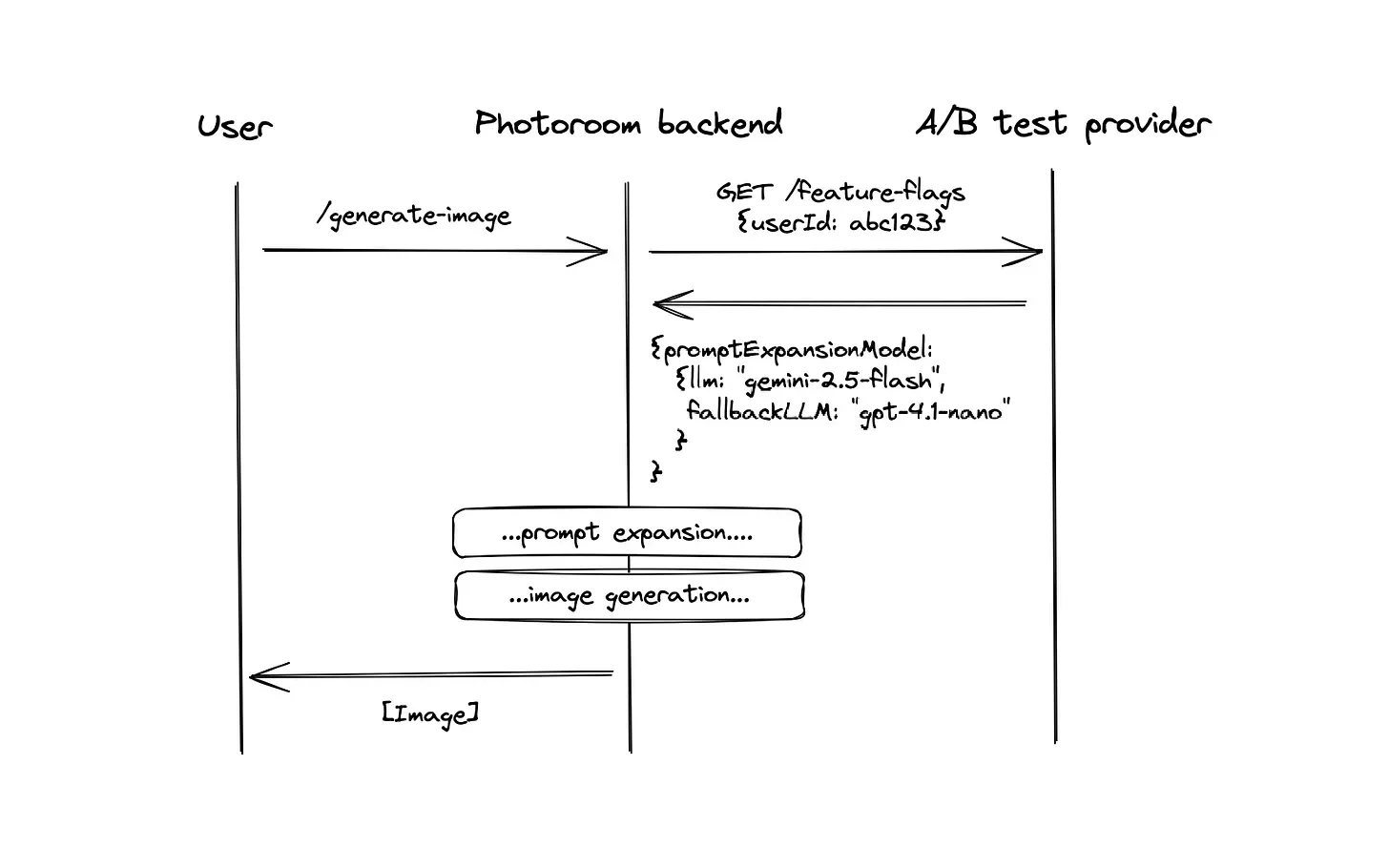
A payload will usually look like this:
{llm: "google/gemini-2.5-flash", fallbackLLM: "openai/gpt-4.1-nano"}The benefits of this system are that product managers are independent when picking the models for each feature (assuming the provider has been implemented first). Since the flag is fetched for every user on every request, updates are instantaneous.
Why a fallback? The LLM operations are so key to our app that we can’t be down every time OpenAI/Gemini is down. Therefore, every time we specify a model, we also pick its counterpart at another provider. In case you haven’t noticed, LLM providers status page tend to look like a Christmas tree light strip (underlying how hard it is to run inference at scale):
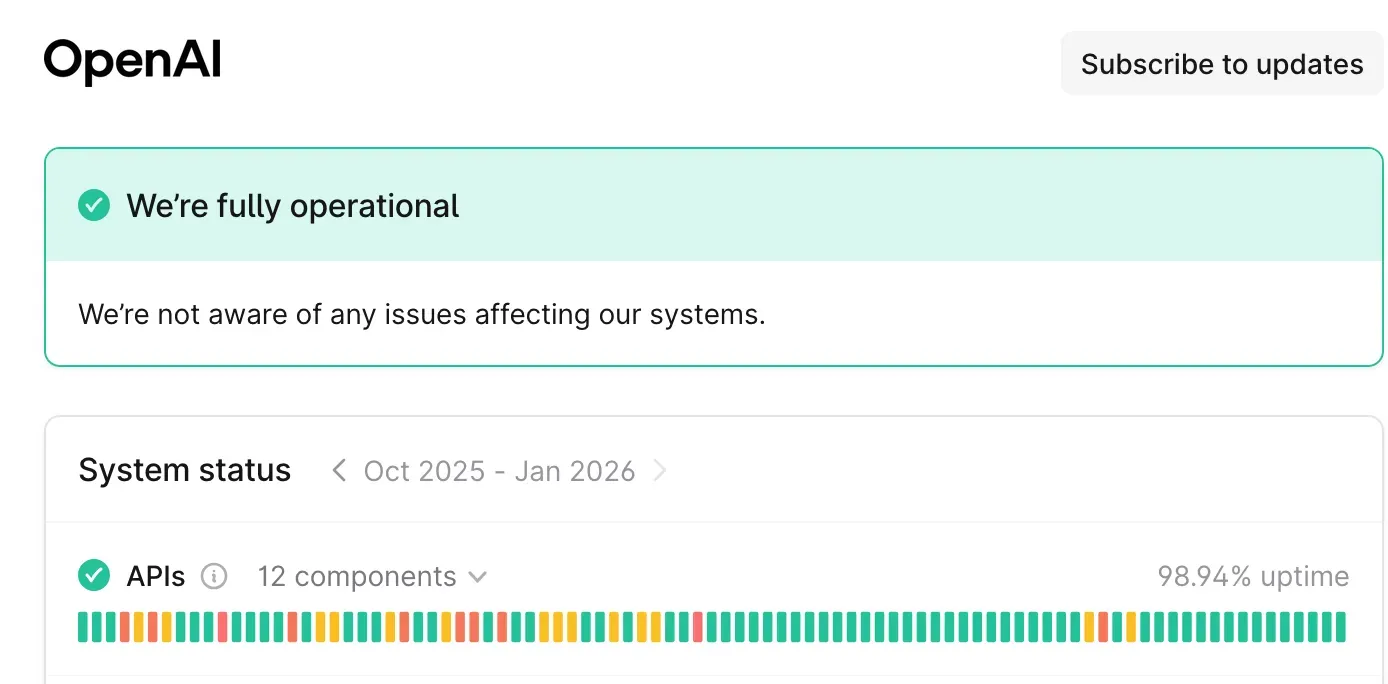 OpenAI’s status page, screenshotted early 2026
Another reason is that even when the API is up, the error rate is between 0.1% and 1%. So you definitely need a fallback (or some form of retries).
But wait! Won’t the fallback impact the results? Even when factoring-in outages, the number of requests falling back is below 1-2%, so we usually don’t take it into account in the A/B test (but we could, by adding the model in the generation event)
What about added latency? We clocked it at a 20ms median. This is because we call our A/B test provider on every request.
Conclusion
You’re most likely using the wrong LLM for your use case. Given how fast the models are improving, you can probably pick a newer generation and it’ll be either faster or cheaper with the same performance.
The only way to make this happen at your company is to make it stupidly easy to try out a new model. For that you need 1. instant changes (no deploy needed), 2. reliability and 3. a clear outcome to measure.

Eliot AndresCo-founder @ Photoroom