Skip to content

Meet Shopify image requirements and drive sales with Photoroom

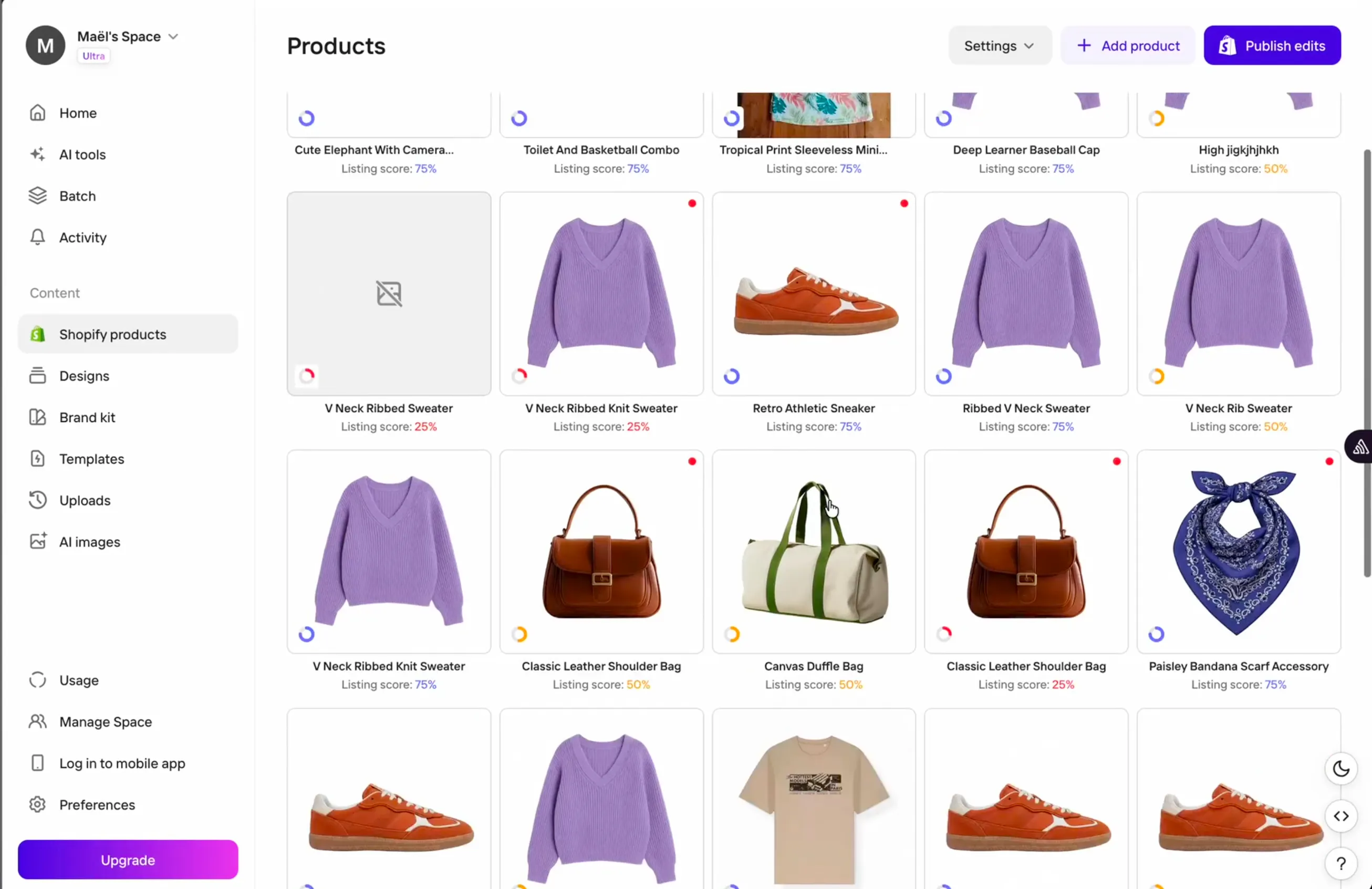
With Photoroom, you can optimize product photos and sell on Shopify in the same workflow. Connect your store, edit 250 images at once, and publish them directly to your catalog.

Built to perform at scale

4x

faster image processing

Launch into more markets, faster

2x

sales growth

From visuals built to sell, true to the product

$80K

saved annually

One automated workflow, consistent output

99%

image accuracy at upload

Less time editing, more time selling

Why sellers choose Photoroom for Shopify product image creation

Consistency boosts buyer trust

Inconsistent product photos can make your Shopify store look unprofessional and hurt brand recognition. Brand Kit stores your visual identity in one place, including assets like logos and fonts. Then you can automatically apply those preferences in bulk when creating new images or editing existing photos.

Fewer steps to take listings live

Creating, editing, exporting, and uploading image files one by one for Shopify adds hours to every launch. Photoroom’s native Shopify integration connects the platform directly to your store, so you can edit and update photos instantly. New items go live all at once, and you don’t need to recreate variants or metadata.

One workflow for all marketplaces

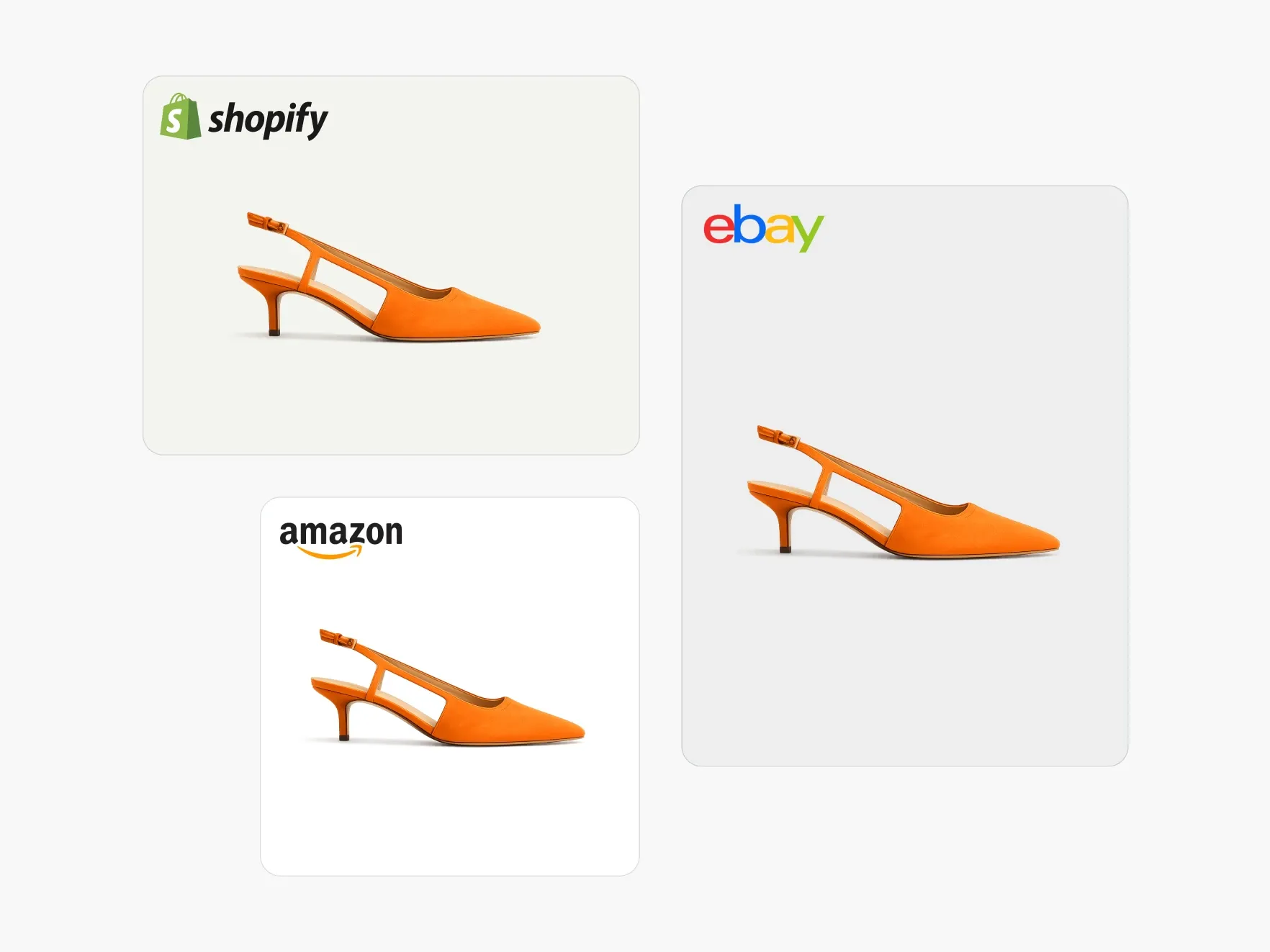
If you sell on platforms outside Shopify, you can edit the same visuals to match each new marketplace’s requirements. Tools like Resize Image and Background Generator let you reformat photos for sites like Amazon, Etsy, Google Shopping, and social platforms. That way, you can apply styling like white backgrounds and flat lays for strong compliance and sales.

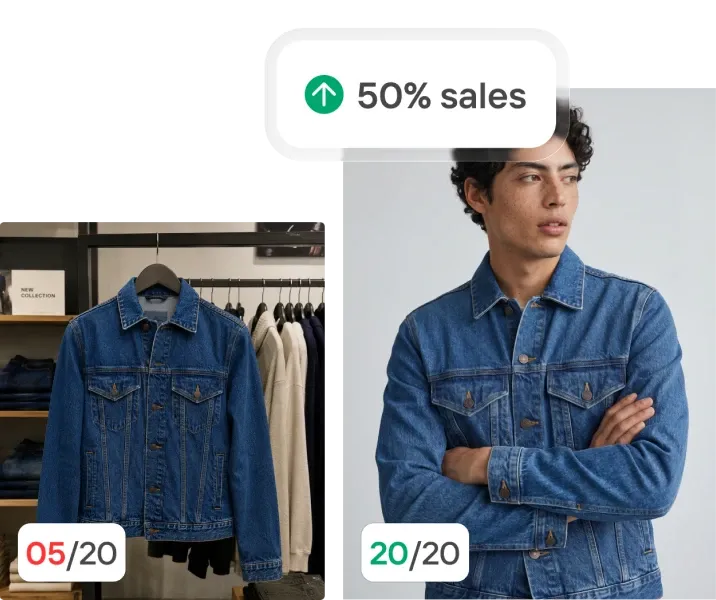
Want to increase your conversion rate by 50%?

Enter your product page and we'll tell you what to fix.

How to sell on Shopify at scale with Photoroom’s product photo AI

1

Connect your store and import photos

Connect your Shopify store using the Photoroom iOS, web, or Android app to bring your catalog and editing tools into one place, then import your product photos straight from Shopify or generate new studio, model, or lifestyle shots from a single image using AI.

2

Edit and batch process

Use AI tools to set your formatting and styling specs (clean up images, add realistic shadows, recolor items, and create color variants), then apply your branding and edits across up to 250 photos at once with Batch mode on the Pro, Max, and Ultra plans, or more using Photoroom's API.

3

Sync back to Shopify

Sync your new or updated product images directly with your live Shopify listings, skipping the export-resize-reupload cycle.

Ship faster, skip the pipeline

Build it in-house or use Photoroom

Photoroom handles your whole visual production workflow, from variants to listing-ready assets. Here's how it compares to building in-house.

    • Build in-house: Creating an AI product variant generator requires dedicated engineering time to source foundational models, build a data pipeline, and construct a reliable QA workflow, all before the first image ships.

    • With Photoroom: Get a production-ready platform on day one, and skip the development cycle. Your teams can start generating variant images at catalog scale immediately, accelerating time to market for new collections.

    • Build in-house: You’ll pay premium salaries for specialized machine learning engineers, rent expensive cloud GPU infrastructure that sits idle during low-volume periods, purchase massive training datasets, and fund continuous pipeline maintenance.

    • With Photoroom: Photoroom absorbs the heavy engineering overhead and compute costs. This frees up your internal technical team to focus on core product development, rather than managing image processing servers.

    • Build in-house: Your team must monitor output quality and retrain models on new data. You’ll also need to manage complex, risky deployments every time the underlying architecture needs an update.

    • With Photoroom: The platform handles all updates natively in the background. Improved generation speeds and higher-fidelity models ship automatically, so your merchandising team benefits from rapidly advancing AI capabilities. 

    • Build in-house:Processing thousands of high-resolution images simultaneously requires complex queuing systems and massive compute elasticity. This can lead to severe bottlenecks during seasonal catalog updates and major product launches.

    • Photoroom: The Enterprise tier provides dedicated generation capacity and custom endpoints, plus an SLA-backed uptime guarantee. And Photoroom’s infrastructure scales instantly to handle peak seasonal volume without queuing delays.

    • Build in-house: Enforcing specific padding, background, and shadow rules for different marketplaces requires hardcoding complex formatting logic. This custom logic breaks easily when platforms update their image requirements.

    • Photoroom: Brand Library applies one visual standard to every generated variant at point of creation. You maintain strict visual consistency across third-party marketplaces and direct-to-consumer storefronts without manual review.

Decreased time to value
Testimonials

Trusted by the brands selling at first sight

3M+ social shares with a viral global campaign

"I would recommend Photoroom's solution to other marketers looking to leverage their brand identity to personalize the experience for users."

Cameron CurtisVP, Worldwide Digital Marketing, Warner Bros.
Explore more Photoroom tools

Background Remover
The fastest, most precise background remover on the market
Batch Edit
Run AI edits across thousands of images in one pass, via API or the web app. No queue infrastructure on your side.
Brand library
Lock in your colors, logos, and layouts. Every image stays on brand, automatically.
Product Staging
Drop your product into lifestyle scenes and seasonal contexts.

Frequently asked questions

Does Photoroom integrate directly with Shopify?

Yes, Photoroom’s native Shopify app connects directly to your storefront. Once the two platforms are linked, you can edit product images for pages, collections, and launches, then apply your Brand Kit and Shopify specs. Photoroom automatically syncs your listing visuals, so you can publish updates immediately without the need for manual exports and reuploads.

Does Photoroom help me meet Shopify's image specs?

Yes, Photoroom helps you export e‑commerce product images that meet Shopify’s requirements and recommendations. With Resize Image and AI Expand, you can make sure all photos are at least 2048 × 2048 pixels and set to a 1:1 square ratio. You can also optimize large visuals to keep details intact, while ensuring that files don’t exceed Shopify’s maximum size of 5,000 x 5,000 pixels or upload limit of 20 MB. And you can save your visuals in Shopify's accepted file formats, including JPEG, PNG, and WebP.

What image quality can I expect from Photoroom for my Shopify listings?

Photoroom’s AI is trained on e‑commerce best practices, and it optimizes images so they appeal to potential buyers. The platform is built around product fidelity (how faithfully an image represents the real item, from its true colors and textures to its patterns and logos). AI tools like the Product Beautifier help you make edits while preserving each item’s edges, textures, and fine details. But a polished image can still misrepresent your product, so AI Product Fixer lets you brush over any inaccuracies, describe the correction, and regenerate just that area while leaving the rest of the image untouched. When you’re selling on Shopify, this fidelity can reduce return rates and negative reviews. 

Does Photoroom work for marketplaces other than Shopify?

Yes. While Photoroom only integrates directly with Shopify right now, you can use templates to configure presets for each additional marketplace. Just set the specs once, including aspect ratios, resolutions, background colors, and file formats. Then you can apply that template to multiple Batch mode runs, making your product photos compliant at scale for platforms like Etsy and Amazon.

Can Photoroom process my full Shopify catalog?

Yes. Photoroom’s Batch mode lets you apply the same AI edits, such as Recolor Clothing and Product Staging, across up to 250 images simultaneously on Pro, Max, and Ultra plans. This means you can update a full product drop or seasonal refresh, and you don’t need to spend time on extra shoots or adjust each Shopify listing by hand. If you want to process larger catalogs fast, you can get an Enterprise API plan with custom batch and export limits. Contact sales to find the right Photoroom plan.

Start selling at first sight

Get listing-ready product visuals in seconds.